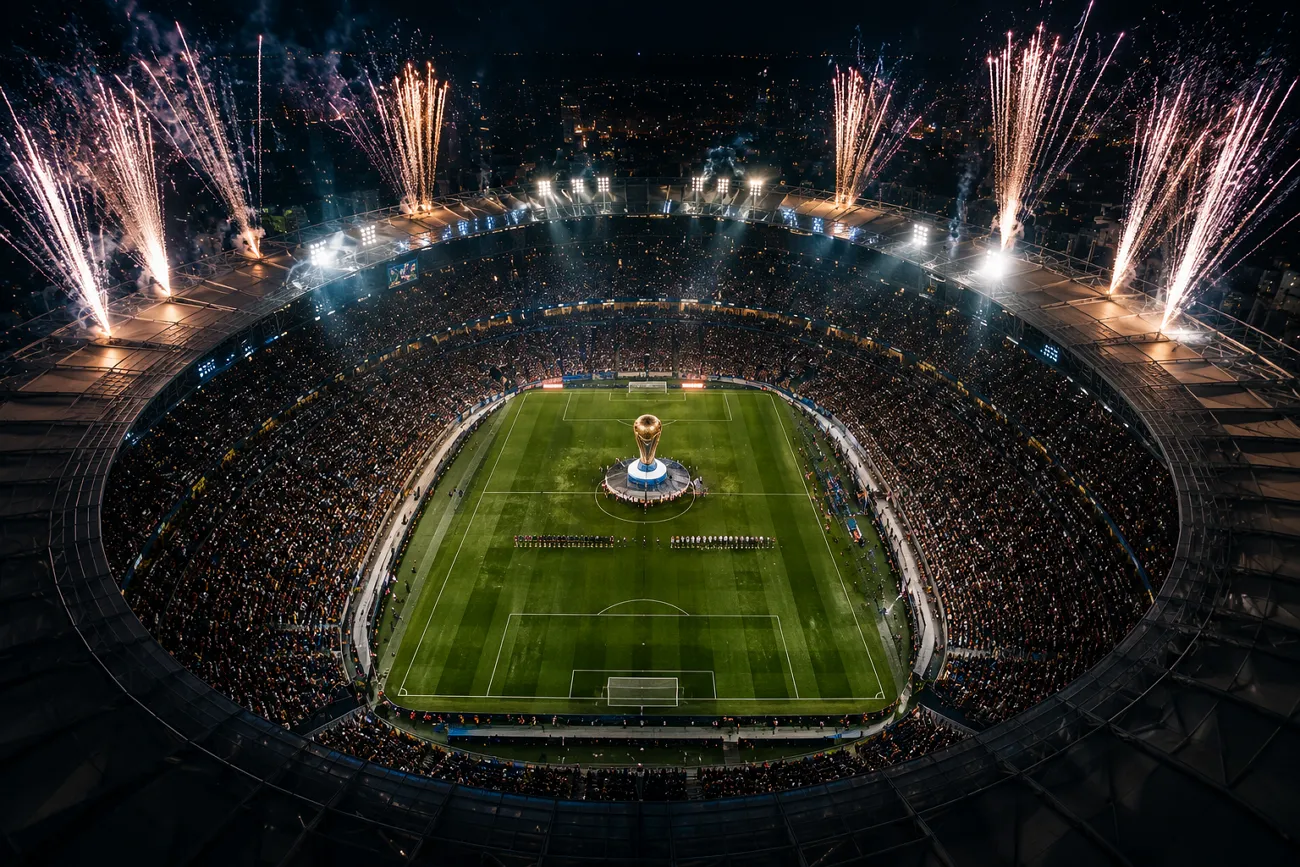
A user wants to recreate the excitement of a FIFA World Cup final using AI tools. They lack time and gear for filming or designing professional football content from scratch. Automatic video and poster generators help, but writing clear prompts still confuses most new creators.
Many people struggle to describe stadium atmosphere, emotions, and big-match details in structured prompt language. In this guide, you will find World Cup champion prompts to create realistic, engaging AI football visuals.
Part 1. 20 FIFA World Cup Champion Prompts
The FIFA World Cup final delivers the most unforgettable champion moments in history. You can recreate these trophy lifts and stadium scenes in posters with the right AI tools. The following prompt collection is designed to help football creators generate cinematic content that captures the essence of victory on the biggest stage.
World Cup Final Match Prompts for Match Highlights
World Cup champion stories usually come from big match moments that fans watch again and again. These World Cup champion prompts focus on key plays and emotional turning points that can be turned into powerful victory videos.
1. Last-Minute Title-Winning Goal
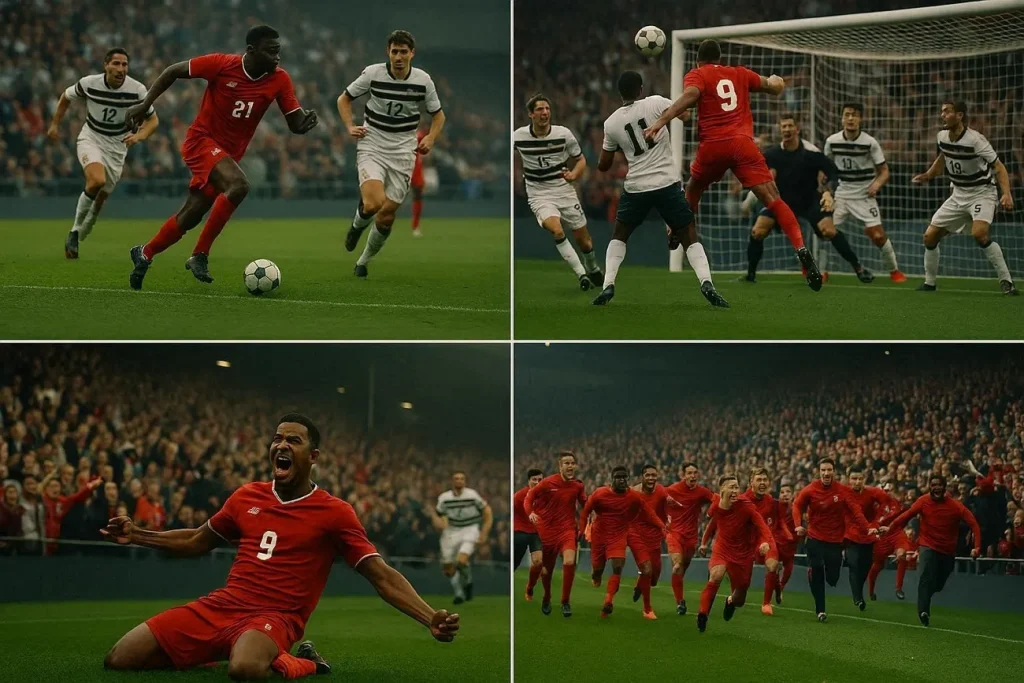
Show a World Cup final where a team scores in the last minute to win the trophy. The stadium explodes with noise as players sprint to the corner, crying, hugging, and celebrating together.
2. Defensive Block That Saves the Title
Show defenders forming a strong wall to block a dangerous free kick in the final minutes. When the ball rebounds away, the goalkeeper and defenders celebrate together, knowing they just saved the championship.
3. Wing Attack Leading to Trophy Moment
Craft an attack from the wing where a winger beats defenders and crosses for the winning header. The scorer runs straight to the fans, sliding on his knees as the bench empties onto the pitch.
4. Final Whistle and Trophy Walk
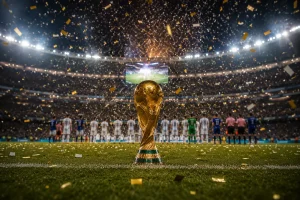
Create a sequence starting with the final whistle as players fall to the ground in relief. Then show them lifting the trophy, walking around the stadium, and sharing the victory with fans in every stand.
World Cup Champion Prompts for Player Spotlight Content
Star players define a World Cup win with one unforgettable moment. These World Cup champion prompts focus on individual players and the actions that made them legends.
1. Captain Leading the Team
Create a scene where the captain talks to teammates before the final, keeping everyone calm and focused. Highlight his body language, gestures, and eye contact as he takes responsibility for the team.
2. Striker’s Breakthrough Moment
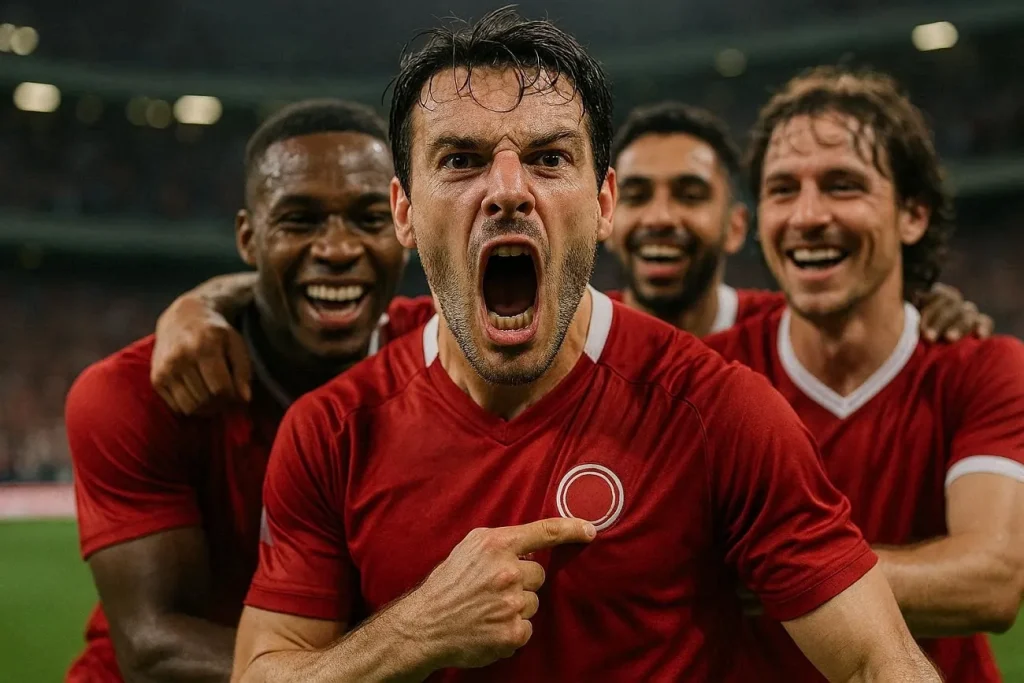
Create a moment where the striker finally scores after missing earlier chances in the match. Stay close to his reaction as he screams, points to the badge, and is surrounded by teammates.
3. Goalkeeper Saving the Team
Show a goalkeeper making a huge save in a one‑on‑one situation late in the final. Highlight his quick movement, stretched dive, and shocked smile as teammates rush to thank him.
4. Young Star’s First World Cup
Craft a scene where a young player enters the match and changes the rhythm with fresh energy. Focus on his nervous look turning into confidence as he dribbles past defenders and wins the crowd.
World Cup Champion Prompts for Fan Celebration Videos
Fan celebrations show how much a win means to the audience. The World Cup champion prompts shared below focus on crowd reactions and emotional moments after the final play.
1. City Street Victory Parade
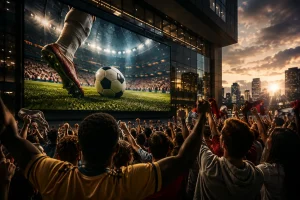
Create a scene of fans filling a main city street after their team becomes world champions. People wave flags, honk car horns, and dance around moving vehicles in a joyful traffic jam.
2. Stadium Crowd Trophy Reaction
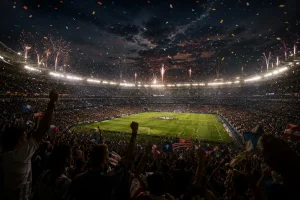
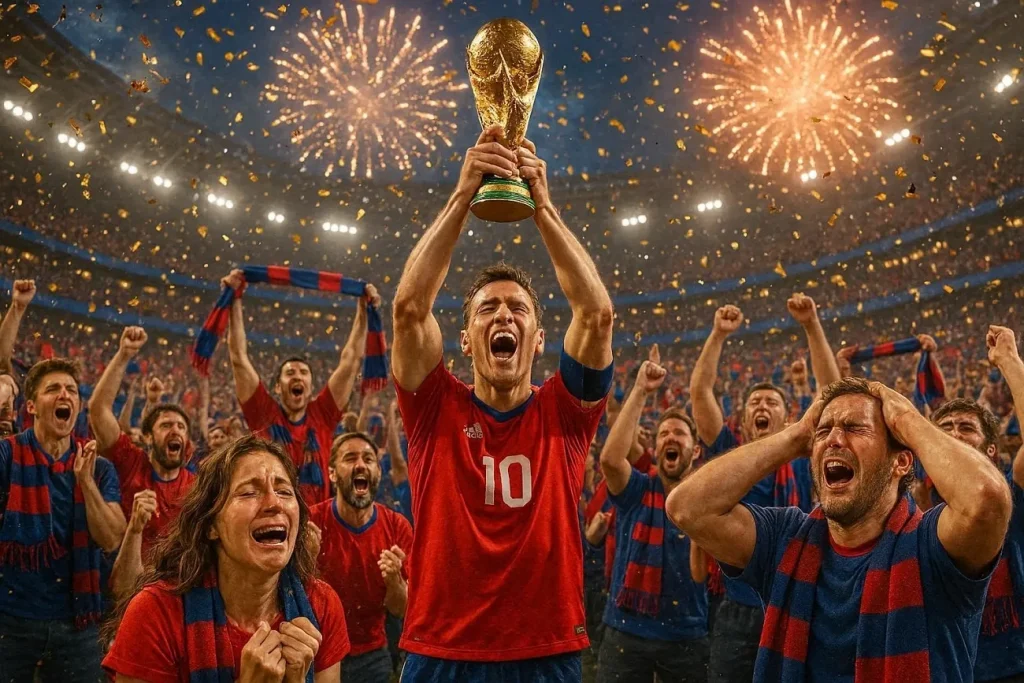
Create a shot inside the stadium just as the captain lifts the World Cup trophy. Fans in team colors cry, sing, and wave scarves while confetti and fireworks light up the sky.
3. Global Fan Celebrations Montage
Craft a video that cuts between fans celebrating in different countries right after the final. Show streets, cafes, and rooftops as people everywhere cheer, dance, and shout the champion’s name.
4. Fan With Personal Story
Show one devoted fan who followed the team all tournament, finally seeing them win the World Cup. Focus on their tears, phone recording, and how they celebrate with family or friends around them.
World Cup Champion Prompts for AI Images and Posters
World Cup champions deserve visuals that look like real posters, not just random screenshots. The World Cup champion prompts below help you create AI images and posters that show everything in a single strong scene.
1. Stadium Crowd Explosion Poster
Create a wide stadium shot just after a crucial goal in the World Cup final. Fans wave flags, jump together, and form a sea of team colors under bright stadium lights.
2. Heartbreaking Losing Fans Artwork
Design a poster showing fans of the losing team sitting in quiet shock after defeat. Capture bowed heads, dropped scarves, and teary faces to show the pain of the final.
3. Giant Flag Stadium Display Image
Create a stadium image where fans hold up a giant national flag covering the stands. Focus on bold colors, simple shapes, and crowd silhouettes for a strong poster design.
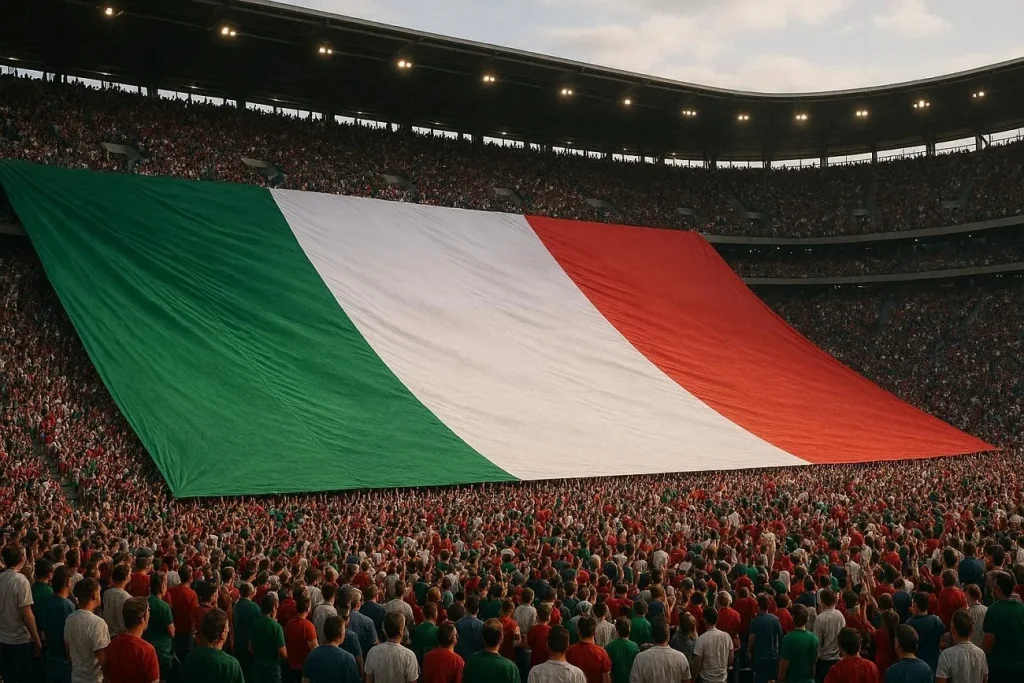
4. Fan Close-Up Victory Portrait
Design a close-up portrait of a fan celebrating their team winning the World Cup. Show painted face, raised scarf, and stadium lights blurred in the background.
World Cup Champion Prompts for Social Media Content
Trophy and victory clips are perfect for short social media posts that fans share again and again. The World Cup champion prompts below help you create reels, shorts, and posts that show trophy lifts and celebration moments.
1. Trophy Walk Social Clip
Create a vertical clip of players walking to the podium with the World Cup trophy ahead. Add close‑ups of smiling faces, slow-motion steps, and text overlay like “Road to Champions.”
2. Medal Ceremony Instagram Reel
Generate a short reel showing players getting medals one by one and hugging teammates. Use quick cuts, crowd noise, and a final frame with “World Champions” and the final score.
3. Team Trophy Group Photo Post
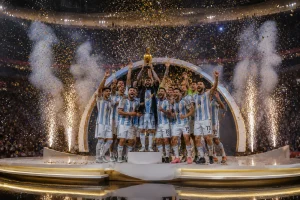
Craft a still frame of the whole team posing around the trophy on the pitch. Add space for a caption, hashtags, and a clean area for logos or sponsor text.
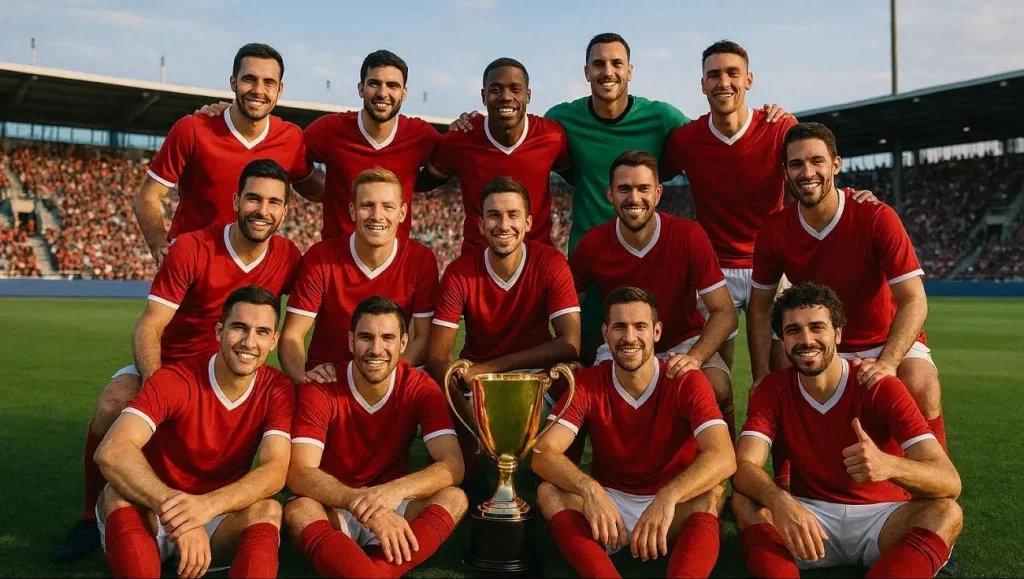
4. Before‑and‑After Champion Carousel
Generate two images: one of tired players before the final, one lifting the trophy. Use them as a social carousel with simple text like “Before” and “After Champions.”
Part 2. Best Way to Create FIFA World Cup Champion Videos
Creating a compelling FIFA World Cup champion video needs more than impressive visuals. You need clear storytelling and strong characters to make your edits and recaps go viral. This is where MagicLight AI stands out as an ideal solution for football storytelling and your favorite character creation. One of its most powerful features is Story to Video, which allows users to transform simple World Cup champion prompts into a complete video.
MagicLight AI breaks your champion story into different sequences, such as dramatic goals, trophy lifts, and celebration scenes. This creates a natural narrative flow that feels like a real football broadcast. The platform also offers multiple AI generation models like Seedance 2.0 and Gemini 3. This enables creators to choose between realistic sports coverage and more stylized cinematic visuals, then refine everything with the built‑in video editor.
Key Features
- Multiple Language Support: MagicLight AI supports multiple languages and makes it easier for users to create FIFA World Cup champion stories for audiences around the world.
- Football Character Creation: The platform allows users to generate and customize football characters that fit their story perfectly.
- Lip Sync: MagicLight AI's lip-sync feature ensures that the mouth movements match the generated voiceover.
- Image-to-Video Generation: Users can transform static football champion images into dynamic video sequences using the Image-to-Video feature.
- Caption Generation: Automatic caption generation helps highlight key moments throughout the World Cup final story. Captions can be used for match commentary and dramatic scene descriptions.
Steps to Create World Cup Champion Videos Using MagicLight AI
As discussed, users can generate videos from World Cup champion prompts using the Story to Video feature. Provided below are the steps to create football videos using this tool:
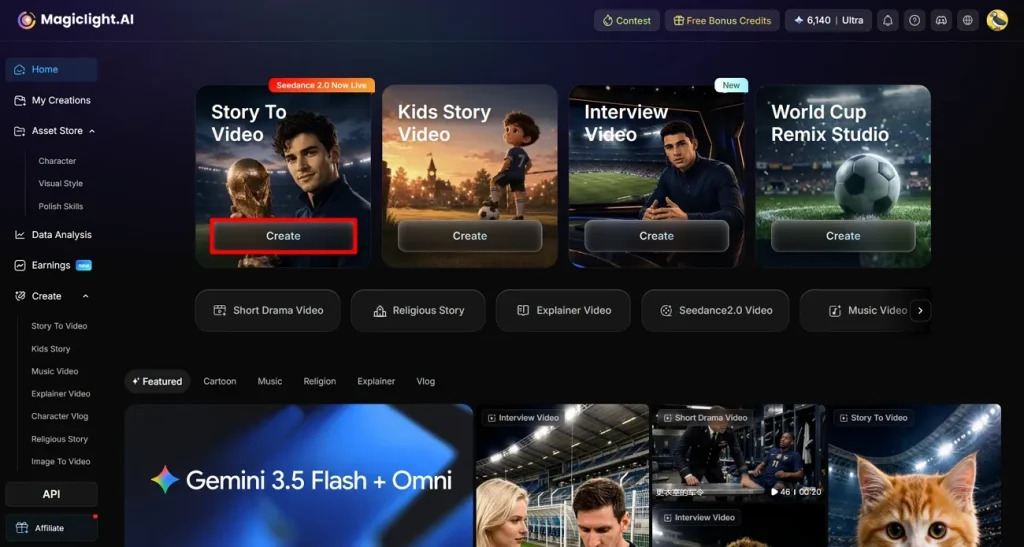
Step 1. Create a New Story-to-Video Project
Open MagicLight AI in your preferred web browser and navigate to the Story to Video feature from the homepage. Click the Create button to begin setting up a brand-new project.
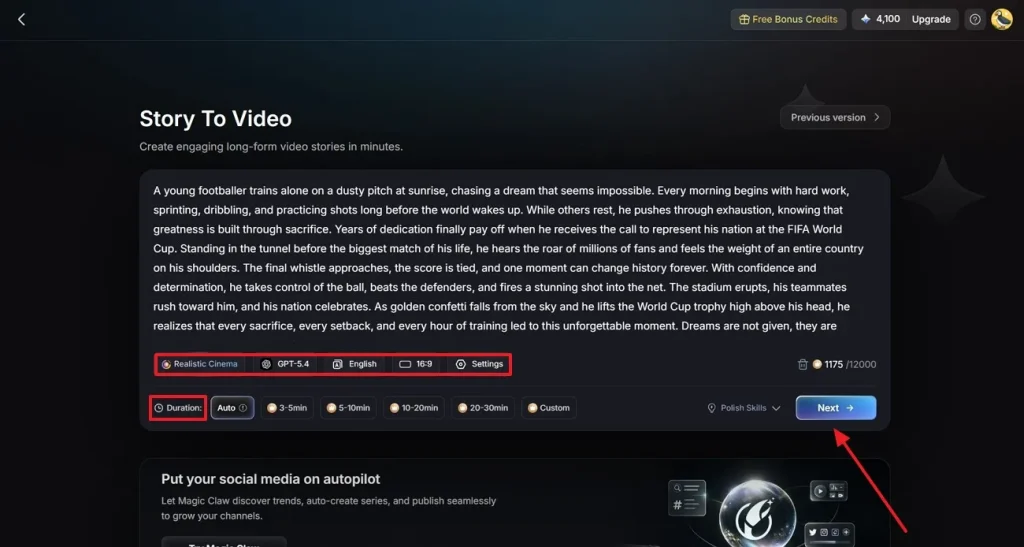
Step 2. Configure the Video Settings
Paste your World Cup champion story script into the designated text field. Next, select the video category that best suits your content and choose an AI generation model for the visuals. Adjust the aspect ratio and set the desired duration of the video. After confirming all preferences, click Next to move to the following stage.
Step 3. Inspect and Enhance the Story Sequence
Review the generated sequence carefully to make sure the story unfolds as intended. If necessary, refine scene descriptions or adjust improve continuity. Press the Next button once you are satisfied with the scenes.
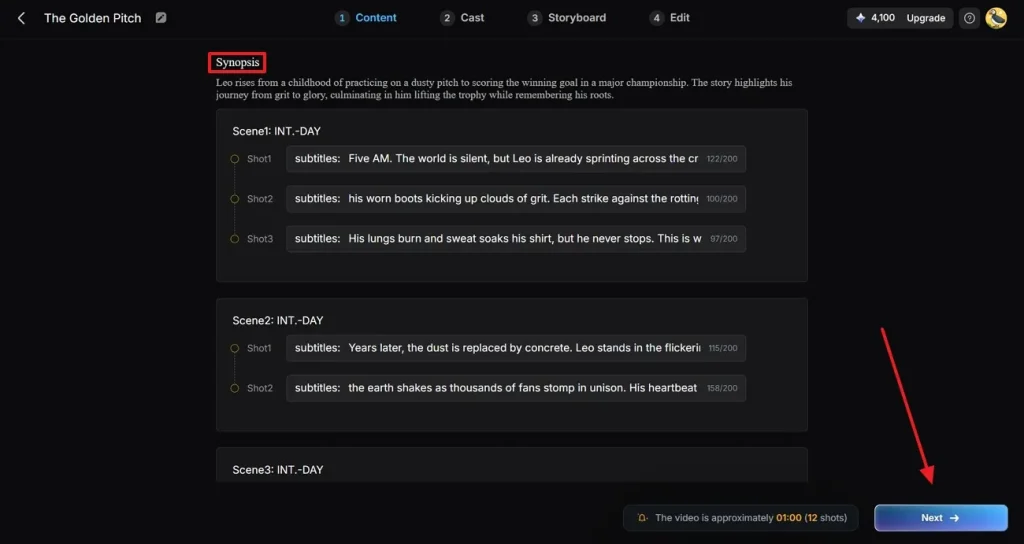
Step 4. Pick Characters for the Story
Browse the available football characters and choose one that matches your World Cup storyline. You can further personalize the video by accessing the My Character section to edit existing characters or use saved ones. Click Next when your character selection is complete. You can also click on the More Characters option if you want to add more characters.
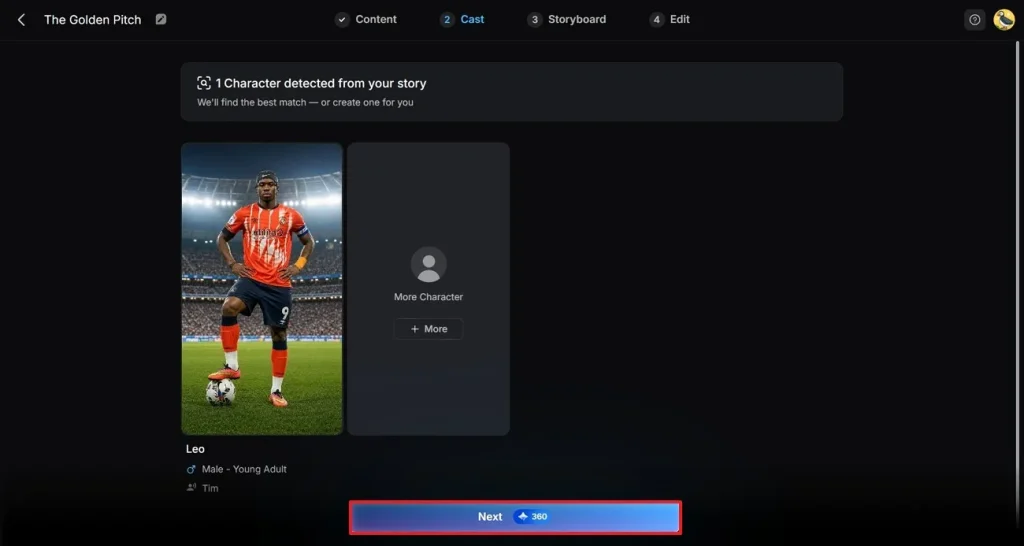
Step 5. Customize Character Appearance and Actions
Use the editing tools to modify character details, including clothing and other elements. You can also apply voice effects to enhance the overall viewing experience. Check the character’s appearance throughout the storyboard to ensure visual consistency. When everything is finalized, click the Next button in the upper-right corner.
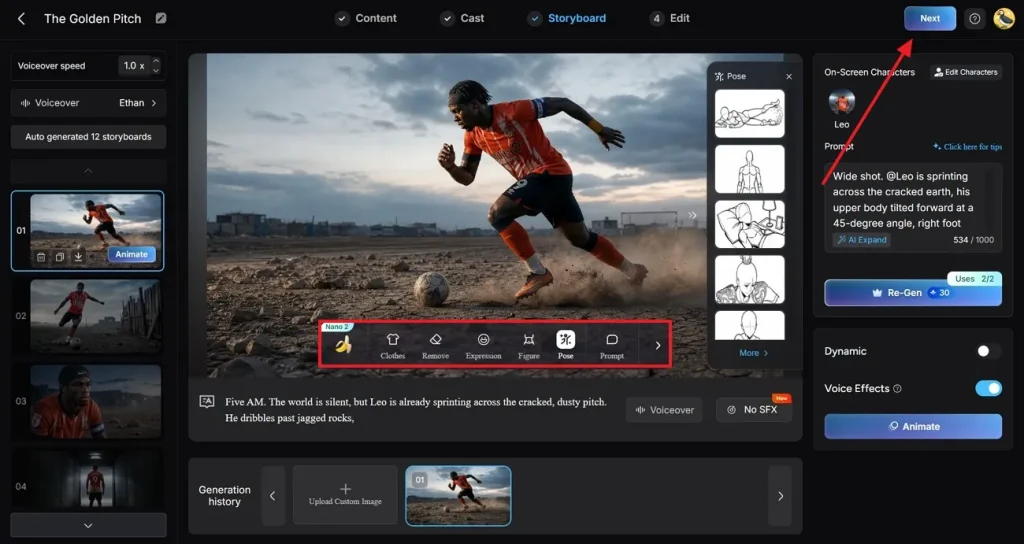
Step 6. Insert Captions and Music Tracks
Add captions to display spoken dialogue and important moments within the video. Select a caption style that complements the theme of your World Cup champion content. You can also browse the available music library and choose a soundtrack. Once all adjustments are complete, click Generate to start video creation.
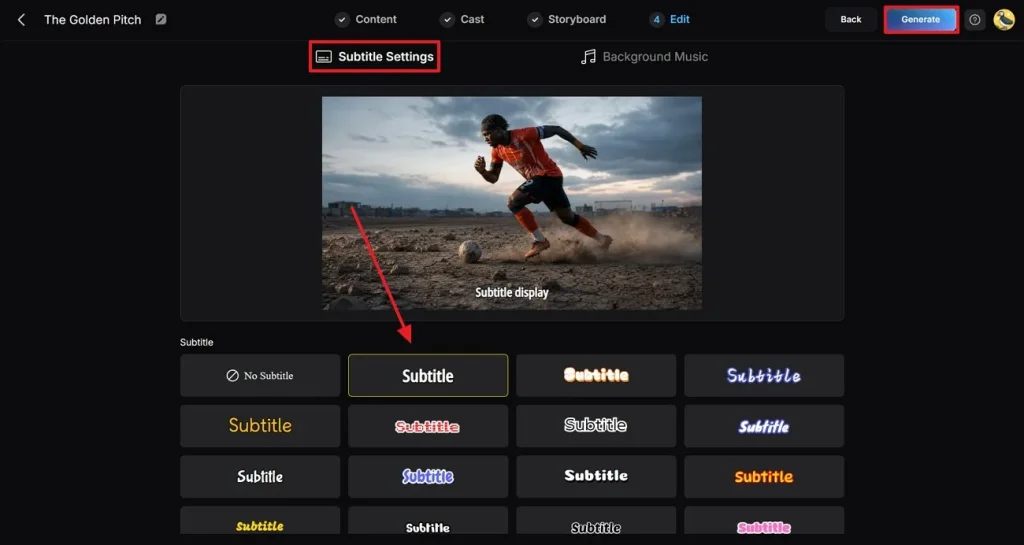
Step 7. Preview and Save the Completed Video
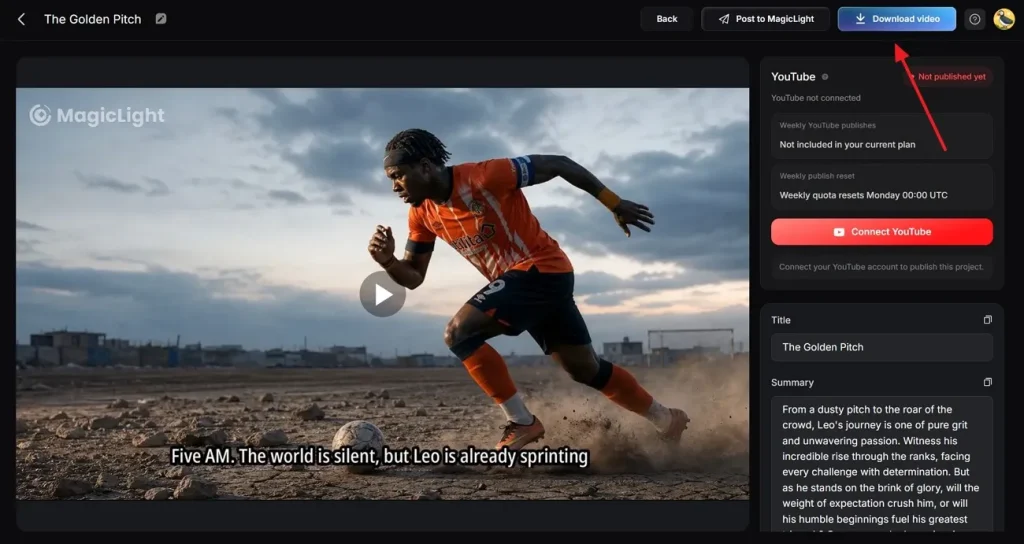
After the rendering process finishes, review the generated video to verify that the visuals look good. When you are satisfied with the outcome, use the Download button in the top-right corner to save the finished video.
Conclusion
To sum it up, this article discussed the top 20 World Cup champion prompts you can use to generate different types of football videos. These prompts help you craft champion stories, highlights, and celebrations according to your own style. MagicLight AI lets you turn scripts and text prompts into full videos. It uses advanced technology to read your prompts and convert them into consistent football visuals that match your ideas.
FAQs on FIFA World Cup Champion Prompt
1. How do I create championship-themed football videos with AI?
You can write a simple script, then paste it into MagicLight AI’s video generator. The tool breaks your script into scenes, creates visuals, adds audio, and exports a finished video.
2. Can AI generate realistic champion football scenes?
Yes, MagicLight AI can create realistic stadiums, players, goals, and trophy celebrations. With detailed World Cup champion prompts, you can control camera angles, mood, and overall atmosphere.
3. What types of World Cup champion content perform best online?
Short trophy-lift clips and emotional fan reactions usually get strong engagement. Creators often use MagicLight AI to turn these ideas into YouTube Shorts, TikTok edits, and Instagram Reels.
4. Can AI create football victory stories and documentaries?
Yes, MagicLight AI can turn longer scripts into multi‑scene victory stories or mini documentaries. You can include commentary, chapter-style scenes, and interviews to make the story feel complete.
5. Why is MagicLight AI useful for championship content creation?
MagicLight AI combines text‑to‑video, script‑to‑video, and character tools in one platform. This makes it easy to go from idea to polished champion video without advanced editing skills.