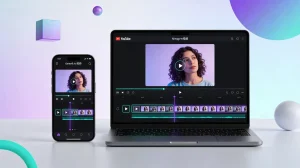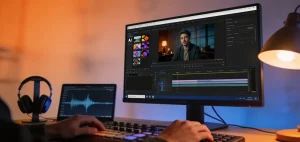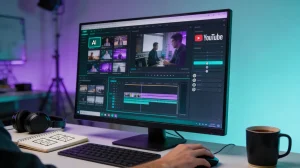
AI video creation now feels faster, stranger, and far more practical than before. Creators can build ads, memes, explainers, and short stories without massive crews. That shift matters because the best AI video generator now saves both time and production effort. Instead of wrestling with complicated timelines, users can start from prompts, images, or scripts. The right platform also shapes pacing, style, audio, and export quality more smoothly.
Still, not every tool suits the same creator, budget, or project style. Choosing wisely means comparing strengths, weaknesses, and everyday usability before committing fully.
Part 1. 5 Best AI Video Generators You Can Try
The market keeps expanding, but a few names stand out more clearly. The list below compares creation quality, workflow comfort, and practical value. If you want the top AI video generator for regular use, the following options deserve attention:
1. Magiclight.AI
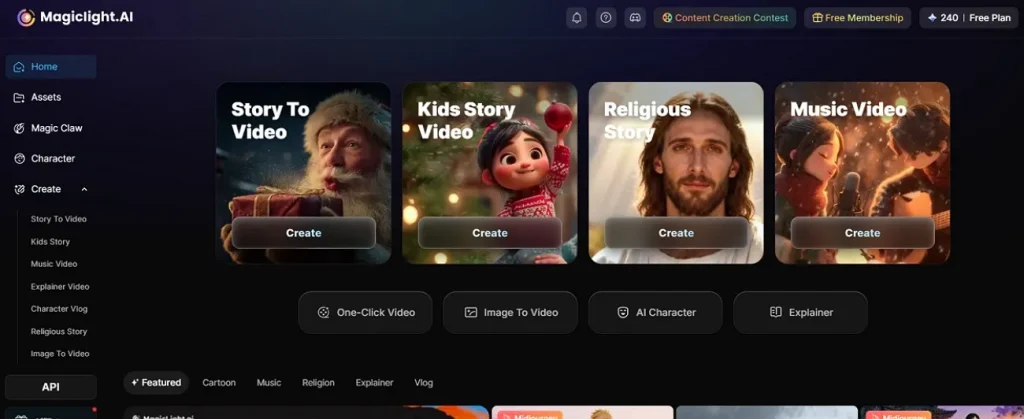
Magiclight.AI stands out because it handles more than isolated short clips. Its official tools cover story-to-video, text-to-video, image-to-video, lip sync, and long-form generation. The platform says it can create videos up to 50 minutes, depending on the plan level. That breadth makes it a strong best AI video maker option for creators wanting one workflow.
It also emphasizes consistent characters, script generation, voices, and finished publishing support. That all-in-one structure reduces tool switching and keeps projects organized from start to export. For beginners, that single environment feels less intimidating than fragmented creative stacks. Moreover, for frequent creators, it offers a broader path than many quick-clip generators.
Pros
- Includes storyboard editing for tighter control over comedic pacing.
- Allows scene-level refinements before generating the final video.
- Handles visual customization with style and ratio adjustments.
- Keeps the creation flow organized across multiple production stages.
Con
- Full long-form capability depends on selected plan limits.
Ease of use: Easy, its unified workflow is simpler than juggling several separate tools.
2. Adobe Firefly
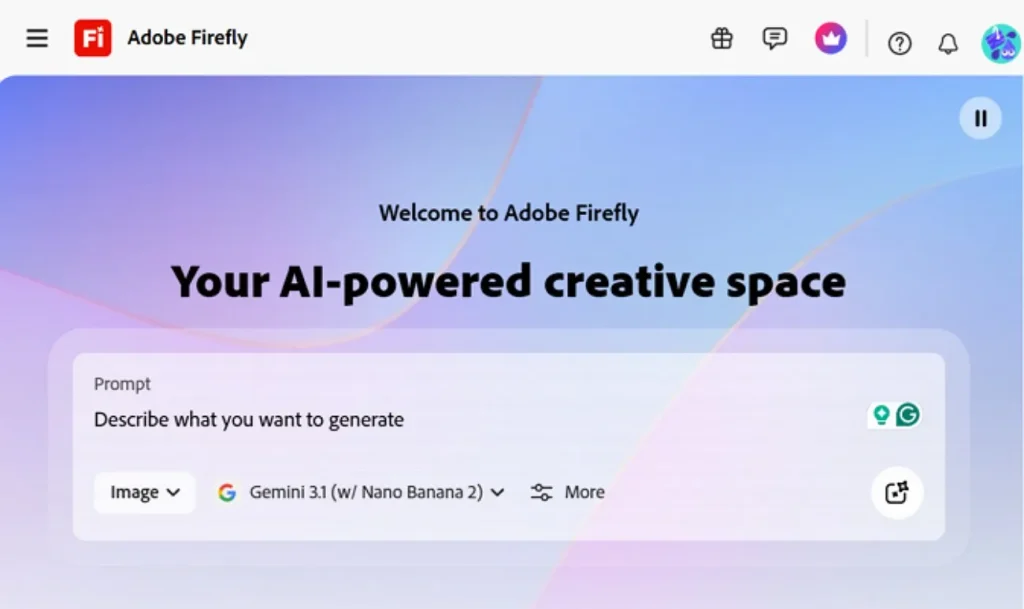
For branded visuals and polished campaign assets, Adobe Firefly feels especially dependable. It supports text-to-video, image-to-video, camera controls, and HD generation inside Adobe’s creative ecosystem. That makes it attractive for marketers, editors, and designers handling commercial work regularly. If you want the best free AI video generator, Firefly offers useful creative access, though premium use becomes costly.
Pros
- Integrates smoothly with wider Adobe workflows for faster asset handling.
- Offers a cleaner interface logic for structured commercial creative tasks.
Con
- Credit usage can feel restrictive during repeated testing sessions.
- Fewer playful community-style outputs than trend-focused competitors offer.
Ease of use: Moderate, as the layout feels organized, but frequent generation can require adjustment.
3. Kling 2.6
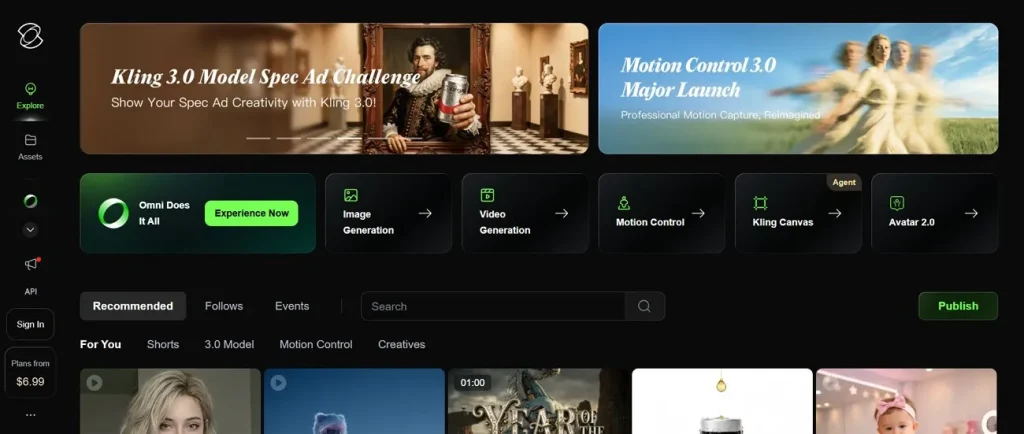
Cinematic motion matters greatly when a project depends on atmosphere and visual intensity. Kling 2.6 highlights native audio, stronger movement, and evolving multi-shot storytelling for ambitious creators. Its results can feel dramatic, stylish, and visually rich when prompts are handled carefully. For users chasing the best video AI generator, Kling feels exciting, although beginners may need patience initially.
Pros
- Delivers impressive motion energy in fast-paced, dramatic visual sequences.
- Encourages bolder experimentation for creators testing unusual scene ideas.
Con
- Interface decisions may feel less intuitive during the first projects.
- Output consistency can shift when prompt control becomes too loose.
Ease of use: Moderate to challenging, it rewards experimentation, though newer users may struggle initially.
4. Sora 2
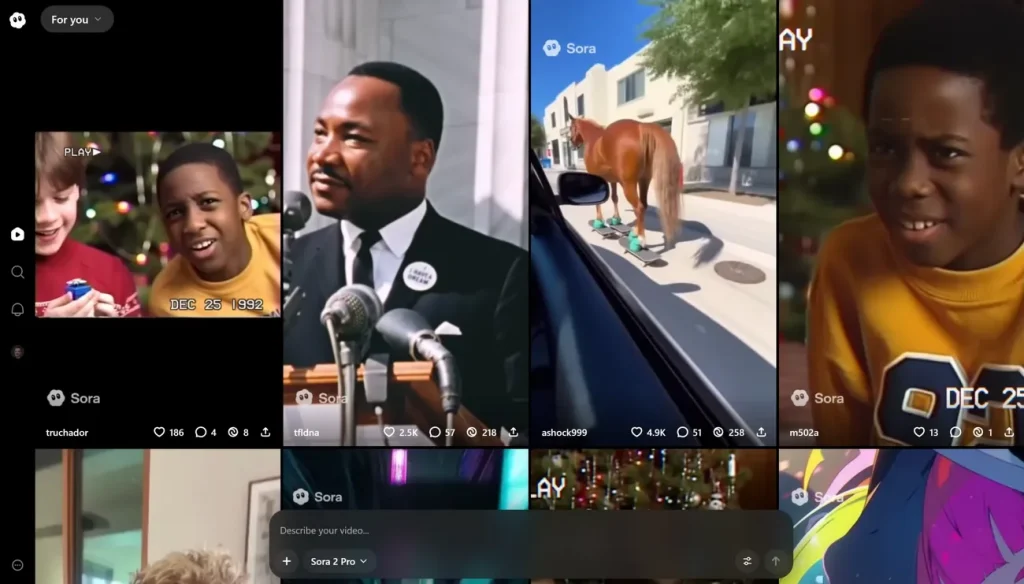
When realism becomes the priority, Sora 2 enters the conversation very quickly. It supports text and image generation while pushing stronger motion control, scene continuity, and synchronized audiovisual detail. That makes it appealing for creators who want premium-looking clips instead of casual experiments. Many users now view it as the best AI video creator for visually ambitious storytelling.
Pros
- Handles complex visual ideas with stronger spatial coherence overall.
- Produces more polished scene behavior during ambitious creative concepts.
Con
- Access expectations remain higher than many casual creators prefer.
- Demanding quality standards can make weaker generations feel disappointed.
Ease of use: Moderate; basic prompting feels simple, but strong results need better direction.
5. OpenArt
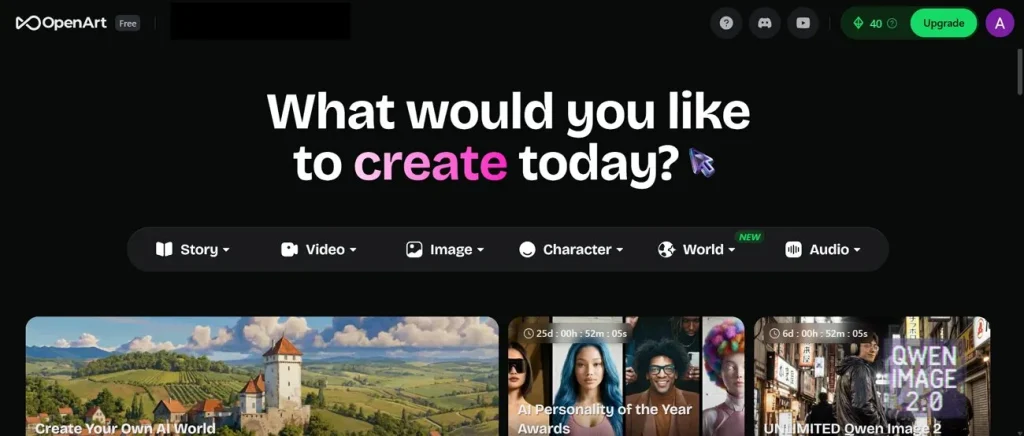
Flexibility often matters more than perfection when creators are still exploring ideas. OpenArt offers text-to-video, frame-to-video, lip-sync, and editing features inside a broader creative studio. That wider setup encourages experimentation across styles without forcing one narrow workflow immediately. If you need a “best AI video generator free” option to begin, OpenArt provides an approachable starting point.
Pros
- Gives creators room to test styles without rigid workflow pressure.
- Feels welcoming for quick concept trials across mixed content goals.
Con
- Tool variety may slow users wanting a sharper production path.
- Credit planning can become confusing across different creation modes.
Ease of use: Easy to moderate, it feels approachable, though the broader setup takes adjustment.
Part 2. Comparison Table Between These 5 Best AI Video Generators
Before choosing one platform, it helps to compare the best AI video generators side by side. For that purpose, the table below helps you to choose the tool that matches your project needs perfectly:
| Tool | Best At | Free Version | Good For | Ease of Use | Limitation |
| Magiclight.AI | Long videos and consistent characters | Yes, with limits | Flexible all-in-one creation | Easy | Best features need a paid plan |
| Adobe Firefly | Safe branded video creation | Limited | Marketing and design work | Moderate | Can get expensive quickly |
| Kling 2.6 | Cinematic motion and audio | Limited | Stylish experimental videos | Moderate | Harder for beginners |
| Sora 2 | Realistic high-quality scenes | Access varies | Premium-looking video results | Moderate | Slower workflow |
| OpenArt | Creative variety and exploration | Yes, with limits | Beginners and idea testing | Easy–Moderate | Interface feels scattered |
Part 3. How Magiclight.AI Becomes the Best AI Video Maker
After comparing several strong options, one platform still feels more complete for everyday creators. The points below explain why Magiclight.AI stands out as the best AI video maker for flexible and practical video creation:
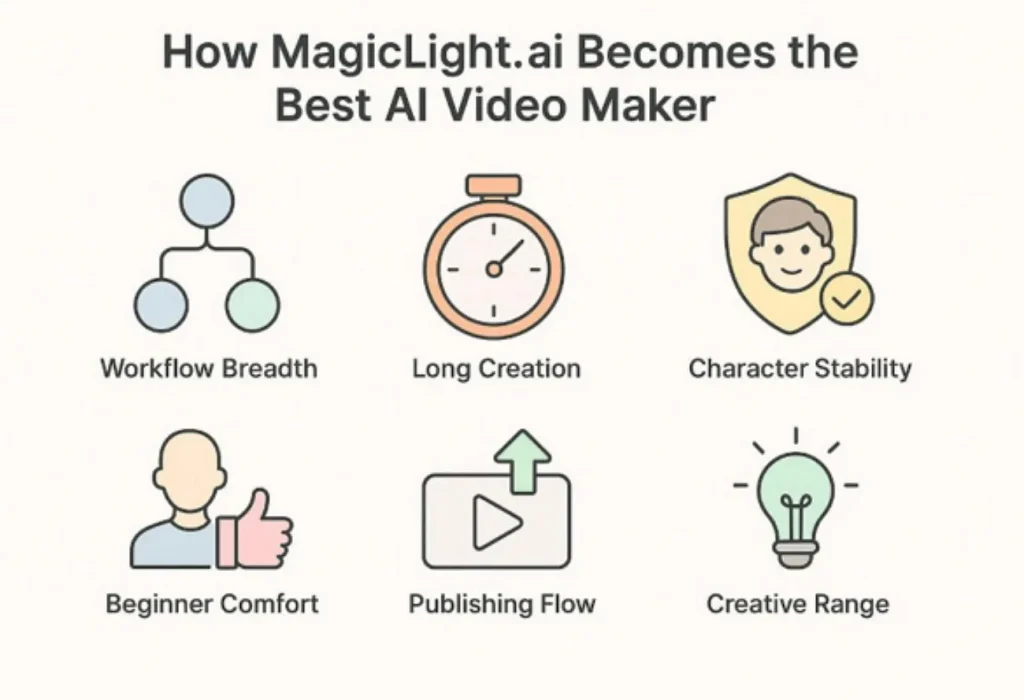
- Workflow Breadth: It combines story, text, image, voice, and lip-sync tools in one system. That reduces switching fatigue and keeps projects moving inside one connected workspace.
- Long Creation: Magiclight officially supports videos reaching fifty minutes on eligible plans today. That makes it unusually useful for explainers, stories, lessons, and serialized content.
- Character Stability: The platform stresses recognizable characters, voices, and personalities across larger projects. Better continuity matters when your story needs visual identity from scene to scene.
- Beginner Comfort: Its official pages repeatedly position the workflow as accessible without prior experience. That simpler setup lowers the pressure many newcomers feel around video generation.
- Publishing Flow: Magiclight frames creation as idea-to-final-cut production rather than isolated clip output. That fuller path feels more useful for creators publishing frequently across platforms.
- Creative Range: It supports polished stories, lessons, ads, and social content from one account. That versatility helps creators experiment without rebuilding their workflow every week.
Now, move forward from reasons to practical workflow, the following steps show how the best AI video maker actually works:
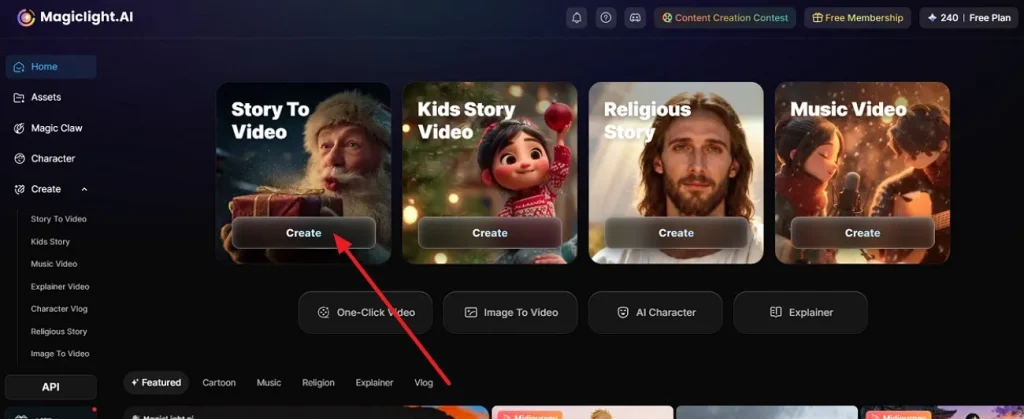
Step 1. Launch The Story-Based Creation Panel
Begin by opening Magiclight.AI from your browser and entering the main interface. From there, select Create inside Story To Video to open the proper working area.
Step 2. Build The Project Settings First
Before generating anything, choose the video ratio, language, story model, visual style, and running time. Once the setup reflects your idea properly, continue by selecting Next.
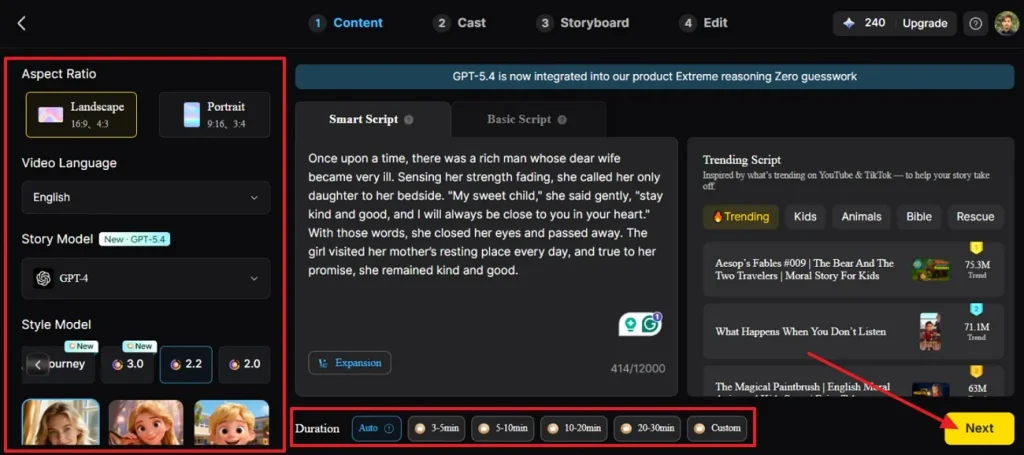
Step 3. Check The Generated Scene Outline
Next, Magiclight.AI will prepare a synopsis and split your concept into separate scenes automatically. Read through the structure carefully, then use Next after the overall sequence looks suitable.
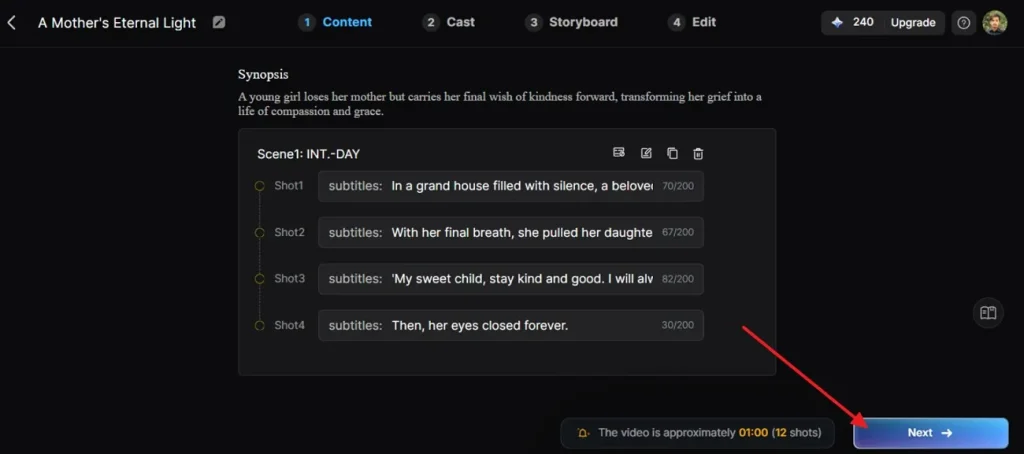
Step 4. Approve The Character Selection Stage
In the next panel, review the detected character or add another one if needed. When the cast setup matches your intended video direction, press Next Step to move ahead.
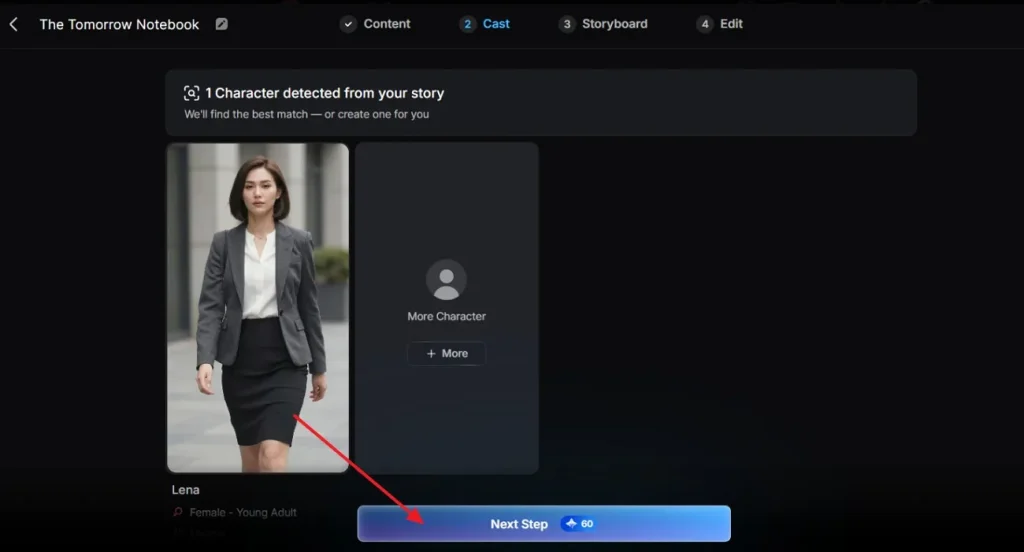
Step 5. Fine-Tune The Storyboard Layout
Now go through the storyboard scene by scene and improve anything that feels off. You can refine poses, expressions, clothing, figure details, prompts, and related visual elements. Then choose the preferred Voiceover option and modify Voiceover Speed if the pacing needs improvement, and select Next to continue.
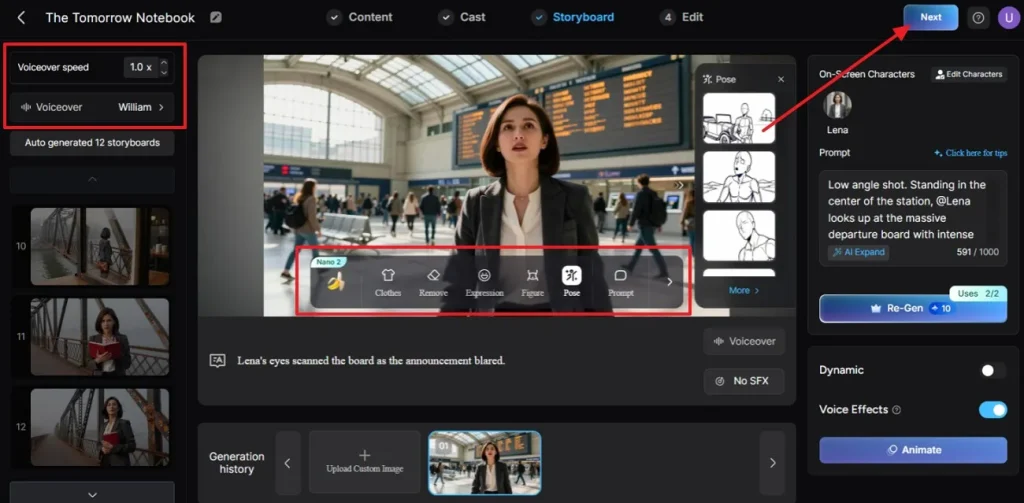
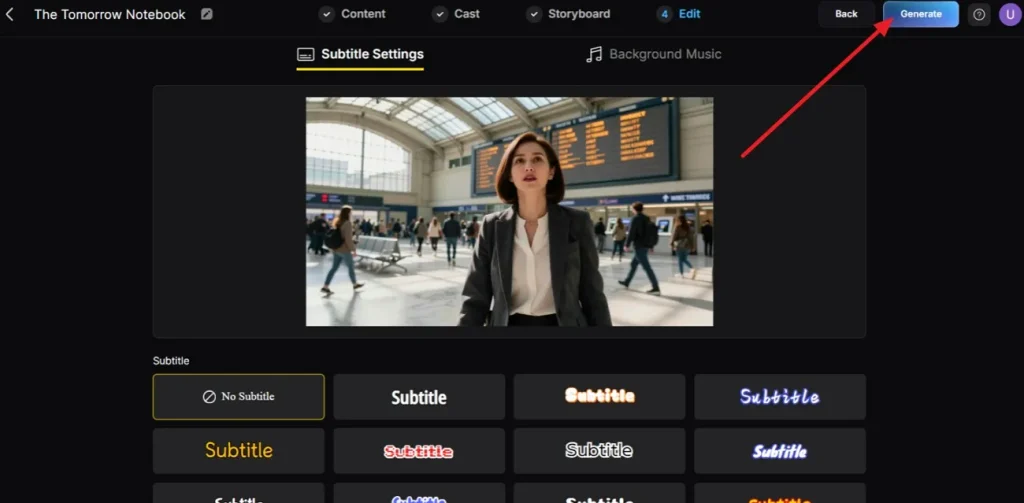
Step 6. Select Subtitle Styling And Start Generation
If subtitles are needed, open the subtitle settings and choose a style that fits the video tone. After that, click Generate so the platform can render the finished output.
Step 7. Review The Final Output and Save It
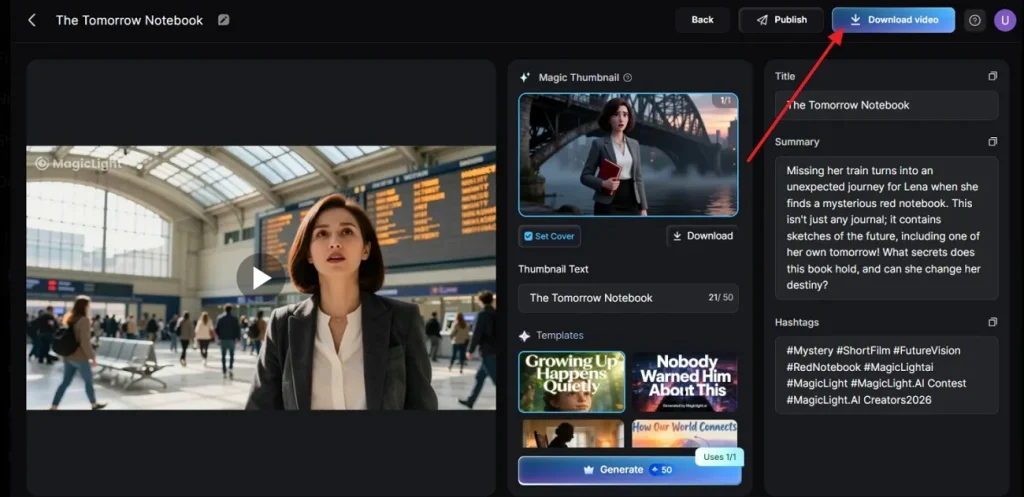
Once the video appears on the final page, check the preview, title, and summary before downloading. If everything looks ready, select the Download Video icon to save it.
Conclusion
In conclusion, the market offers several strong options, yet each tool serves creators differently. Adobe Firefly favors branded polish, Kling pushes experimentation, Sora 2 prioritizes realism, and OpenArt encourages flexible exploration. Still, the best AI video generator for balanced everyday creation feels like Magiclight.AI. Its wider toolset, easier workflow, and stronger long-form support make Magiclight.AI the reliable option.
Frequently Asked Questions
1. What is the best AI video generator currently available?
For balanced creation, Magiclight.AI feels like the strongest overall option today. Its broader workflow makes it a reliable best AI video generator choice.
2. Which AI video generators are free to use?
Several platforms offer free entry, including Magiclight.AI and OpenArt today. Free access usually means credits, limits, or plan-based generation restrictions.
3. How do AI video generators work?
They interpret text, images, audio, or reference inputs through trained generative models. Then they assemble motion, scenes, timing, and style into finished video outputs.
4. Can AI video generators replace traditional video editing?
Not completely, because advanced editing still offers deeper precision and manual control. Still, Magiclight.AI can cover many needs as the best AI video maker.
5. Is there any 100% free AI video generator?
Completely unlimited free video generation remains uncommon across serious AI platforms today. Most tools offer partial access, daily credits, or restricted export options.
6. What is the best AI video generator for TikTok?
Magiclight.AI works especially well for TikTok because the workflow and pacing feel practical. Its mobile-friendly formats support a strong best video AI generator experience.
![15 Top Cartoon Characters of All Time [New List]](https://blog-new.magiclight.ai/wp-2/wp-content/uploads/top-cartoon-characters-300x168.webp)
![9 Best AI Video Generation Models in 2026 [Easy Selection]](https://blog-new.magiclight.ai/wp-2/wp-content/uploads/best-ai-video-generation-models-300x168.webp)