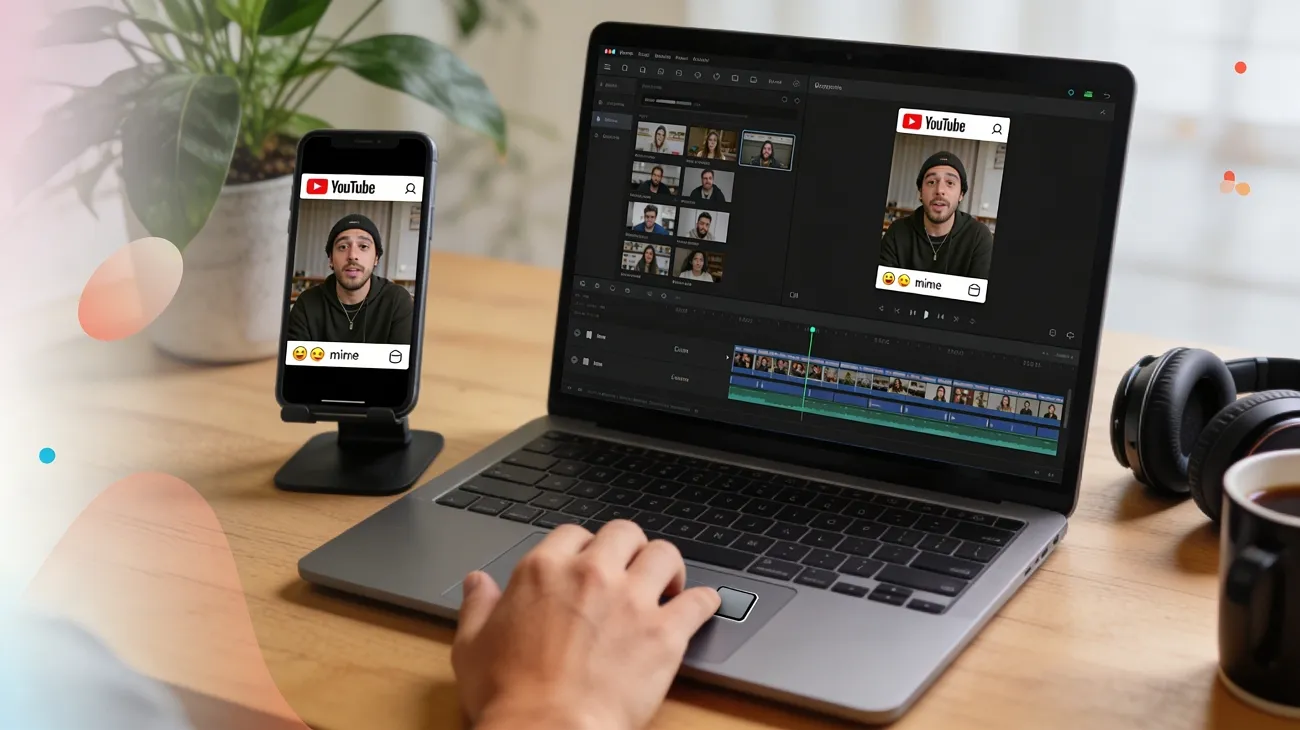
Meme videos now move faster than ordinary posts across every major platform. They mix timing, captions, reactions, and familiar jokes into instantly shareable entertainment. Learning how to make a meme video matters because short humor travels quickly. Even simple edits can feel memorable when your punchline lands correctly. The best meme videos rarely need expensive software, advanced skills, or complicated production.
Instead, they need a clear joke, recognizable format, and smart editing rhythm. That is why modern AI tools help beginners turn rough ideas into polished clips. Whether you create online or on your phone, the process now feels easier.
Part 1. How to Make a Meme Video Online Using AI for Beginners [Easy & Efficient]
Creating meme videos online works well for beginners who want speed and simplicity. Instead of managing complicated timelines, you can focus on prompts, scenes, captions, and humor. When learning how to make a funny meme video, an AI tool removes much of the technical friction. That makes the creative part feel lighter and much more approachable.
Thus, Magiclight.AI fits this beginner-friendly workflow because it combines generation and editing tools together. Its online system supports story-based creation, text-to-video, image-to-video, and editing features. The platform is designed for people without production experience, while still offering structured control. That makes it a practical starting point for fast meme experiments and short social content.
Key Features
- Create long-form videos up to 50 minutes with connected scenes and steady character consistency.
- Generate from text, scripts, stories, images, and music inside one web workflow.
- Keep characters, style, and scene continuity more stable across the full video.
- Add voices, captions, and final export tools without switching between separate platforms.
Guide: How to Make a Meme Video Online with Magiclight AI
After seeing what the platform offers, learning how to make a meme video online feels much easier. So follow the steps below to try this tool for meme video creation with ease:
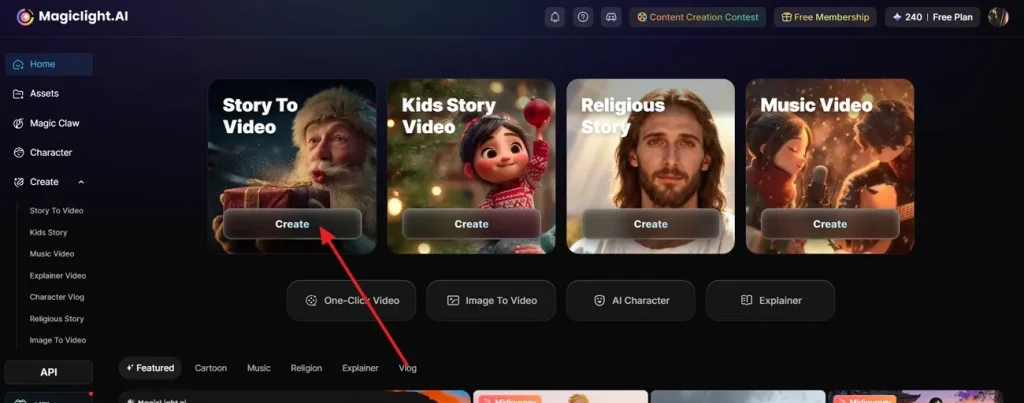
Step 1. Pick a Creation Mode That Matches Your Meme Idea.
Start from the Magiclight.AI dashboard and choose a suitable format, such as Story to Video and press the Create button to proceed.
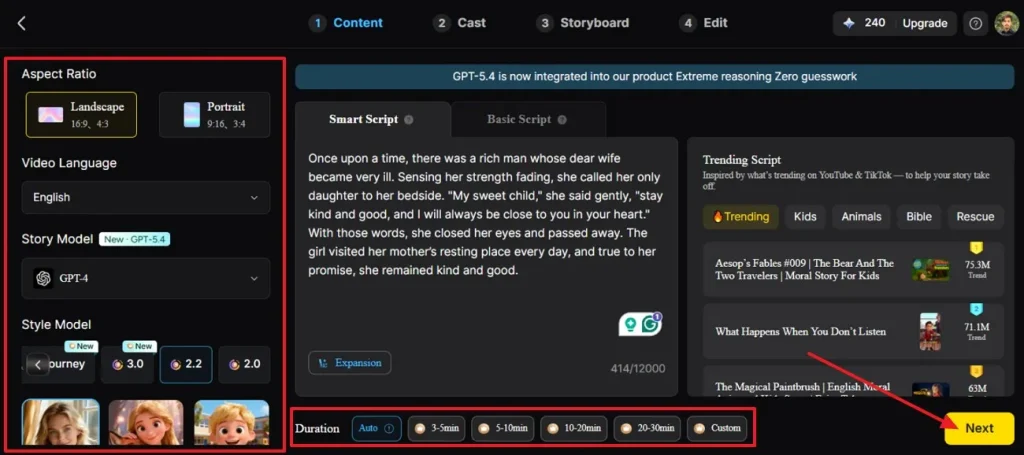
Step 2. Adjust The Main Video Settings Before Moving Ahead
Now, set the aspect ratio, language, visual style, model, and duration based on your meme format. Once everything matches your meme idea, click Next to move into the content setup stage.
Step 3. Review The Generated Story Flow
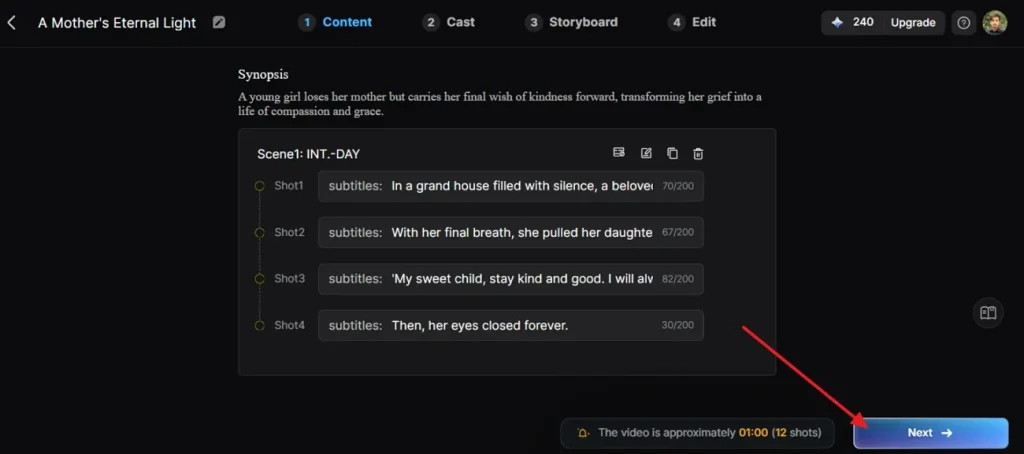
After Magiclight.AI prepares the script, review the synopsis and scene breakdown carefully. Then, check whether the setup fits your joke, and then hit Next to continue forward.
Step 4. Check The Detected Character And Refine It
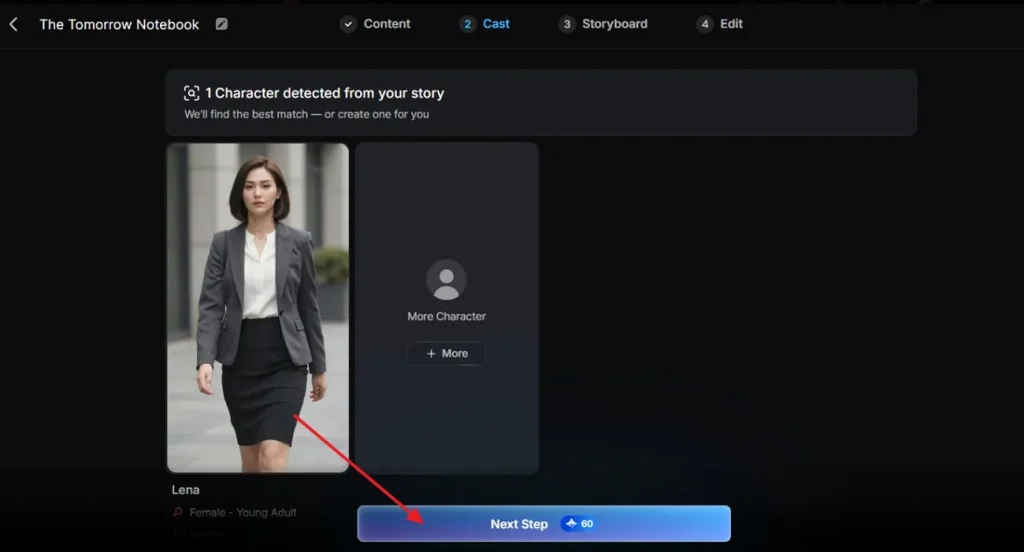
Here, look at the main character that Magiclight.AI detects from your story automatically. If needed, adjust the selection or add another character, then press Next Step to proceed.
Step 5. Shape The Storyboard For Meme
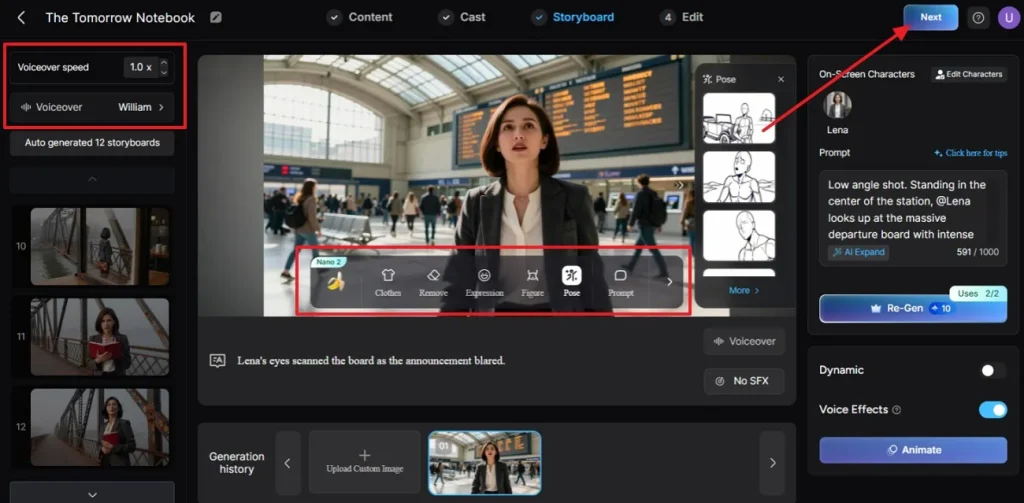
In the Storyboard panel, go scene by scene and refine pose, expression, clothes, figure details, prompt wording, voice, or speed. When the storyboard finally looks right for your meme, choose Next to continue.
Step 6. Preview The Finished Project And Download
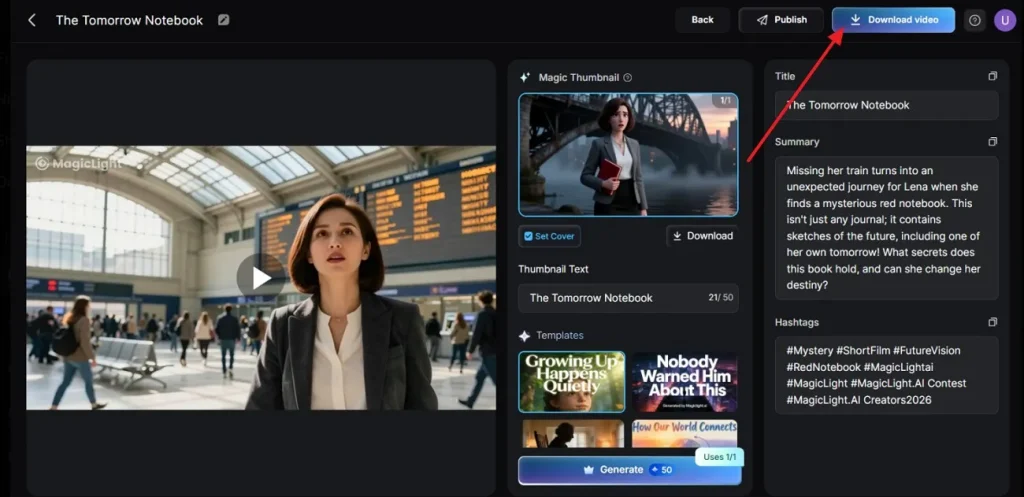
Lastly, after checking the preview, title, and summary, choose the Download video to save the finished meme to your device.
Part 2. How to Make a Meme Video on Android/iPhone Using Magiclight.AI App
Phone-based meme creation feels perfect when your idea appears during scrolling or chatting. You can move from inspiration to posting without opening a desktop workspace. For anyone wondering how to make a meme video on iPhone, a mobile AI app simplifies that creative jump. It keeps meme production fast, portable, and much easier to repeat.
Magiclight.AI also offers Android and iOS app access for mobile video creation. Its app positioning focuses on turning text, scripts, or stories into videos quickly. The platform highlights AI-powered generation, consistent characters, and lip-sync support for app users. That makes it helpful for beginners creating jokes, skits, and meme videos directly on phones.
Key Features
- Build custom characters from uploaded photos with voice and lip-sync support.
- Animate still images into moving scenes for quick meme-style visual experiments.
- Use built-in templates to move from rough idea to finished video faster.
- Adjust dynamic motion and depth effects for more dramatic short-form meme scenes.
Guide: How to Make Meme Videos on Phone with Magiclight.AI App
Now that the app’s strengths are clear, learning how to make a video meme on iPhone feels far less overwhelming. The following steps show how to plan, create, edit, and finish everything smoothly inside the app:
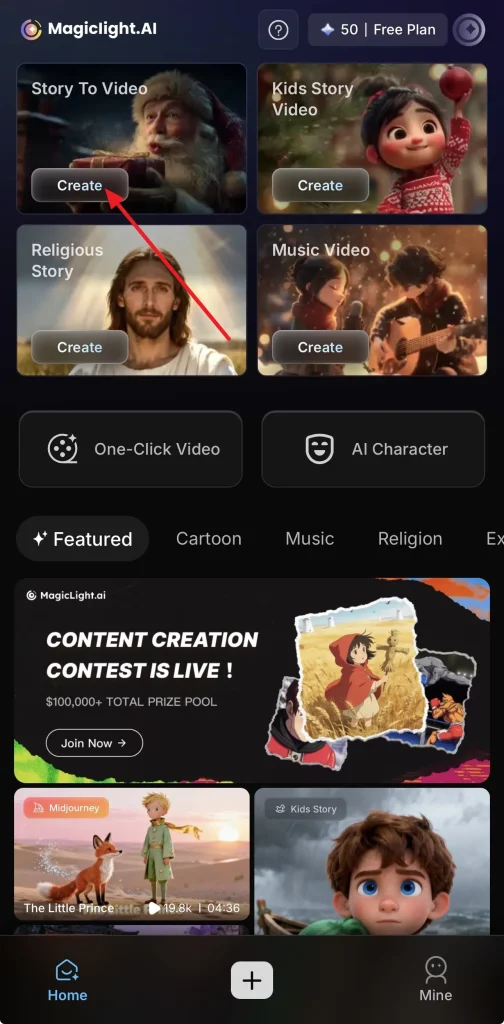
Step 1. Access The Story To Video Feature
First, open Magiclight.AI and enter the main home screen. Then choose Create under Story To Video so your meme video project begins in the right workspace.
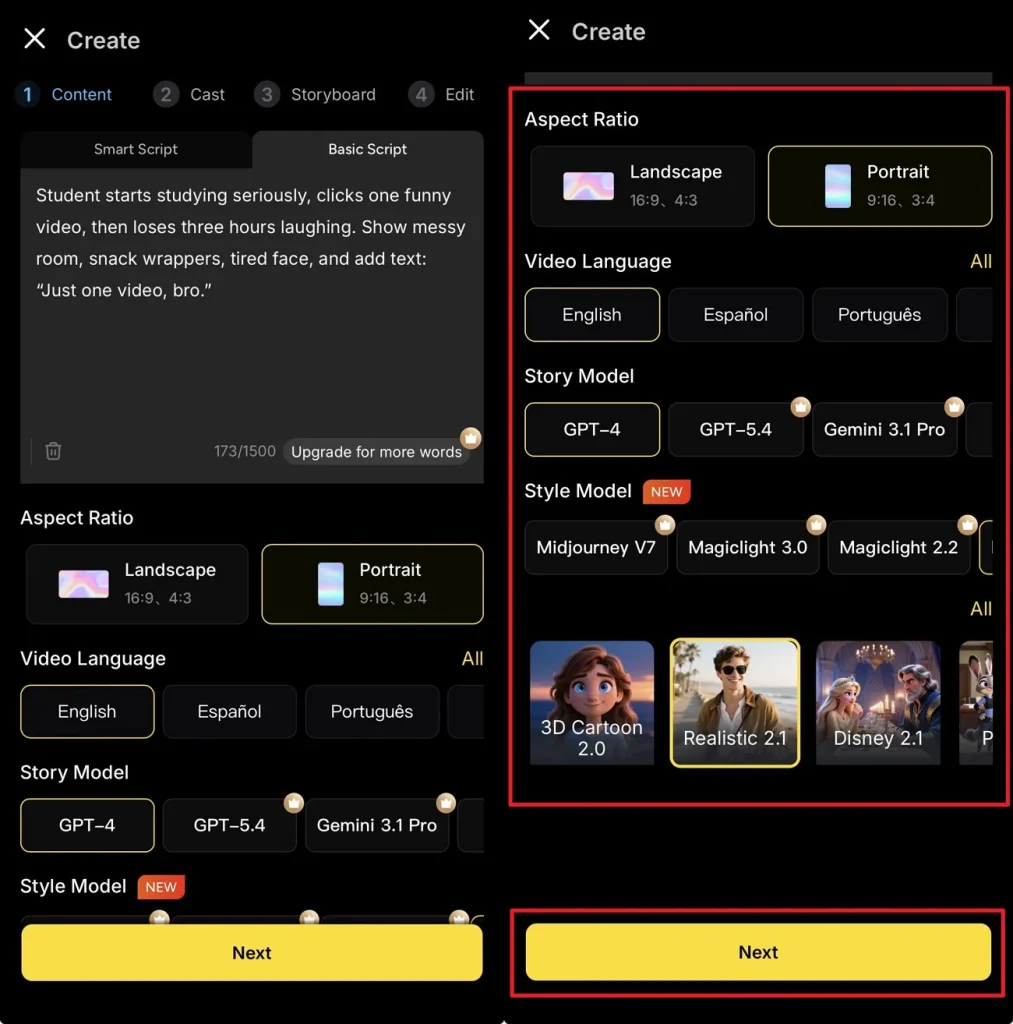
Step 2. Configure The Core Video Settings
Next, enter a short prompt that explains the joke, scene, and caption direction. After that, choose the aspect ratio, video language, story model, and style model. Once these options match your content goal, press Next to continue.
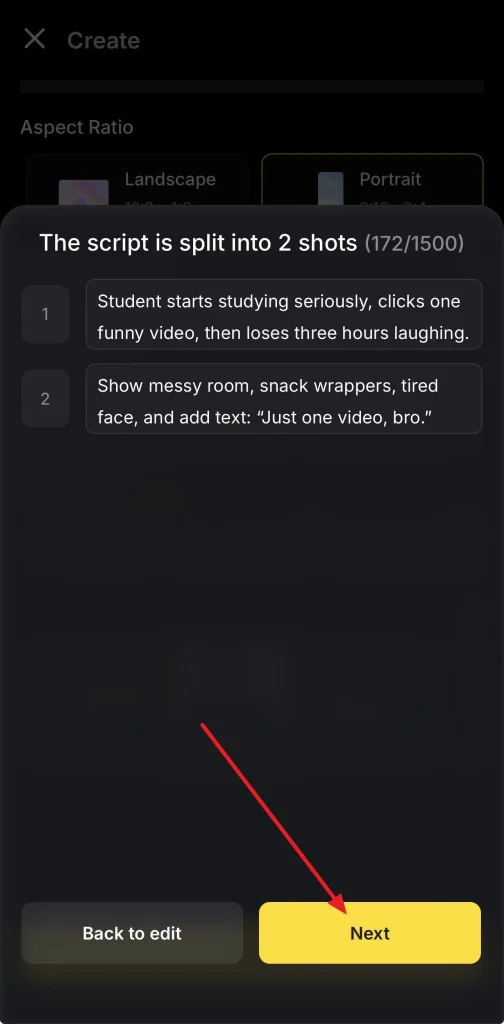
Step 3. Review The Generated Shot Breakdown
Magiclight.AI shows how the script is divided into separate shots. Read both parts carefully, and tap Next when the scene flow fits your meme idea.
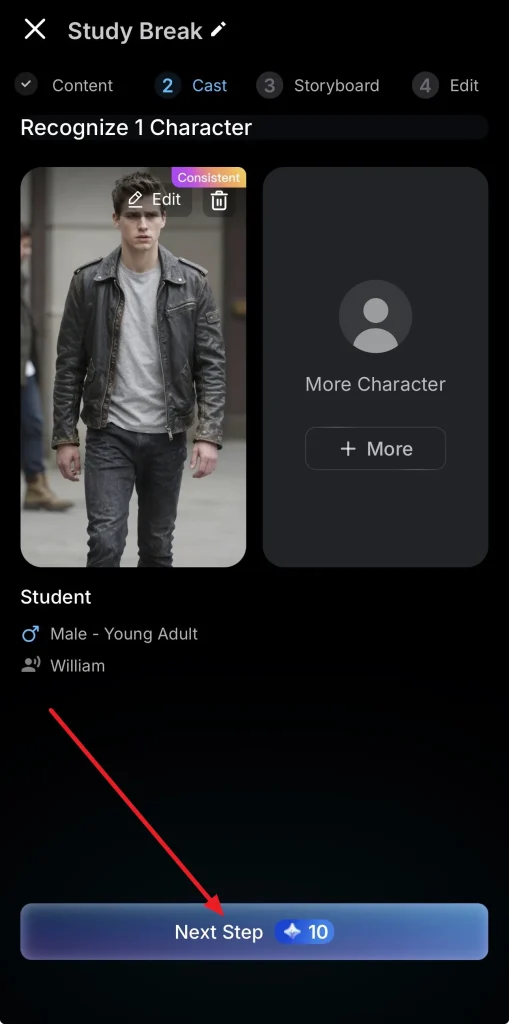
Step 4. Verify The Detected Character Setup
Now review the detected character shown in the cast section before moving ahead. If everything looks suitable, tap Next Step to continue building the video.
Step 5. Refine The Storyboard Sequence
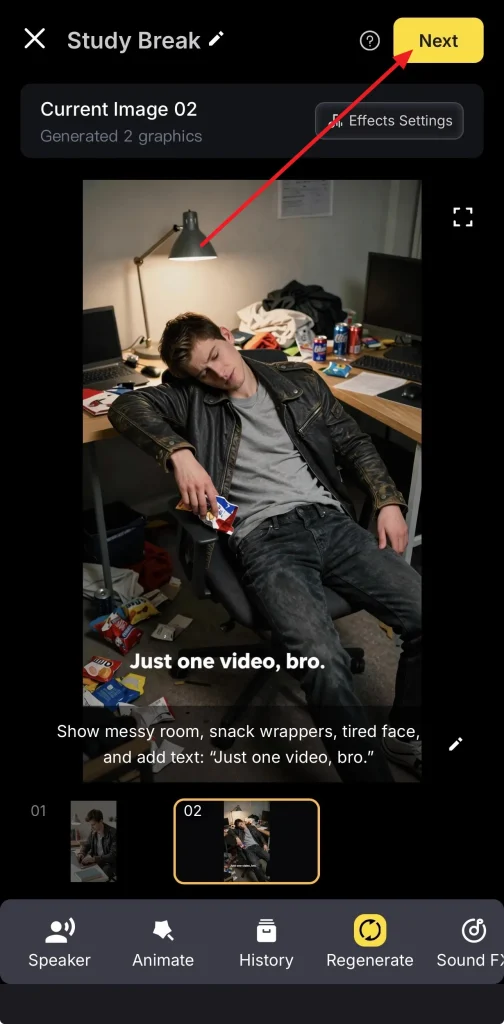
Afterward, open the storyboard view and inspect each generated frame more closely. When the visual delivery feels better for your joke, press Next to move forward.
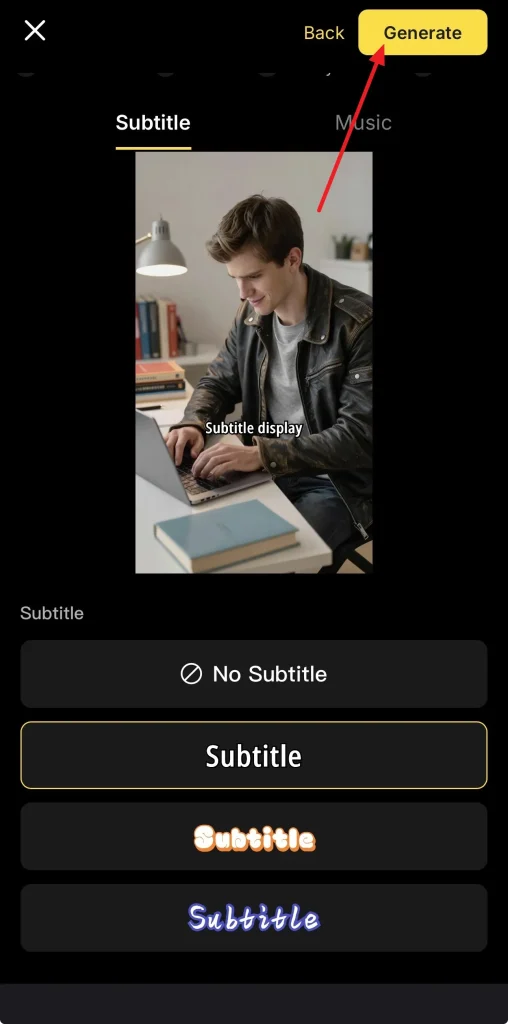
Step 6. Apply Subtitle to the Meme Video
At this stage, choose a subtitle style that matches the meme tone properly. Then tap Generate so the platform can prepare your final video version.
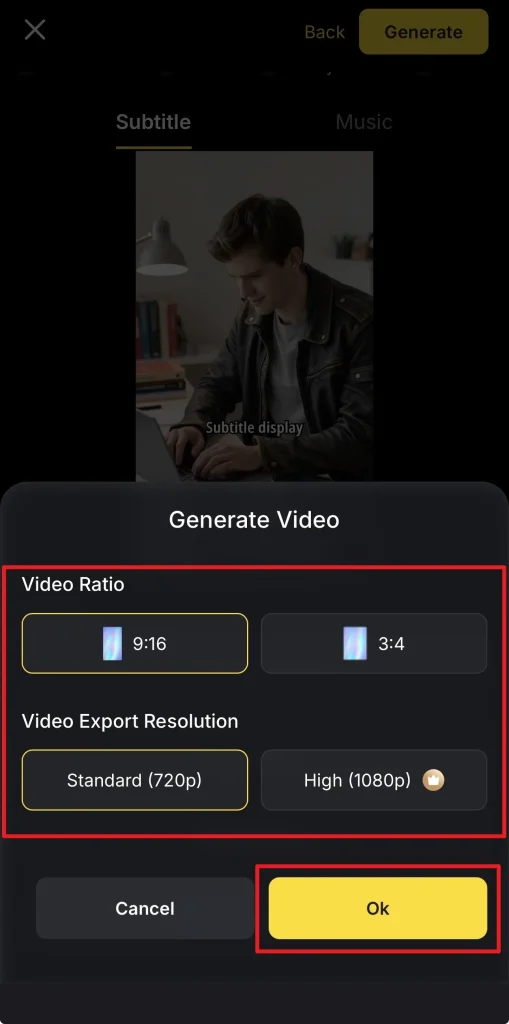
Step 7. Adjust The Export Output Settings
Next, choose the video ratio and export resolution based on where you plan to post. After reviewing these output options carefully, tap Ok to continue the generation process.
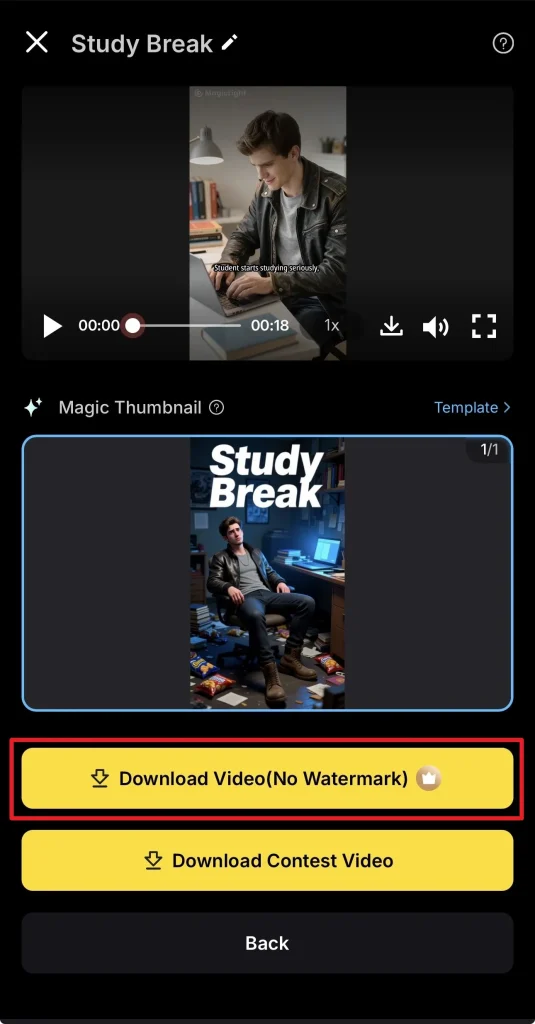
Step 8. Preview And Download The Finished Video
Finally, check the completed meme video from the preview screen before saving it. If everything looks right, use Download Video (No Watermark) to export the final version.
Part 3. 6 Tips When Learning How to Make a Meme Video
Once your workflow feels comfortable, the next challenge becomes making jokes land better. That is where practice, observation, and formatting choices start shaping stronger results. If you are still learning how to make a meme from a video clip, then these practical tips below can improve humor, clarity, and shareability without complicating your process:
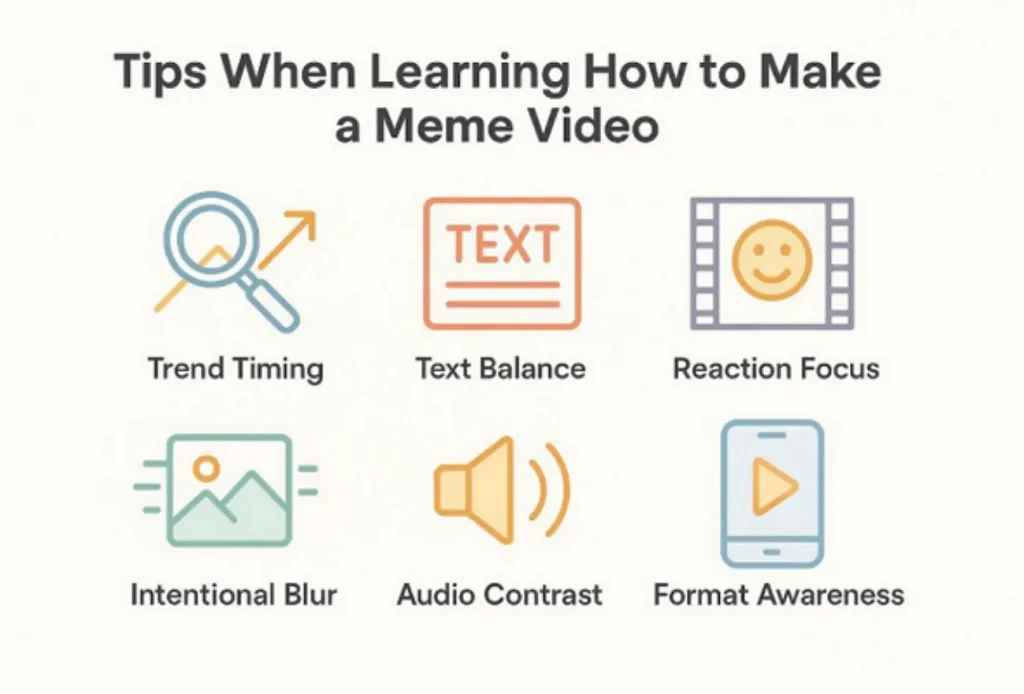
- Trend Timing: Use current formats people already recognize across social feeds and repost pages online. Familiar structures help viewers understand the joke faster and share it sooner.
- Text Balance: Keep captions short enough for instant reading on smaller screens during scrolling. Overwritten jokes feel slower, weaker, and less shareable across fast-moving platforms.
- Reaction Focus: Choose visuals with strong expressions, awkward pauses, or instantly readable emotional shifts. Good meme humor often depends more on reactions than complex storytelling structures.
- Intentional Blur: Lowering quality slightly can strengthen absurd humor in selected meme formats online. This works especially well for how to make a low-quality video meme experiment.
- Audio Contrast: Pair dramatic sound with ordinary visuals for a stronger comedic mismatch effect. This trick also helps when testing how to make a funny meme video.
- Format Awareness: Design the meme around where people will actually watch and share it. Vertical clips usually perform better because mobile viewing dominates most meme-heavy platforms.
Conclusion
Learning meme editing is easier now because AI removes many technical barriers. You only need a funny concept, readable timing, and smart formatting choices. Once you understand how to make a meme video, creating online or on mobile becomes much less intimidating. For beginners wanting fast results with flexible creation tools, Magiclight.AI is a reliable choice.
Frequently Asked Questions
1. How to make a funny meme video that goes viral?
Start with a relatable joke, strong timing, and instantly readable captions throughout. Viral results improve when trends, reactions, and platform-native formats match audience behavior.
2. How to make a low-quality meme video intentionally?
Lower resolution, compress the file, and use awkward zooms for exaggerated humor. Keep the joke readable, because poor clarity should support comedy, not confuse viewers.
3. How to make a video into a voice memo style meme?
Add a voice-note layout, waveform styling, and deadpan audio for contrast. For how to make a video into a voice memo, Magiclight.AI helps structure scenes.
4. How to make a meme video for beginners?
Begin with one short idea, one caption style, and one simple reaction. Magiclight.AI suits beginners because it simplifies how to make a meme from a video.