用文字做影片,已經成了很多創作者的日常。可不少新手還是卡在:提示詞寫不明白。其實提示詞寫清楚,簡單點子很快就能變成好看的鏡頭。現在像 MagicLight AI 這類工具也更聰明,功能更完整。
它能靠簡單提示詞做出風格各異的影片,在這一類工具裡很能打。要是你懶得自己寫提示詞,這篇就用AI 影片生成提示詞示例,把新手和創作者都能用的寫法講清楚。
第 1 部分. 20 條好用的 AI 影片生成提示詞示例
創作者常靠 AI 影片提示詞示例把效果做穩。下面這 20 條結構清楚,可以直接拿去生成:
提示詞 1. 電影感霓虹東京街
把下面這段英文提示詞原樣貼上: A stylish woman walks through rainy Tokyo streets filled with glowing neon lights. The camera uses slow motion with cinematic 4K and shallow depth of field. Wet roads reflect colorful lights that create an emotional and realistic city atmosphere.
提示詞 2. 太空漂浮的太空人
把下面這段英文提示詞原樣貼上: An astronaut drifts slowly in deep space surrounded by floating debris. Earth reflection appears clearly inside the shiny helmet's glass surface. The camera uses close-up shots with soft lighting and smooth cinematic movement.
提示詞 3. 雪山上的巨龍
把下面這段英文提示詞原樣貼上: A powerful dragon flies above snowy mountains during a bright sunrise sky. The camera shows wide aerial movement with epic cinematic fantasy storytelling visuals. Fog fills valleys below while detailed dragon scales shine in light.
提示詞 4. 科技網站 UI 動畫
把下面這段英文提示詞原樣貼上: Floating UI panels appear over a gradient background with smooth motion effects. Clean icons and text elements animate with a calm, professional tech style, generated using MagicLight AI for seamless cinematic motion design. Camera parallax movement creates a modern website hero section explainer video feel.
提示詞 5. 下雪的東京街景
把下面這段英文提示詞原樣貼上: Snowy Tokyo street shows crowds walking under falling snow and petals. The camera moves in a handheld style, giving a natural and realistic street life feeling. Soft lighting and cinematic depth create an emotional and peaceful winter scene.
提示詞 6. 溫暖的冬日廣場
把下面這段英文提示詞原樣貼上: A warm town square glows with lights during falling, gentle snow. People enjoy hot drinks while shops shine with golden cozy lighting. A slow camera move from above makes the whole town look very warm.
提示詞 7. 拉花特寫
把下面這段英文提示詞原樣貼上: The barista pours latte art and creates a heart shape in slow motion. Steam rises softly under warm café lighting and smooth camera zoom. Cinematic 4K detail makes a satisfying and realistic modern café experience video.
提示詞 8. 健身蛻變鉤子影片
把下面這段英文提示詞原樣貼上: A phone screen shows bold transformation text with neon glitch effects. Fast cuts show gym scenes with energetic beat-synced motion graphics. High contrast visuals create a strong attention-grabbing social media hook video.
提示詞 9. 玩具機器人裝配循環
把下面這段英文提示詞原樣貼上: Toy robots assemble colorful gadgets on a moving conveyor belt in a workshop scene. Bright colors and smooth motion create a playful looping animation environment. The camera pans sideways, showing detailed mechanical movement and fun energy flow.
提示詞 10. 霓虹賽博龐克城市飛行
把下面這段英文提示詞原樣貼上: A cyberpunk city glows with neon lights and futuristic tall buildings. The camera flies between skyscrapers, showing a purple, cyan glowing night atmosphere scene. VHS-style effects and fast motion create an immersive futuristic city feel.
提示詞 11. 旅行蒙太奇
把下面這段英文提示詞原樣貼上: Travel montage shows markets, mountains, and food clips in a fast rhythm. Handheld camera style adds realism with vibrant colors and quick transitions. Social captions appear on screen, enhancing storytelling and viewer engagement flow.
提示詞 12. 高端手機展示
把下面這段英文提示詞原樣貼上: A black smartphone rotates slowly on a pedestal in a dark studio setup. Soft lighting highlights the edges and premium design details of the device clearly. The camera circles smoothly, creating a high-end cinematic product advertisement video style.
提示詞 13. 咖啡品牌電影感鏡頭
把下面這段英文提示詞原樣貼上: Coffee beans transform into a steaming cup placed on a wooden sunrise table. Soft light and shallow depth create a warm and cozy emotional tone. The camera slowly moves forward, showing a cinematic brand storytelling visual experience scene.
提示詞 14. 護膚產品俯拍
把下面這段英文提示詞原樣貼上: Skincare products are arranged neatly on a pastel background with soft shadow lighting. Overhead camera shows minimal design with smooth sliding transitions between items. Calm ambient music style visuals create a clean, modern, beautiful brand feeling.
提示詞 15. 未來感跑鞋
把下面這段英文提示詞原樣貼上: A runner in glowing shoes sprints through a dark and shiny blue tunnel. The camera follows the feet to show the details of the new sneakers. Punchy music and bold lights make this commercial look very fast and strong.
提示詞 16. 火星上澆水的機器人
把下面這段英文提示詞原樣貼上: A cute robot waters a small plant on the red Mars rocky landscape surface. Soft Pixar-style animation gives a friendly and emotional storytelling atmosphere. The camera gently orbits, showing a calm and hopeful futuristic space environment scene.
提示詞 17. 玩具工廠動畫循環
把下面這段英文提示詞原樣貼上: Tiny robots build toys inside a colorful and isometric factory with moving gears. Bright, playful colors create smooth, looping animation with cheerful motion design. The camera angle stays steady, showing detailed mechanical teamwork and rhythm flow.
提示詞 18. 巫師貓奇幻漫步
把下面這段英文提示詞原樣貼上: A cat wearing a wizard hat walk through a glowing, enchanted forest path. Floating magical particles and soft lights create a dreamy, fantasy atmosphere. Slow side camera movement enhances a calm, mystical storytelling visual experience tone.
提示詞 19. 禪意玻璃球
把下面這段英文提示詞原樣貼上: A glass sphere contains a miniature zen garden with soft sand patterns. The camera slowly zooms in, showing reflections and calming studio lighting effects. Ambient sound design creates a peaceful meditation-style, relaxing visual experience.
提示詞 20. 小狼自然場景
把下面這段英文提示詞原樣貼上: Five wolf cubs play on a grassy road under a golden sunlight sky. Wildlife camera captures natural movement with soft depth and realistic textures. Environmental sounds and warm lighting create an emotional nature documentary video scene.
第 2 部分. 用提示詞做 AI 影片更好的工具
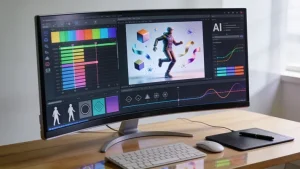
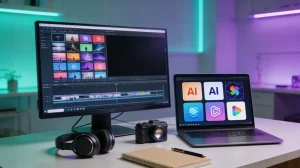
前面也說了,提示詞其實不難寫,難的是把它做成影片。光有好提示詞、沒有趁手的工具,片子還是出不來。MagicLight AI 會吃進這些 AI 影片生成提示詞示例,做成品質更穩的片子。它有 Smart Script,能把你的提示詞用 AI 擴寫到最多 12,000 個字元。
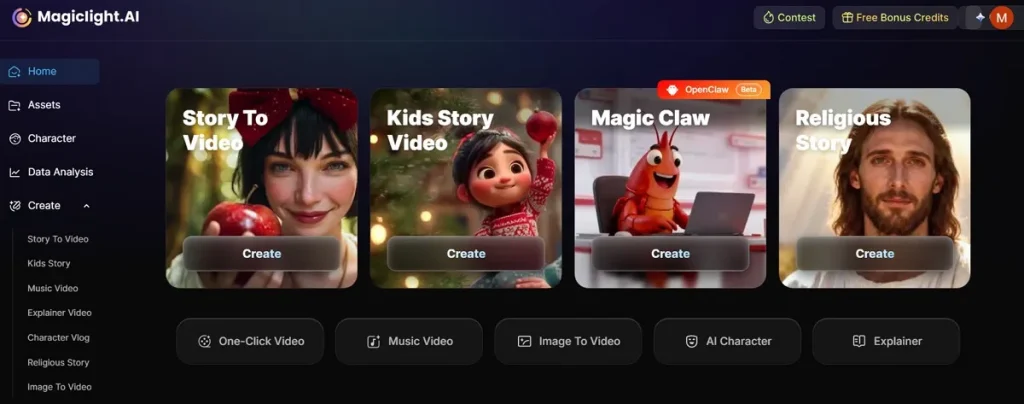
不管你是想做長篇故事影片,時長最長大約 50 分鐘。另外還有 8 種導演模式,方便控制鏡頭和敘事風格。MagicLight AI 甚至能自動生成完整故事,不用你從零寫腳本。面向全球觀眾時,它支援 11 種語言,更容易觸達更多人。
為什麼用 MagicLight AI 做 AI 影片
這一部分講清楚,創作者為什麼更願意用這款工具做 AI 影片:
- One-Click Generation:14 個模型,一鍵就能出片。省時間,也不用自己慢慢剪、慢慢等。
- Voice Audio:配音有 37 種聲音,帶情緒和語言選項。還能加音樂和音效,故事更好聽、成片更完整。
- Visual Quality:支援 720p 和 1080p,方便增強影片,畫面更清楚。高品質輸出讓創作者少費一步,也能做出像樣的內容。
- Audio Control:MagicLight AI 提供 40 首背景音樂,用來托氣氛、拉停留。你可以按場景選曲子,把故事聽感做對。
- Style Variety:多種風格模型,畫面和主題能換著玩。選貼近內容語氣和創意需求的風格就行。
總結
說到底,會寫清楚的腳本,創作者才走得更遠。這篇 AI 影片生成提示詞示例,就是幫你把腦子裡的畫面變成片子。可只有提示詞、沒有合適工具,真實感還是上不去。所以你需要一個靠譜、出片順的方案。MagicLight AI 就能把提示詞又快又穩地做成高品質影片。
關於 AI 影片生成提示詞示例的常見問題
1. MagicLight AI 裡什麼樣的提示詞最好用?
清楚、細節夠的提示詞,生成的 AI 影片更準。建議寫上情緒、角色和鏡頭風格。結構簡單、層次清楚的提示詞,MagicLight AI 也更容易讀懂你的想法。
2. MagicLight AI 如何把提示詞做成影片?
AI 會先讀你的文字,再拆成可視化的敘事鏡頭。每個鏡頭都帶角色、背景和電影感運動。最後再拼成一條完整、流暢的影片。
3. 怎樣提高 AI 影片提示詞品質?
指令寫清楚,補上燈光、鏡頭風格這類細節。給例子、用固定結構,AI 更容易跟上你的想像。然後再一點點改提示詞,效果會更真實。