


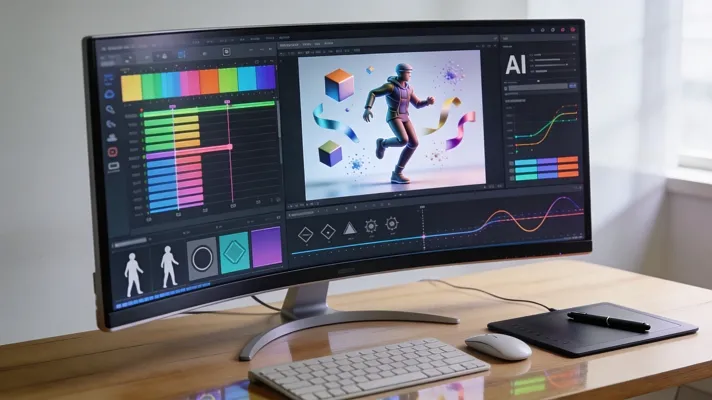
AI animation tools now help creators turn simple ideas into full videos with far less effort. In 2026, anyone can produce smooth scenes with clear motion, characters, and camera work in minutes. You do not need a big studio, because smart AI handles details that once required expert skills.
These tools support anime and realistic styles, so every idea can find a perfect look. This guide explores the best AI animation generator options, both free choices and premium platforms. By reading, you will understand what each one does and which tool fits your needs.
Part 1. How to Choose the Best AI Animation Generator
You might be already aware what are the benefits of using the best AI animated video generator tools. However, it still feels a little complicated when choosing one. This section brings up the factors you need to keep in mind when choosing any AI animation tool for your projects:
- Animation Quality: Check how smooth motion and scene transitions look in real examples from the tool.
- Style Control: See if you can guide anime, 3D, and realistic styles with clear prompts and settings.
- Scene Editing: Make sure you can tweak shots, reorder scenes, and fix mistakes without fully regenerating everything.
- Audio and Lip Sync: Look for built‑in voice and lip sync options that match your video timing well.
- Export Options: Confirm it supports your needed resolutions, aspect ratios, and formats for social and ads.
Part 2. 6 Best AI Animation Generators for Creators To Try
Having explored the factors to look for, let’s now explore the top‑rated options for the best AI animation video generator.
1. Magiclight.AI
Magiclight.AI lets you turn a simple script or idea into full animated videos in minutes. It builds smooth multi‑scene stories where characters, lighting, and art style stay consistent from start to finish. You can define your own visual style, then add AI voices, lip sync, music, and subtitles easily.
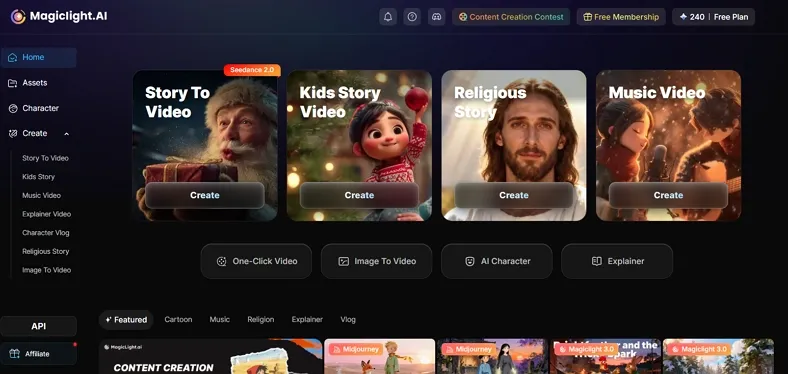
The platform also supports image‑to‑video, so existing characters blend into new scenes while keeping their identity. Creators can use it for YouTube, education, gaming, ministries, and social content, with full commercial usage rights.
Key Features
- Automatic voice and subtitle sync in over 30 languages for global viewers.
- Multi‑scene animation that closely follows your narrative instead of random clips.
- Support video creation of up to 50 minutes for longer stories and detailed lessons.
- AI voice cloning that keeps vivid tone and emotion for more expressive, powerful audio.
Best For: Creators and casual users who want long, story‑based AI animation.
Pros
- Aggregates powerful models like Sora 2, VEO 3, and Kling 2.1 Master.
- The 4-step setting lets you define character age, clothing, and art style.
- Cloud-based and accessible from any modern browser, no powerful local hardware needed.
- Built-in AI voice integration offers multiple AI voices for professional narration.
Con
- High-quality models burn credits fast, so regenerating a failed scene costs money.
2. Runway (Gen-4.5)
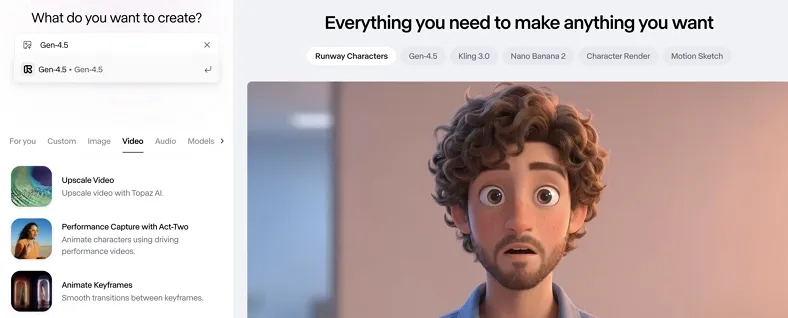
This is one of the best AI animation generators that lets you generate high‑quality videos directly from text or visual prompts. It focuses on smooth motion, strong prompt control, and sharp details for cinematic, realistic animation. This model sits inside Runway’s broader work on “world models” that simulate real environments and actions.
Key Features
- Supports multiple aspect ratios like 16:9, 9:16, 1:1, and more.
- Produces 720p videos at 24 frames per second for smooth, cinematic motion.
- Generates videos from text and images using Runway’s Gen‑4.5 model and other available models.
Best For: Users who need cinematic AI videos from text or images.
Pros
- Built‑in editor lets you trim, stack, and combine multiple AI clips.
- Longer prompts help you describe a whole scene once, less tweaking.
Cons
- Needing several regenerations wastes time and also increases your final cost.
- Higher prices limit how often small creators can test or publish new videos.
3. Google Veo
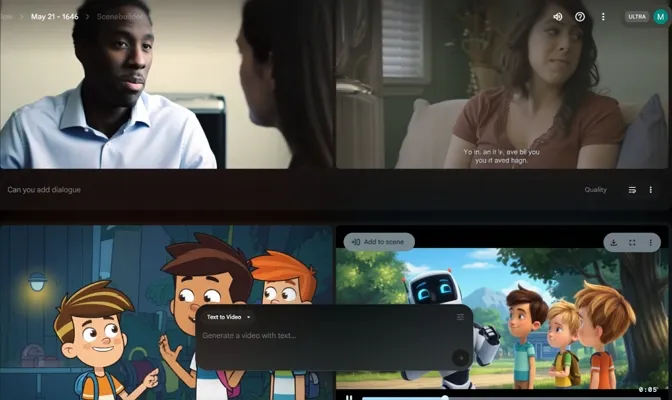
Veo is a Google high‑end AI model that helps generate realistic videos with native audio. It focuses on real‑world physics and cinematic results for users. Veo 3.1 also supports advanced editing, like extending scenes and matching a reference visual style.
Key Features
- Generates high‑fidelity 720p, 1080p, or 4K videos with realistic physics and motion.
- Accepts up to three reference images to keep characters, products, or styles visually consistent.
- Lets you extend Veo videos by several seconds, chaining multiple extensions for longer sequences.
Best For: Creators who want to turn their detailed prompts into short 4K-ready animations.
Pros
- Reference images help keep characters or styles aligned with existing brand visuals.
- Scene extension lets you grow short clips into longer, continuous cinematic sequences.
Cons
- Access is mainly through Gemini or Vertex workflows, harder for casual beginners.
- High compute needs can make large, frequent generations costly at scale.
4. Pika 2.5
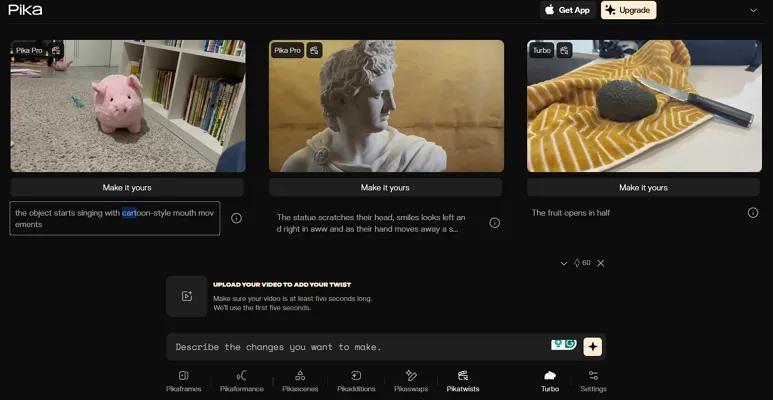
This AI animation generator is widely used by creators who want fast, stylized clips and anime sequences. Many people treat it as the best anime AI generator for short, punchy social videos. It focuses on speed, low latency, and quick iterations, so you can test many ideas.
Key Features
- Supports text‑to‑video and image‑to‑video, handy for animating still characters or layouts.
- Good for vertical formats and short lengths, ideal for TikTok, Reels, and Shorts.
- Animates still images into video with camera moves, motion, or stylized visual effects.
Best For: Those who want stylized anime‑style clips, short social videos.
Pros
- Keyframe tools help chain shots into longer, more controlled sequences.
- Edit tools can add, swap, or move objects inside existing clips.
Cons
- Fine control over complex scenes is weaker than high-end cinematic models.
- Heavier, high-resolution renders can use credits quickly for frequent creators.
5. Animaker
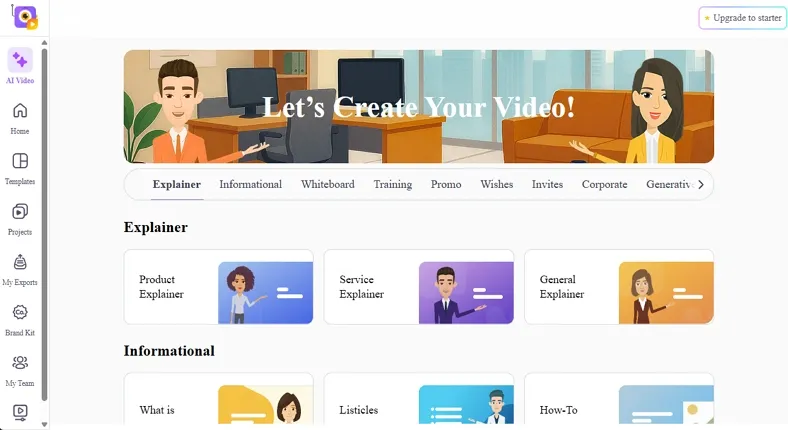
This best AI 3D animation generator turns short prompts into animated clips with controllable motion, style, and framing. You can start from text, pick a category, or use customizable templates across this online editor. Everything can be refined in a timeline-style editor with characters, props, and motion.
Key Features
- AI video generator helps convert prompts into full scripts across 30+ categories.
- Offers built-in AI voiceover and auto lip sync of 800-1000+ voices.
- Provides a massive asset and template library of thousands of templates and customizable characters.
Best For: Users who want easy, browser-based AI animation for explainers.
Pros
- Prompt based generation is followed up by fine-tune editing in an editor.
- The templates and stock assets make it easy to match brand styles without starting from scratch.
Cons
- Free plan comes with watermarks and limited downloads.
- Offers a web-based workflow which is not as professional as other top-rated AI animation generators.
6. DomoAI
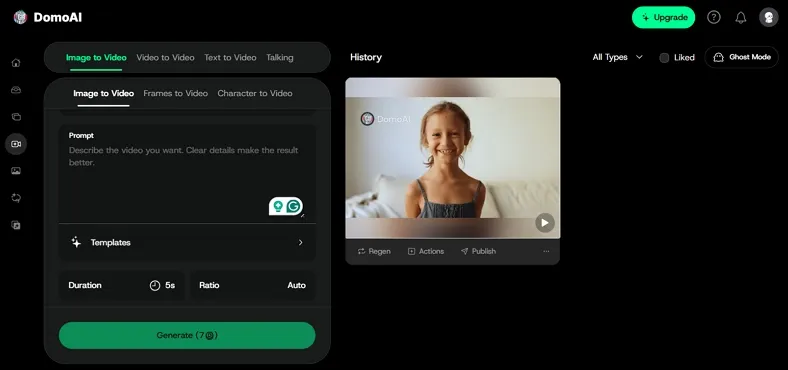
DomoAI turns simple text, photos, or clips into stylized animations fast, without timelines. It’s strong for anime, music videos, and character-driven shorts where motion matters most. Creators can chain keyframes, lip-sync, and motion presets to build complete animated sequences inside one platform.
Key Features
- Frames-to-video lets you upload 2–8 images and interpolate smooth narrative transitions.
- Built-in lip sync and talking avatars map audio to accurate mouth and face movement.
- Relax Mode offers effectively unlimited generations on paid plans for heavy animation workflows.
Best For: People who aim for controllable, Adobe-native AI animation.
Pros
- Anime-focused styles look polished without much prompt engineering.
- Interpolates multiple frames into smooth, story-like transitions.
Cons
- Longer narratives feel stitched together from shorter, looping clips.
- Lip sync accuracy varies with noisy or heavily processed audio.
Comparing All AI Animation Generators
Having introduced the best AI animation generator 2026, explore the comparison table below to choose confidently:
| Tool | Max Length | Input Types | Resolution | Monetization |
| Magiclight.AI | Up to 50‑minute videos per project | Script, text, images | 1080p | Credit‑based |
| Runway Gen‑4.5 | Short clips; extend via editor | Text, image, video | 720p output | Pay‑as‑you‑go and subscriptions |
| Google Veo | Short–medium; chain scene extensions | Text, image, reference images | 720p, 1080p, up to 4K | Access via Gemini/Vertex |
| Pika 2.5 | Optimized for short social clips | Text, image, short video | Varies | Credit/subscription |
| Animaker | Short clips and easy explainer videos | Text & templates | HD to 2K video quality | Subscription + Credits |
| DomoAI | Short–medium; Relax Mode for volume | Text, image, video, image sequences | Varies by mode; online presets | Relax Mode on paid plans |
Part 4. What Makes Magiclight.AI the Best Choice for Animation
Magiclight.AI is built for full episodes, not 30‑second clips, to turn scripts into 50-minute videos with consistent characters. It removes timelines and complex editing, so you focus on the story while the engine handles scene layout and rendering. For creators who want one place to animate long videos, it’s arguably the best AI animation video generator available today.
Quick Guide: How to Use Magiclight.AI for Long-Form Animation
Once you know why Magiclight.AI is the best anime AI generator, follow the steps below to see how it works:
Step 1. Start The Project
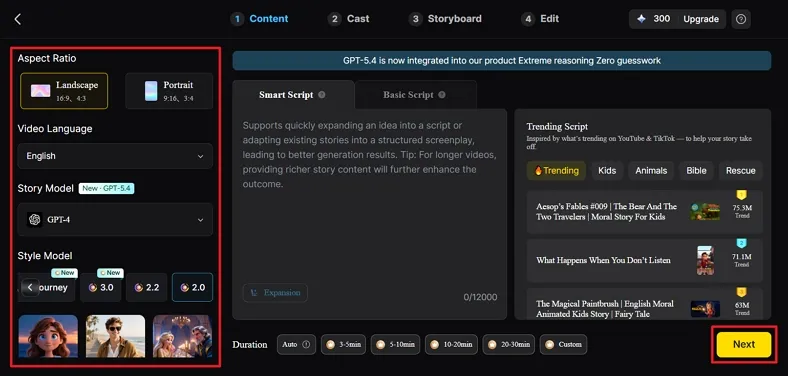
Once you enter the Story to Video interface from the homepage, select the Aspect Ratio and Duration. Next, choose the Video Language, select the Story Model, and enter the script. Once done, press the Next button to continue the process.
Step 2. Check The Scene Breakdown
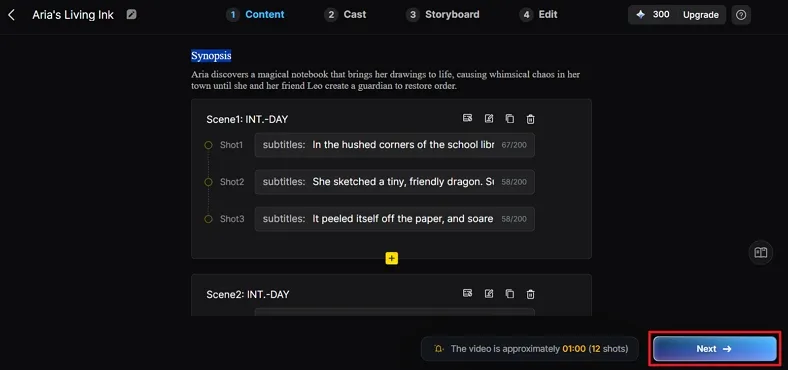
Afterward, read the generated scene layout and Synopsis in detail. Review each scene, short line and make small amendments if required. Once the Synopsis is finalized, press the Next button.
Step 3. Choose The Character
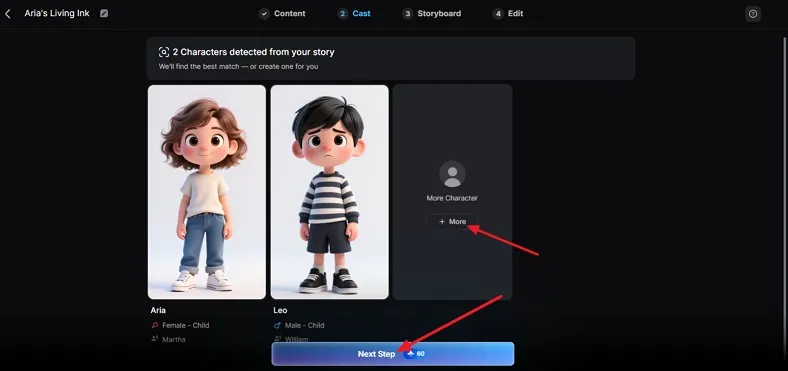
In the following interface, choose your favorite character from the given characters for your project. If you want to explore more characters from the list of characters, click the More button. Once the character is finalized, press the Next Step button.
Step 4. Review The Storyboard
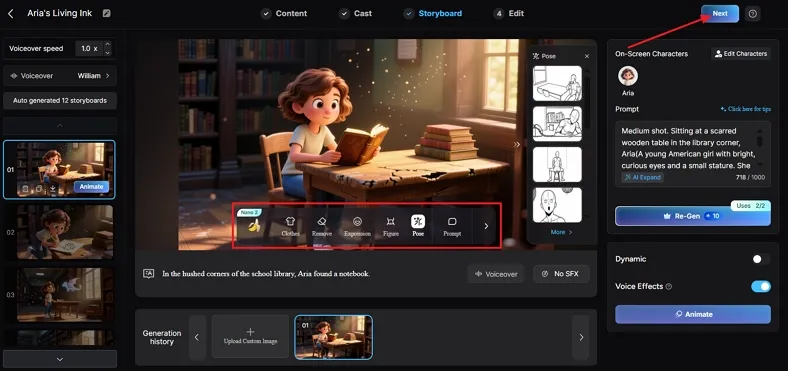
Once the storyboard is generated, review all scenes. Make some adjustments in the clothes, pose, figure, or expressions from the scenes by using the Controls below. After that, press the Next option to proceed further.
Step 5. Download The Video
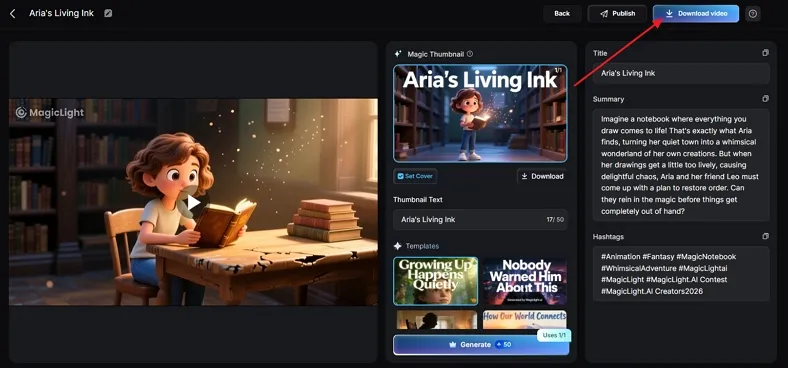
After the video is generated, review the preview, cover, thumbnail, and hashtags. Once finalized, press the Download Video to save the final file.
Conclusion
In the end, AI animation tools now make it easy to turn ideas into complete videos. Whether you want short social clips or long story episodes, there’s a tool that fits your workflow. For many creators, Magiclight.AI stands out as the best AI animation generator because it handles characters and scenes in one place.
Frequently Asked Questions
1. What is the best AI animation generator in 2026?
For the best option, Magiclight.AI stands out because it turns full scripts into long animated videos. It handles characters and scenes together to make it feel professional yet simple.
2. Are AI animation tools free?
Many AI animation tools offer free tiers with strict limits on length or quality. For serious projects, you usually need paid plans to unlock longer, higher‑quality exports.
3. Which AI tool is best for anime videos?
Magiclight.AI works great for anime‑style stories that need consistent recurring characters across many scenes. It lets you define character looks once, then keeps them stable through the entire animation.
4. Can AI create 3D animation videos?
Yes, some AI tools generate 3D‑style or 2.5D animation from text, images, and scripts. However, complex cinematic 3D often still needs manual refinement in traditional animation software.
5. Can ChatGPT create animation?
ChatGPT does not create direct animations for you but can help you plan an animation. It generates desirable prompts which can help you create the best AI animations across tools like Magiclight.AI.





![How to Write a Script for a Video 2026 [Full Guide]](https://blog-new.magiclight.ai/wp-2/wp-content/uploads/video-script-writing-setup-300x199.jpg)