Free image generation often comes with limits that change how each tool works. The best free AI image generators offer different limits on everyday image creation needs. Some tools limit credits while others reduce resolution or restrict public image access.
Commercial use also varies because free plans may include different usage rights policies. These differences can matter more than small changes in image quality. This guide compares each option so you can choose the right generator.
Part 1. How to Choose a Free AI Image Generator
Choosing the best free AI tool for image generation requires checking 4 important areas. Let's look at what matters before choosing the right free tool for your needs:
- Free Allowance: Check how many images you can create and when credits refresh.
- Image Visibility: See whether free images stay private or become publicly visible.
- Commercial Rights: Confirm whether the free plan allows images for commercial projects.
- Extra Features: Check if editing, upscaling, or animation requires another tool.
Image limits matter first but editing and animation options can become even more important later. A tool that only creates images may require another platform for further creative work.
Part 2. 6 Best Free AI Image Generators Worth Trying
Each of the best free AI image creators offers different features for simple and advanced projects. The 6 options below cover quick image creation, editing, and complete creative workflows easily.
1. MagicLight AI
Best For: Creators turning generated images into video content.
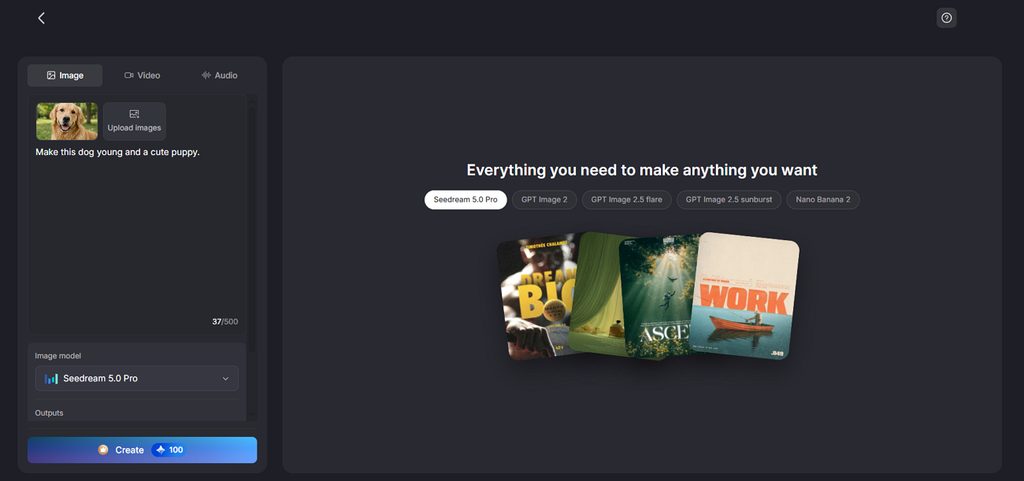
It creates fresh images directly from simple written prompts within its creative platform. Users describe the visual they need and generate results through a few simple steps. Reference images can guide the output toward a specific subject, product, or visual style.
This approach removes the need to create every visual element manually from scratch first. Generated images can also become reusable characters for consistent visuals across future creative projects. Users can send finished images directly into Image to Video for creating animated content.
Key Features
- Reference Guidance: Upload up to 10 images to shape generated results more closely. Prompts allow 500 characters to describe the image with useful details.
- Supported Files: Add JPEG, PNG, or WEBP images for reference during image creation. Each uploaded file can reach 20MB, giving room for quality visuals.
- Flexible Ratios: Choose square, landscape, portrait, or 4:3 formats for different content needs. These layout choices make generated images suitable for different publishing platforms.
Pros
- Turns generated images directly into videos within one workspace.
- Saves generated characters for reuse across future visual projects.
- Offers the option to export generated content in 1080p format.
Con
- Free credits can limit how many images users generate.
2. ChatGPT
Best For: Writers creating matching visuals alongside their written content.
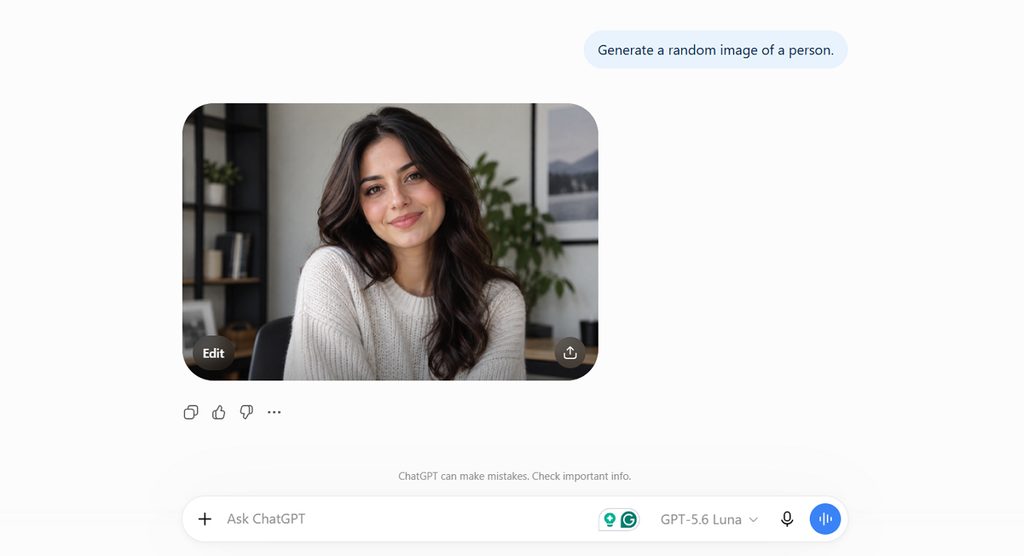
ChatGPT makes the best free AI image generation accessible through simple conversational prompts and requests. Users can create visuals while discussing ideas without moving into separate creative software tools. Generated images stay within conversations, keeping related prompts and project context together for reference.
Key Features
- Changes selected image areas while leaving other visual elements mostly untouched.
- Handles written text well within posters and detailed visual compositions.
- Supports different aspect ratios for social posts, banners, and presentations.
Pros
- Handles written text accurately within posters and detailed visual compositions.
- Accepts multiple reference images for creating a combined visual result.
Cons
- Selected edits may sometimes change areas beyond the intended region.
- Complex visual requests can require several attempts before matching expectations.
3. Google Gemini
Best For: Users creating visuals that require stronger real-world information.
Among the best free AI tool for image generation options, Gemini uses Nano Banana 2.0. Its image system combines visual creation with broader knowledge for context-aware generated results. Users can create detailed visuals for educational, personal, marketing, and creative projects.
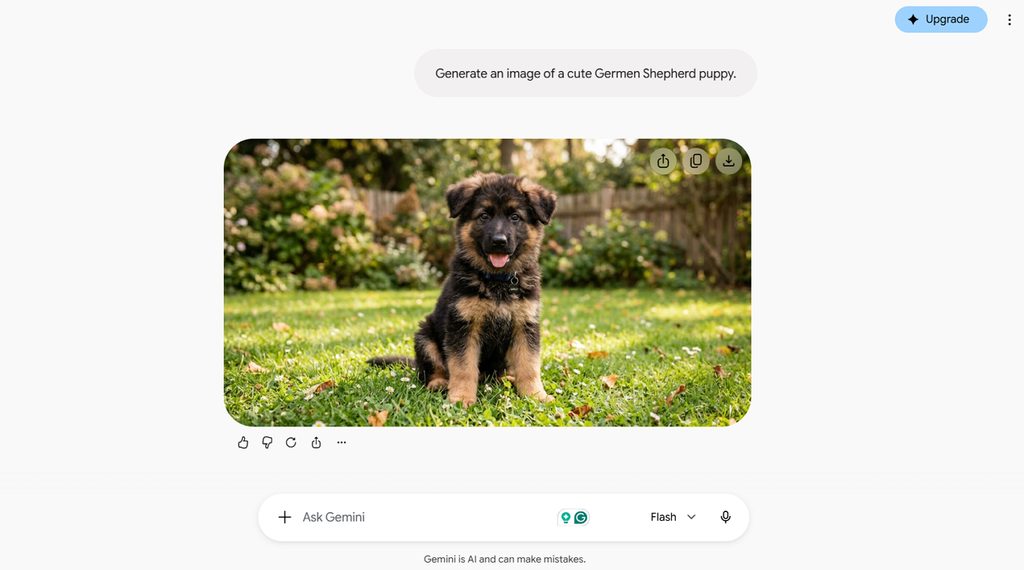
Key Features
- Maintains consistent characters and subjects across multiple newly generated visual scenes.
- Renders text more accurately across multiple supported languages.
- Uses Google Search information when creating visuals requiring current factual context.
Pros
- Combines multiple reference images into one newly generated visual composition.
- Produces detailed infographics and diagrams from complex written information.
Cons
- Free image downloads remain limited to 1K resolution currently.
- Generated images include SynthID for identifying content created using AI.
4. Ideogram
Best For: Users who create text-heavy posters and advertising graphics.
Ideogram stands among the best free AI image creator options for text-heavy visual projects. Its strongest results appear when prompts require readable words integrated directly within generated artwork. Posters, logos, advertisements, and packaging benefit from its strong handling of precise typography.
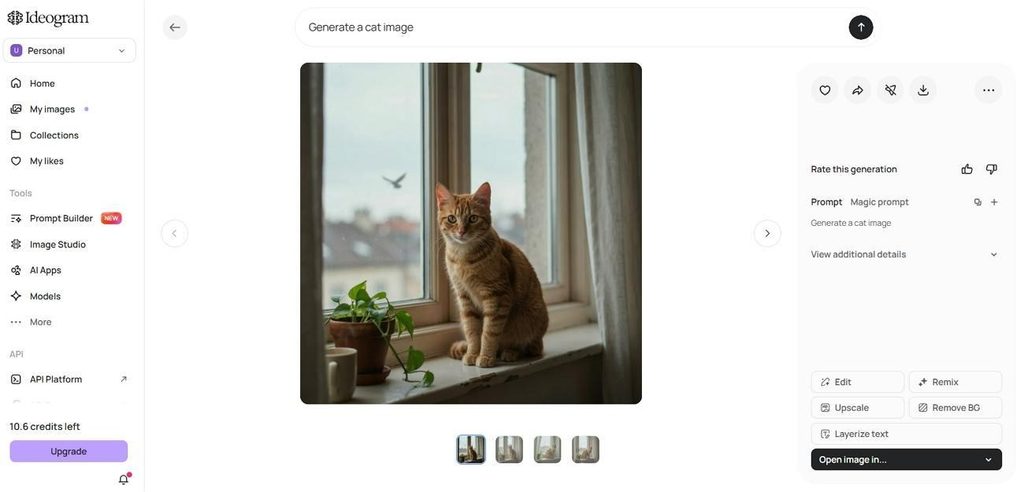
Key Features
- Magic Fill replaces selected areas using new written instructions.
- Character Reference maintains recognizable subjects across newly generated scenes.
- Style Reference transfers visual aesthetics from uploaded reference images.
Pros
- Canvas combines generation, cropping, resizing, and composition tools together.
- Describe converts uploaded visuals into detailed reusable prompt descriptions.
Cons
- Free creations remain publicly visible within the Ideogram community.
- Some advanced generation and editing features may depend on the selected plan.
5. Leonardo AI
Best For: Exploring multiple visual styles and detailed creative concepts.
For experimentation, the best free AI image generators need control beyond basic prompting alone. Leonardo provides multiple specialized models for exploring photography, illustration, concept art, and design. Its workspace supports creators testing different visual directions before choosing their preferred final style.
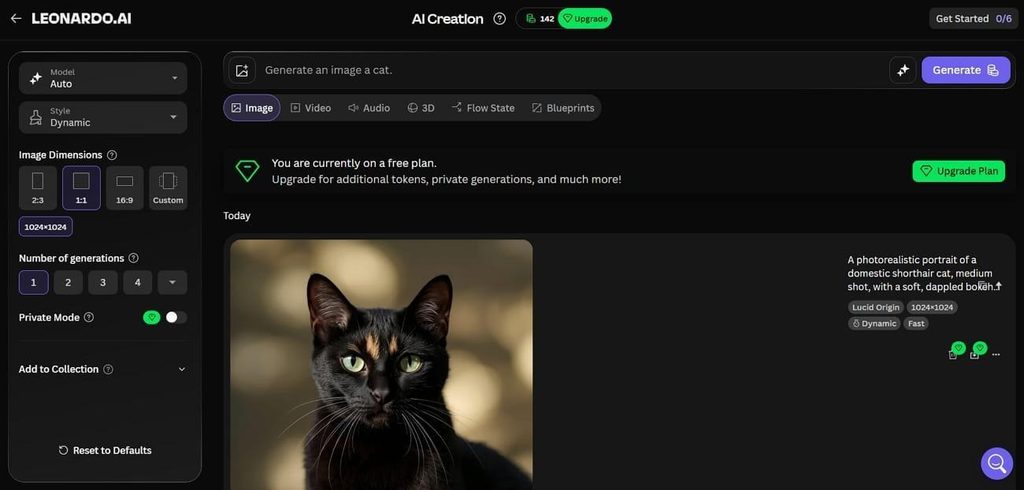
Key Features
- Flow State continuously displays new visual ideas from prompts.
- Realtime Canvas transforms rough sketches while users continue drawing.
- Image Guidance controls composition using uploaded images and references.
Pros
- Universal Upscaler increases image detail while enlarging final outputs.
- Prompt Enhance expands basic instructions into richer generation prompts.
Cons
- Free generations remain publicly accessible instead of staying private.
- Unused free daily tokens expire instead of carrying over to the next day.
6. Adobe Firefly
Best For: Teams creating commercial visuals with clearer training provenance.
Adobe Firefly trains its core image models using licensed and public domain material. This distinction separates it from many of the best AI image generators free users can try. Creators can generate assets while staying connected to Photoshop and Adobe Express workflows.
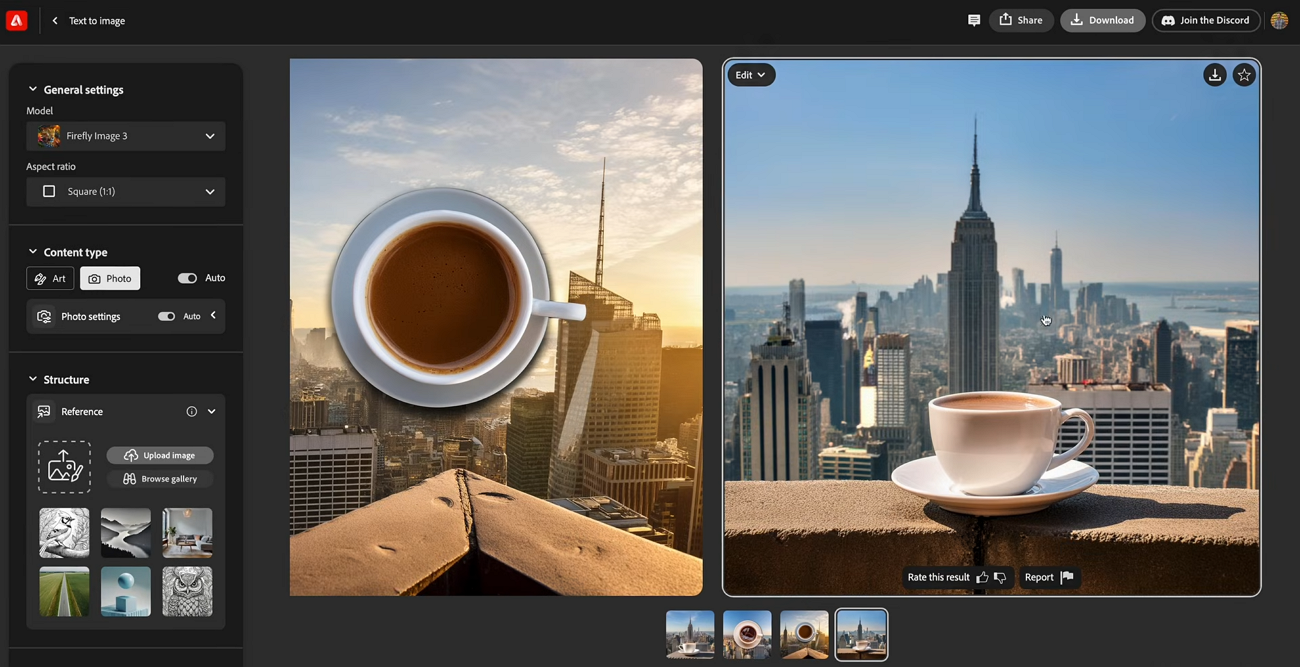
Key Features
- Generative Expand extends image borders with newly generated matching content.
- Structure Reference preserves composition while changing an existing image’s appearance.
- Content Credentials attach provenance information when qualifying creations are exported.
Pros
- Photoshop integration brings generative workflows directly into existing editing.
- Adobe never uses customer content for Firefly model training.
Cons
- Free users do not receive the contractual IP indemnification available with eligible Adobe plans.
- Partner models can carry different commercial usage terms than Firefly.
Compare All Free AI Image Generators
The best free AI image generator depends on usage limits, refresh cycles, and rights offered. Look at the table below to compare all 6 tools and their key differences:
| Tool | Model Variety | Image Editing | Image to Video | Best At |
| MagicLight AI | 5 image models | AI guided editing | Yes | Multi model creation |
| ChatGPT | 2 image models | Prompt based editing | Yes | Conversational creation |
| Google Gemini | 2 image models | Prompt based editing | Yes | Context aware visuals |
| Ideogram | 3+ model versions | Canvas and Magic Fill | No | Text and typography |
| Leonardo AI | 10+ image models | Canvas and AI editing | Yes | Style experimentation |
| Adobe Firefly | 5+ native and partner models | Generative Fill and Expand | Yes | Adobe creative workflows |
Part 3. Why Choose MagicLight for AI Image Creation?
The best free AI image generation becomes more useful when images support further creation. Let's see how MagicLight AI takes generated images beyond simple downloads into creative projects:
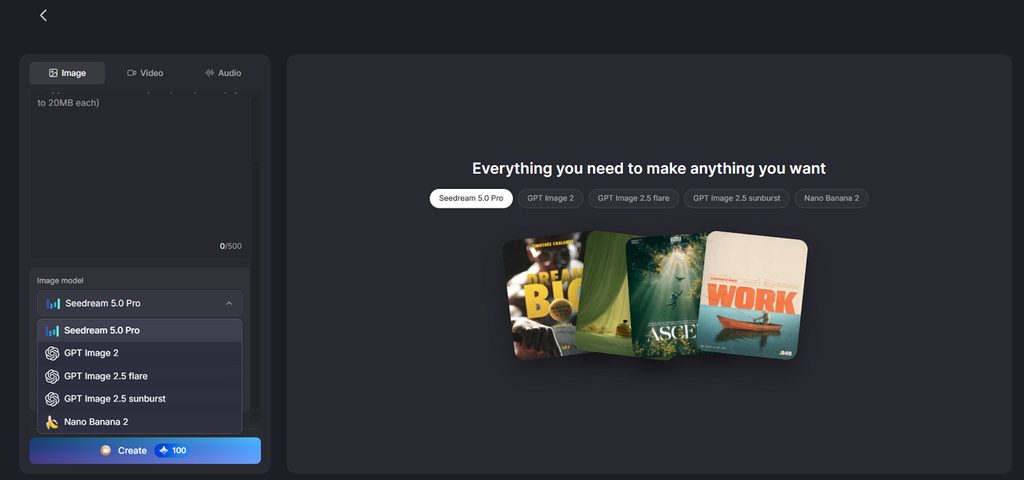
- Multiple Image Models: MagicLight AI provides 5 image models, including Nano Banana 2, Seedream 5.0 Pro, and GPT Image variants. Users can compare outputs without moving between different image generation platforms.
- Consistent Image Sets: Reference images help carry the same visual style across multiple generations. This is useful for creating connected illustrations, campaign visuals, or story scenes with a consistent look.
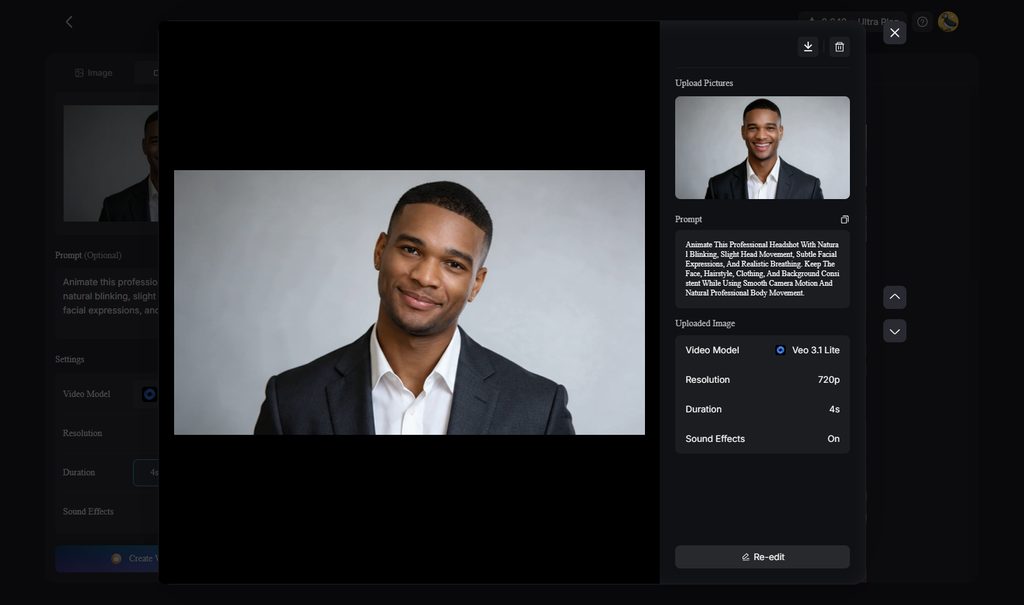
- Image to Video: Generated images can move directly into MagicLight AI's Image to Video tool. Users can animate a still image into a video up to 30 seconds using prompts of up to 1500 characters.
How to Create AI Images With MagicLight AI
MagicLight AI offers the best free AI to generate images through one simple creative workflow. Follow the steps below to create your image and prepare it for further use:
Step 1. Access the AI Image Generator
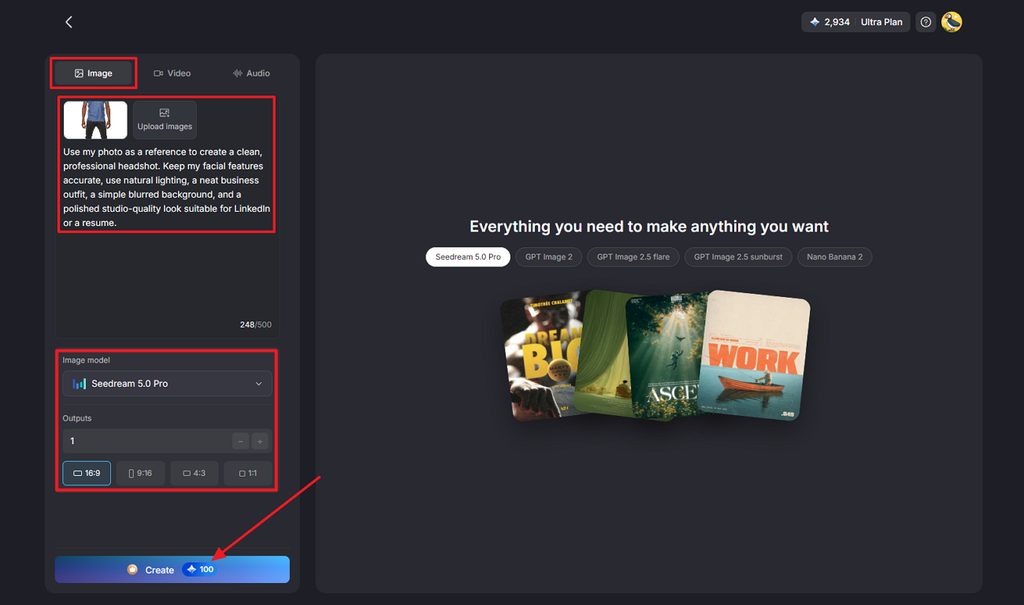
Open the Toolbox from the main interface and select the Image tab. Upload a reference image if needed, then describe the image you want to create. Choose the Image Model, Outputs, and Aspect Ratios based on your project. Press Create to generate the image.
Step 2. Download the Generated Image
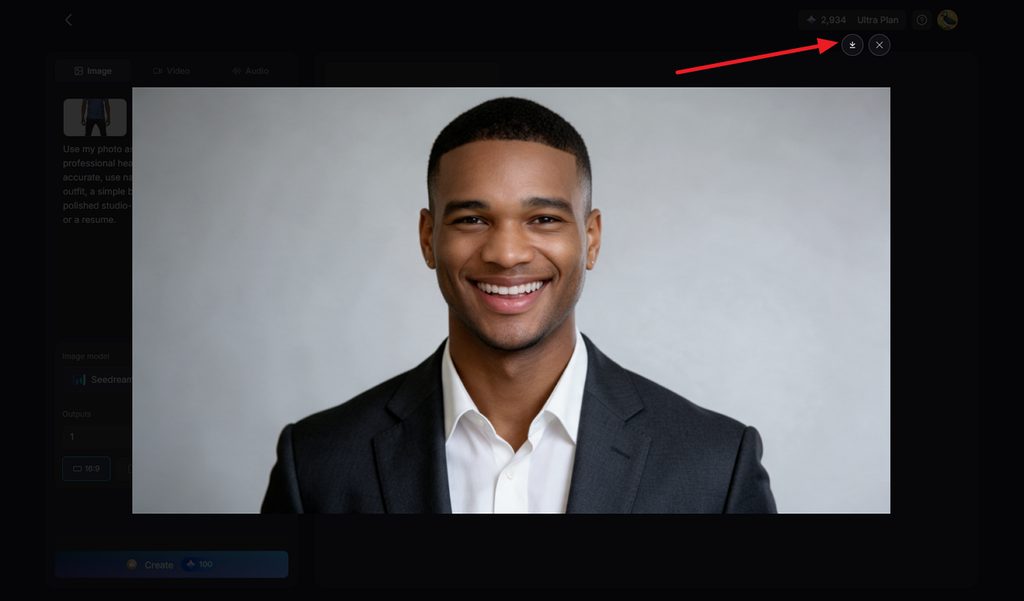
Review the generated result and regenerate it if you want another version. Once satisfied, press the Download icon to save the finished image.
Conclusion
To conclude, the best free AI image generators offer different strengths for different creative needs. Leonardo AI supports frequent experimentation, while Ideogram works especially well for designs requiring clear typography. Adobe Firefly suits commercial workflows where licensed training sources and Adobe integration matter most today. MagicLight AI goes further by turning generated images directly into videos within one creative workspace.
FAQs on Best Free AI Image Generators
1. What makes an AI image generator free?
Free generators usually limit credits, image access, commercial rights, or other important creation features. The best free AI to generate images depends on which restrictions affect your projects.
2. Which AI image generators offer free credits?
Free credits are available across these tools, but their limits and refresh schedules differ. Daily, weekly, or monthly allowances can affect how regularly users create new images.
3. Can AI image generators work with reference images?
Many AI image generators accept reference images to guide style, subjects, or visual details. MagicLight AI supports references that help maintain consistent looks across multiple generated images.
4. Can I turn an AI-generated image into a video?
MagicLight AI can turn a finished generated image directly into an animated video clip. Its Image to Video tool adds motion without requiring another separate creative platform.
5. Which AI platform can handle both image and video creation?
MagicLight AI supports image generation and video creation together within one connected creative workspace. Generated images can move directly into video workflows while maintaining consistent characters across scenes.

![How to Write a Script for a Video 2026 [Full Guide]](https://blog-new.magiclight.ai/wp-2/wp-content/uploads/video-script-writing-setup-300x199.jpg)