


It's a common frustration when you have a version but can’t find the right tool to remove the creator's block. Still, you searched the internet and came across Getimg AI, wondering whether it's the right option. Since it positions itself as a unified workspace, this guide will review its key aspects and uncover its safety. In addition, it explores whether one needs to locate an alternate when it fails to meet the needs.
Part 1. What Is Getimg AI?
Getimg AI is a web-based AI tool that generates, edits, and animates images in a single, unified workspace. In this regard, the tool features FLUX.2, Google Veo 3.1, and Seedance models for photorealism, video, and text perfection. The tool lets you create a project folder, and you can add it to favorites to filter your created video and image content.
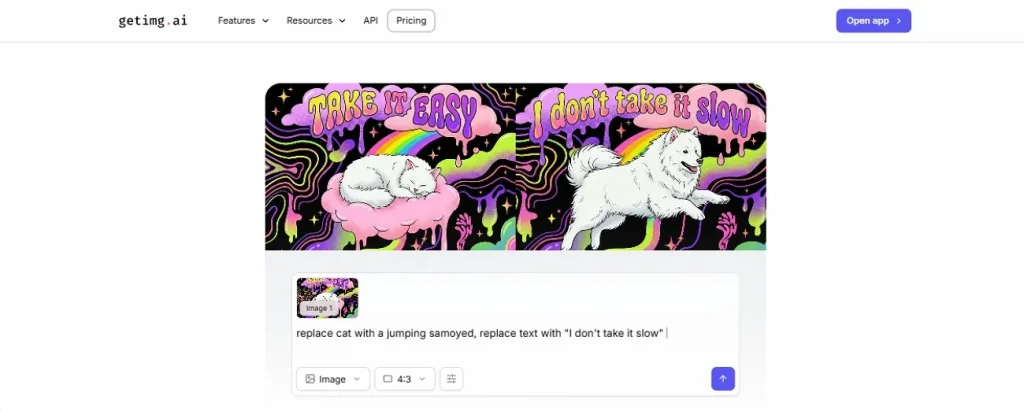
Key Features of Getimg AI
Whether you use the Getimg AI image generator or another tool, it's essential to know the key aspects. So, if you want to get most of this tool, review the details mentioned and determine if they are worth trying:
- Image Generation: Users can use FLUX, Seedream, GPT Image, or Nano Banana AI models, or select the “Auto” settings. After adding the prompt or image, you can choose the aspect ratio and variation to get the image within 30 seconds. Later, users can compare the results to assess accuracy, but the feature is only available on Pro plans.
- Video Generation: With no setup required, you can also create videos by adding text or an image as input. While picking models, aspect ratio, or variation, it lets you decide the video duration to get tailored results. Users can also dictate the prompt, but one video costs 600 credits, which makes it less cost-effective.
- AI Editing Tools: Though the paid image and video generation tools necessitate a Getimg AI similar sites search, you can edit with this tool. Its Upscaler lets you achieve 2X image resolution just by uploading the image, after which you can compare the results.
- Resizing Media: Additionally, from vertical, square, banner, and more, this tool offers you multiple resize options in its workspace. In case of backdrop changes, users can provide simple prompts to the AI to change or remove the background, but exports are limited to PNG format.
- Team Collaboration Facility: By creating the folder, business owners can keep all the video and image content in one place. Users can also create Teams, and any image created on the paid plan can be used in ads, merchandise, and client work.
Getimg AI Limitations
To further uncover this Getimg.ai review, note that the tool falls short in many areas. To know what they are, follow the common pitfalls mentioned below:
- With high-resolution video and images, massive amounts of credits are consumed.
- The tool is not free and requires a detailed sign-in and pricing method.
- Complex prompts can occasionally yield inconsistent details or results across generations.
- Its editing tools come with limited settings to choose from.
- Beginners can get confused while using its workspace.
- The 100 free credits finish immediately after signing in.
- It lacks advanced editing tools found in professional software.
- Complex edits may need many retries to match lighting and texture.
Is Getimg AI free?
The tool claims to offer a free plan, but credits expire after signup, prompting you to seek Getimg AI alternatives. Nonetheless, here is the detailed description of its paid plans:
| Plans | Price | Credits |
| Monthly | Entry: $10 Core: $30 Plus: $65 Ultra: $175 | 3k credits/month 15k credits/month/seat 35k credits /month /seat 100k credits/month/seat |
| Yearly | Entry: $8 Core: $25 Plus: $55 Ultra: $150 | 3k credits/month 15k credits/month/seat 35k credits/month/seat 100k credits/month/seat |
Is Getimg AI safe?
Since the tool is entirely paid, it is safe to use for individuals and businesses. By default, images generated on your private dashboard are not made public. If you select to make them public on the community gallery, other users can see them.
So, it's a cloud-hosted SaaS and operates entirely within your web browser. Its Automated Content Filter prevents the generation of illegal content and hosts various community-trained Stable Diffusion and FLUX checkpoints.
Part 2. Best Alternative to Getimg AI for Video Creation
When using the Getimg.ai Disney Pixar AI generator, users must repeatedly retry to get perfect results, which consumes a lot of credits. As an alternative, you can use MagicLight AI, which features separate tabs for each, making content creation seamless. Unlike Getimg.ai, you don’t have to work in a cluttered workspace and benefit from built-in automated storytelling features that can generate consistent outcomes.
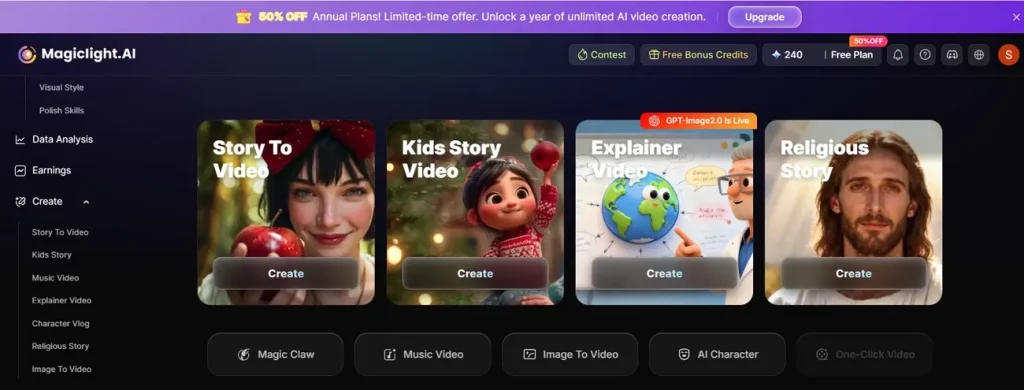
Users can choose from multiple characters and visual styles for creating images and videos. Regarding price, MagicLight is relatively less expensive and offers more credits in paid plans. Users can also use almost 240-300 credits for free, and Magic Claw simplifies content creation with AI.
Its AI models include Kling (2.1 & 2.5 Turbo), Hailuo 2.3, PixVerse 5.0, Seedance 1.0 Pro, and its own proprietary core animation engine. To know how MagicLight AI is better than the Getimg.ai app, review its given key features:
1. Story-To-Video
With the option to choose Terrain and Aspect Ratio, the tool is trained on 11 languages and 9 story models. From Midjourney V7 to MagicLight 3.0 and MagicLight 2.2, users can choose multiple story models. Within Settings, users can also choose voiceover and background music, as well as 21 templates, which were limited in Getimg.
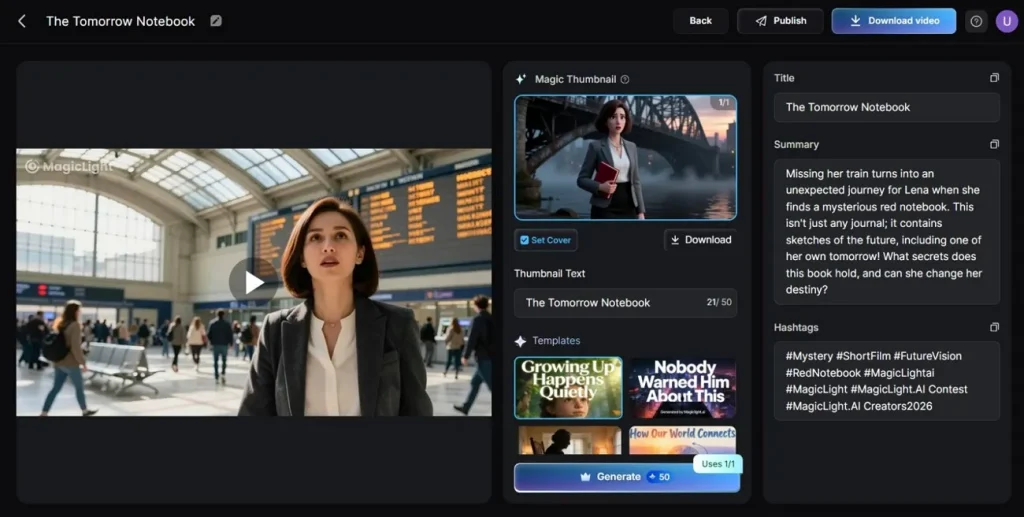
So, as you add a 12,000-word detailed script, you can create a video of up to 50 minutes and rename the character. In Storyboard preview, the prompt can be edited and regenerated; Nano refines the scene and can choose from Standard 720p / High 1080p resolutions.
2. Image-To-Video
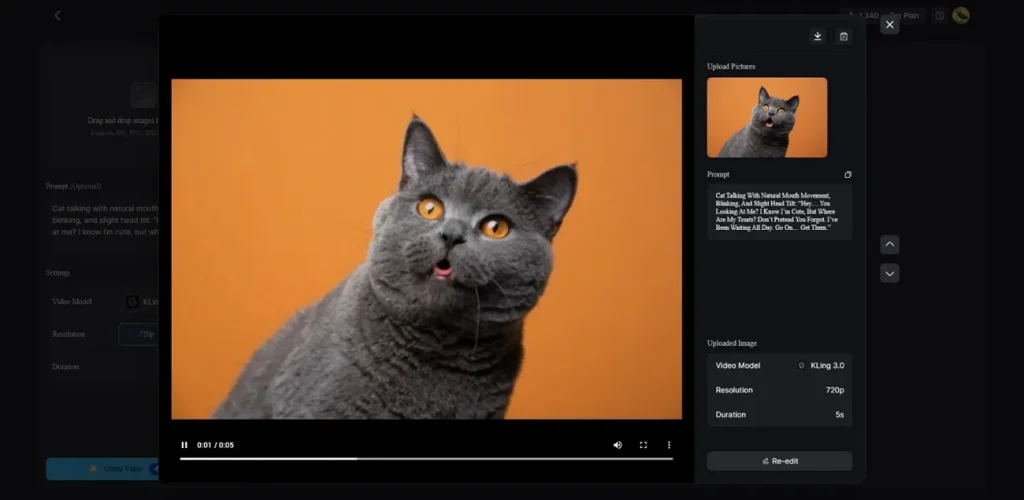
This tool also excels over Getimg.ai, as you can add a 1500-word prompt after uploading the image. You can easily upload up to 19 reference images in JPG, PNG, or JPEG, up to 10 MB each. In addition, there is a model selection option, which later creates a high-resolution video of up to 15 seconds. The model list can range from 19 options, and the tool offers export resolution in 720p.
3. AI Animation
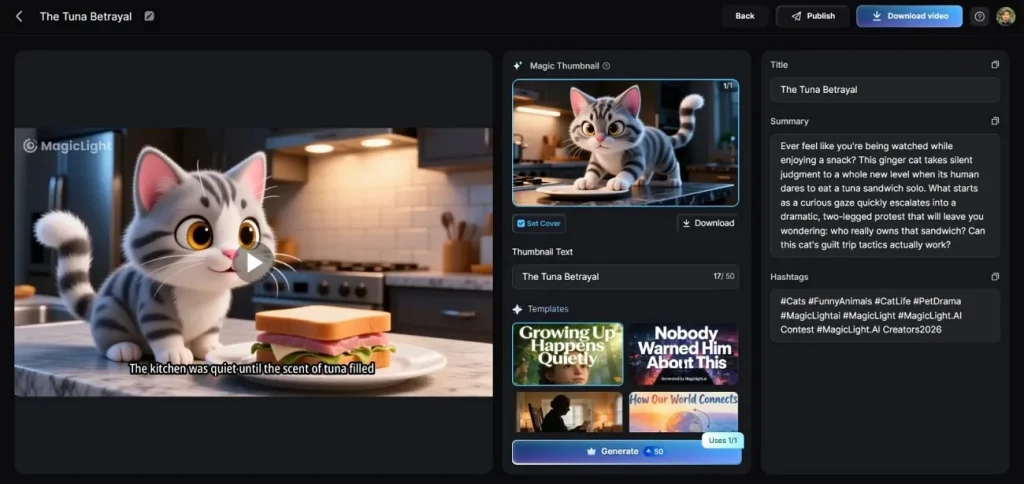
While choosing the aspect ratio, MagicLight AI lets you pick from multiple anime styles. You can choose from Trending, kids, Animals, or Rescue-based script options and pick to create a 20-30- or custom-duration animated outcome. So, you can opt for story models like GPT-4, GPT-5.4, Gemini 3.1 pro, etc., and export content in better resolution.
4. Consistent Character Generation
The tool creates consistent characters that need no further modification when created via MagicLight AI. Unlike the Getimg AI image generator, users can filter characters by style, age, and type, and it supports both personality- and prompt-based creation. So, whether you make videos or images, the characters are consistently generated, and the tool displays them once it detects the story.
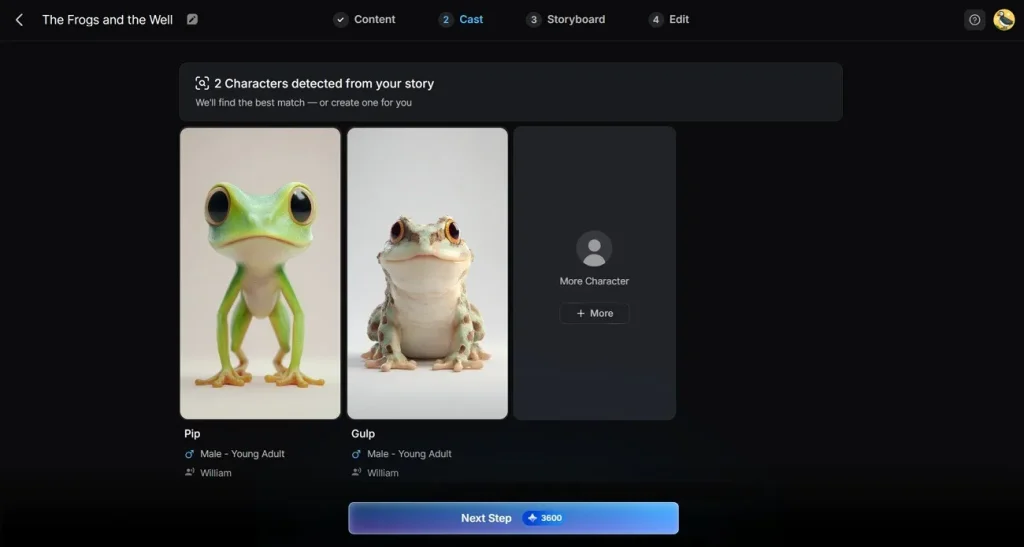
With Nano adjustments supported, you can alter dressing and expression, and try 50 pose options and 37 voiceovers to create character vlogs. The input can be up to 500 words, and you can further choose 9 models and 40 background music options for extra creativity. Whereas for AI character creation, you can choose 4 style models and add the prompt in 1000 words, and name the AI character in 50 characters.
5. Cinematic AI
The Midjourney V7 model style creates realistic 3D cartoons, Ghibli, and cinematic 3D models in mere seconds. Rather than just generating isolated, random clips, the platform focuses heavily on cinematic continuity. Beyond Midjourney, you can choose models like Kling, Google Geo 3, and Hailuo 2.3 for cinematic visual realism.
Conclusion
Getimg AI offers a unified workspace to create image and video content. However, the free credit is a false claim and comes with expensive pricing plans. Thus, content creators can use MagicLight AI as a better option since it offers 240-300 free credits and multiple AI models to choose from.
FAQs on Getimg AI
1. What is Getimg AI used for?
Getting is a creative workspace for creating and editing image and video content using AI models. However, the tool’s features are limited to the Pro version and come with limited editing and preset options.
2. Can Getimg AI generate videos?
Yes, it features a dedicated video generator that creates short, cinematic video clips with native audio from either a text prompt or an uploaded image.
3. What are the best Getimg AI alternatives?
For both video and image-based content creation, MagicLight AI is the ideal choice over Getimg AI. The tool offers free credits and allows users to choose from multiple styles, models, languages, and resolution options.





![How to Write a Script for a Video 2026 [Full Guide]](https://blog-new.magiclight.ai/wp-2/wp-content/uploads/video-script-writing-setup-300x199.jpg)