


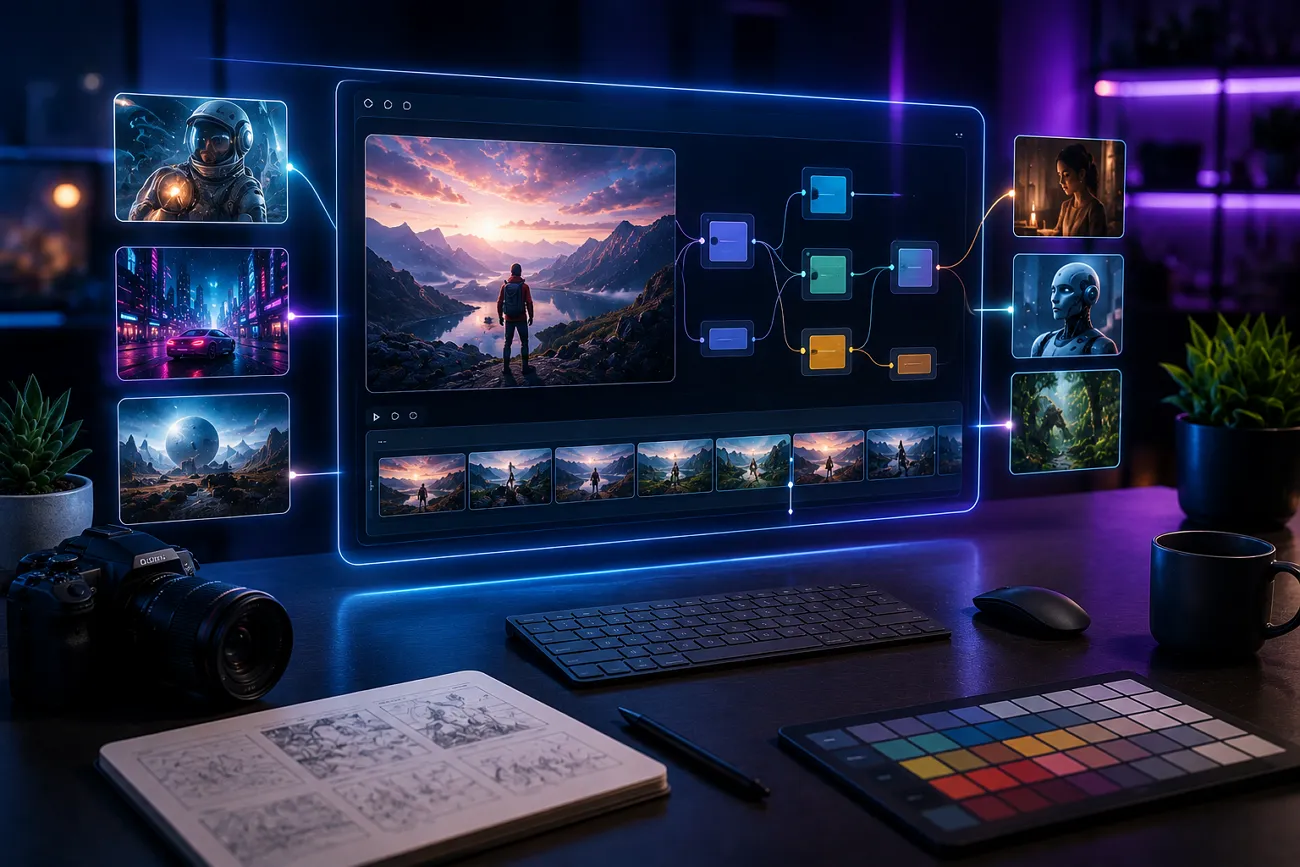
Google continues releasing tools that change how people create and work. One of its newest tools is called Google Flow, and people are curious about what it actually does. This latest platform uses smart technology to change how you build media content. In this article, we explain how it works and what it can do. You will also discover if MagicLight AI is actually a better choice.
Part 1. What Is Google Flow?
Google Flow AI is a filmmaking and creative studio launched on May 20, 2025. This video creation platform transforms textual descriptions and images into cinematic video clips. Flow is an improved version of Google's earlier prototype VideoFX and now offers better graphics along with a much more natural storytelling experience. Flow Google generates 4 different video variations so users can choose the best creative result option.
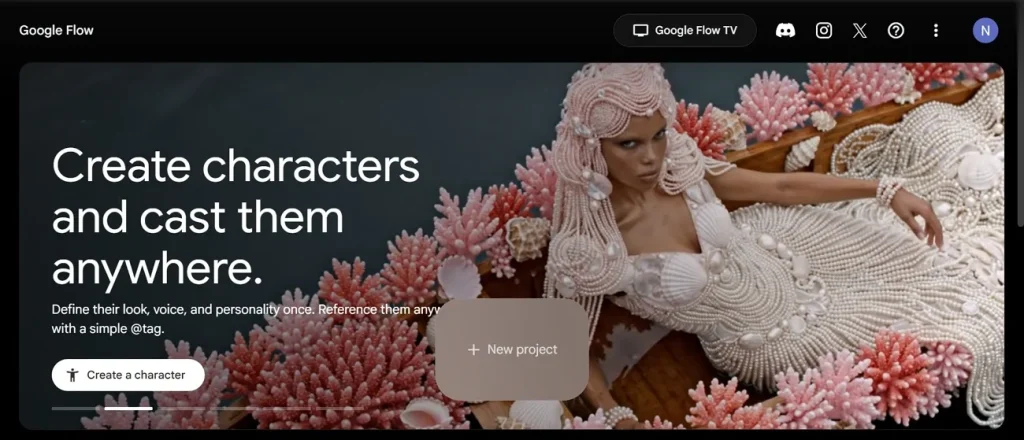
With this, users can set the first and last frames to control how the video scene starts and ends smoothly. Google Flow uses 4 AI models, including Veo 3.1 and Omni Flash for generation. Moreover, users can edit uploaded or generated videos using new prompts and added creative ingredients easily.
Key Features of Google Flow
- Motion Control: Direct camera movement styles to achieve smoother and more intentional visual storytelling.
- Video Breakdown: Analyzes video content frame by frame to support editing, learning, and creative transformation workflows.
- Character Reuse: Build and reuse consistent characters across multiple videos for stable storytelling and visual identity.
- Storyboard Studio: Enables script writing, character creation, and storyboard visualization for a complete video planning workflow.
- 3D Sculpting: Converts video frames into three-dimensional sculptures for experimental visual representation and artistic exploration.
Pros and Cons of Google Flow
Before you decide anything, understanding the AI Flow Google from both sides really matters a lot. Thus, below are all the major advantages and weaknesses laid out for easy understanding:
Pros
- Allows users to reshoot scenes without rebuilding everything from scratch
- Supports uploaded videos that users can edit with new prompts
- Allows easy adjustments for lighting and visual aesthetics.
Cons
- Videos are restricted to 10 seconds, which limits longer storytelling projects.
- Output quality can vary, and some clips look awkward or inconsistent.
- Awkward transitions between clips can appear and disrupt the overall video flow.
Is Google Flow Free To Use?
Google AI Flow offers limited free access for users who want to explore its features. However, free usage comes with restrictions on generation limits and advanced capabilities. For higher usage limits, better output quality, and access to newer AI models, users may need a paid Google AI subscription plan. Adhere to the pricing table below to understand which option offers the best value:
| Plan | Price | Storage | Google Flow Access | Key Benefits |
| Google AI Plus | $5/month | 200 GB | More generation access | Basic Flow features, 2× higher AI limits |
| Google AI Pro | $20/month | 5 TB | High-level generation access | Stronger models, 4× higher AI limits, Deep Research |
| Google AI Ultra | $80/month | 20 TB | Higher generation access | Most advanced models, 5× higher limits, Deep Think, premium AI workflows |
Part 2. How Does Google Flow Work?
Google Flow works as an AI-powered creative system that turns your ideas into visual content using models like Veo 3.1 and Omni Flash. A lot of people use AI Flow Google without fully understanding how it actually operates. Let’s explore the given guide to understand how this tool works from start to finish:
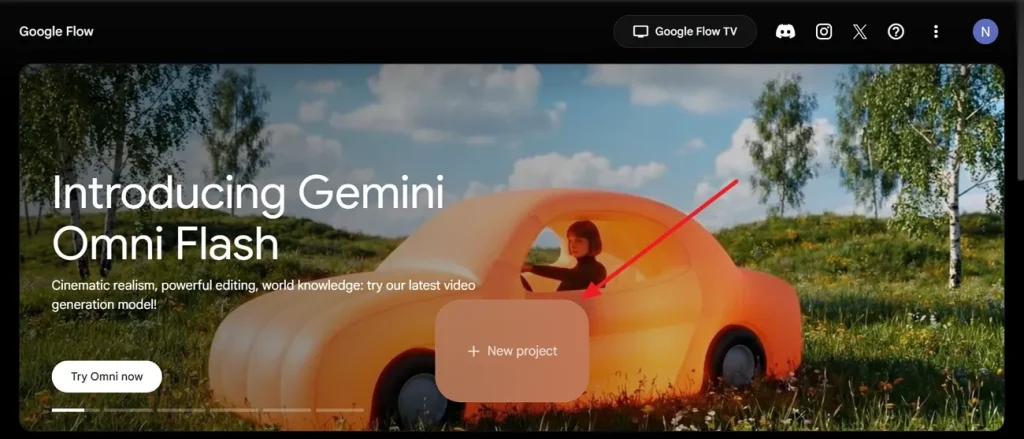
Step 1. To start, open the official website of Google Flow and click New Project.
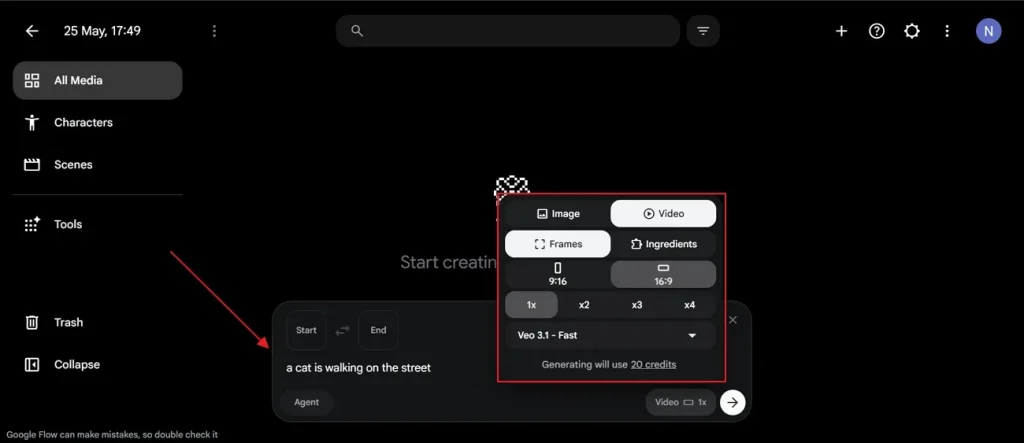
Step 2. After that, type your idea in the given Text Box and choose the video Frames based on your video requirements. Next, select preferred AI models such as Veo 3.1 Fast and press the Enter key.
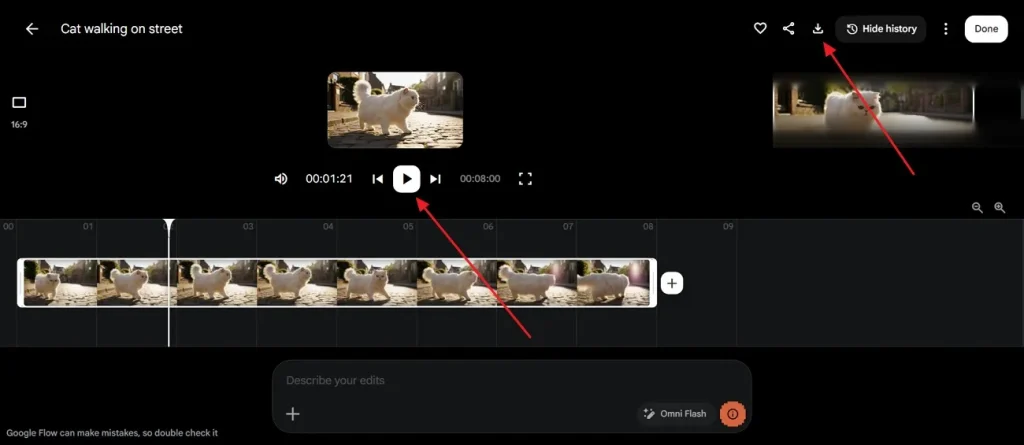
Step 3. Once your video is generated, watch it by clicking the Play icon and then opt for the Download Icon to save it.
What Can Google Flow Be Used For?
Google Labs Flow can be used for creating cinematic videos, images, and visual stories from simple text or image prompts. It assists users in creating story scenes, marketing ads, and creative images. YouTubers and TikTokers create stylized intros, transitions, and short music video-style clips. Businesses also use it to create product teasers and pitch videos on tight budgets.
Part 3. Is MagicLight AI Better Than Google Flow?
While Flow AI Google offers advanced cinematic tools, it still has noticeable workflow limitations. The credit limits and output inconsistency of Flow push many users to look elsewhere. That is exactly where MagicLight AI steps in as a powerful and reliable alternative. Instead of short clips, the tool can generate videos up to 50 minutes long in a single project.
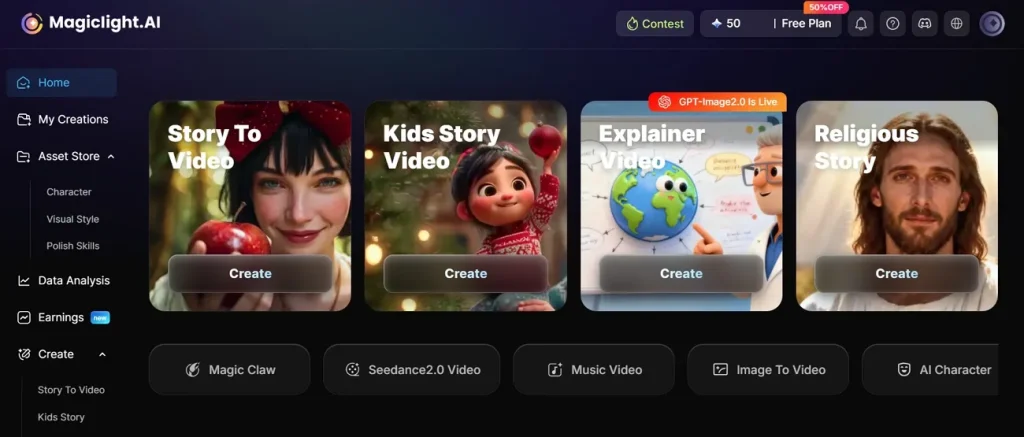
It supports 13 AI story models, including GPT and Gemini, for the script generation process. While generating videos, MagicLight AI maintains stable characters and visual continuity across multiple scenes and video segments. Additionally, this system allows micro-level storyboard adjustments, including expressions, poses, clothing, and body changes. Users can also enhance their short script into a complete story by using the Smart Script feature.
Key Features
- Frame Control: Enables detailed frame-level adjustments for precise visual storytelling and high-quality animation refinement control.
- Language Support: Offers 11 languages supporting global users for multilingual storytelling and wider audience video accessibility worldwide.
- Image to Video: Converts static images into animated video clips with customizable motion effects and creative visual effects.
- Voice Models: Integrates ElevenLabs and Minimax speech models to deliver natural-sounding and high-quality voice generation output.
- Storyboard Preview: Automatically generates editable storyboard previews that allow users to refine scenes before the final video rendering production stage.
Google Flow vs Magiclight AI: Side-by-Side Comparison for Better Tool Selection
Choosing between two strong tools becomes much easier when you see them compared directly. The following section shows a Google Flow and MagicLight AI comparison for better decision-making:
| Feature | Google Flow | MagicLight AI |
| Video Length | Short clips up to 10 seconds | Supports videos up to 50 minutes |
| Story Building | Basic scene arrangement tools | Full narrative production pipeline |
| Character Consistency | Maintains some scene continuity | Stable characters across every scene |
| Frame-Level control | Set first and last frames | Detailed frame-level adjustment tools |
| AI video models | 4 models, including Veo 3.1 | 19 models, including Veo 3.1 |
| Editing Control | Prompt-based limited edits | Micro-level frame adjustments |
| Video styles | Cinematic style only | Disney, Pixar, Ghibli, CGI, and more |
| Voice Features | Basic AI voice options | ElevenLabs voice cloning |
Conclusion
To sum up, Google Flow makes video creation easier with AI-driven generation and editing tools. It works well for short creative projects and fast idea testing purposes. Yet the tool struggles with consistency and handling longer creative video projects. Therefore, creators working on detailed projects may need a stronger platform. For that reason, MagicLight AI provides that solution with better storytelling power and advanced video features overall.
FAQs on Google Flow
1. Can Google Flow generate videos or images?
Yes, Google Flow can generate both videos and images from prompts easily. It turns simple text ideas into cinematic visuals using advanced AI models. Users can also create variations for better creative selection options.
2. What makes Google Flow different from other AI tools?
Google Flow combines video generation and editing into one single creative platform. It lets users control camera angles, motion styles, and scene continuity through simple prompts. However, results may vary depending on prompts and usage quality.
3. Is MagicLight AI better for cinematic AI video creation?
Yes, MagicLight AI offers stronger cinematic options compared to most other tools available. It supports advanced storytelling tools and consistent character generation across scenes. Users also get full character control and detailed scene editing for better creative results.
4. Can beginners use MagicLight AI or Google Flow easily?
Both tools are designed to be beginner-friendly and easy to use. Google Flow uses natural language prompts, so no technical experience is needed at all. Alternatively, MagicLight AI also offers a chat-style assistant that turns simple ideas into full videos.




![How to Write a Script for a Video 2026 [Full Guide]](https://blog-new.magiclight.ai/wp-2/wp-content/uploads/video-script-writing-setup-300x199.jpg)