Choosing creative software becomes confusing because countless platforms promise everything but rarely deliver consistent professional results. Many tools advertise powerful AI features but struggle with quality and practical everyday creative workflows. Finding one platform handling editing and videos remains surprisingly difficult for most creators and businesses.
Dzine AI promises to solve these challenges through an all-in-one creative workspace for modern content production. This review explores its features, drawbacks, and a better alternative for creators.
Part 1. What is Dzine AI?
Dzine AI is a browser-based platform combining AI image generation, photo editing, and video creation within one workspace. Previously called Stylar AI, the Dzine AI app serves ecommerce teams and illustrators needing greater creative control daily.
Its difficulty falls between Photoshop and Canva, offering 24 tools for generation, cleanup, upscaling, and animation tasks. Pricing uses credits, starting at $8.99 monthly above a limited free plan, while video generation requires payment.
Key Features of Dzine AI
- Convert images with text into engaging AI videos instantly using simple prompts and automatic animation generation.
- Turn text into videos without uploading images, using styles like Studio Ghibli, 3D, and game art.
- Choose advanced AI video models, including Kling and Google Veo, with built-in lip sync support available.
- Customize videos by adjusting prompts, animation styles, aspect ratios, and effects for your desired results.
Pros and Cons of Dzine AI
Dzine AI reviews highlight useful features but also reveal important limitations during regular creative work. These pros and cons help determine whether the platform matches your creative needs.
Pros
- Provides extensive generation controls, including animation style and aspect ratio.
- Generates videos from either text prompts or existing images.
- Keeps image and video tools inside the same workspace.
Cons
- Video generation is unavailable on the free plan.
- Output quality varies noticeably between AI models.
- Longer or complex scenes can suffer from character consistency problems.
Part 2. How to Start Creating with Dzine AI
Creating with Dzine AI requires only basic setup before generating your video successfully. Now follow the steps below to create your first AI video easily:
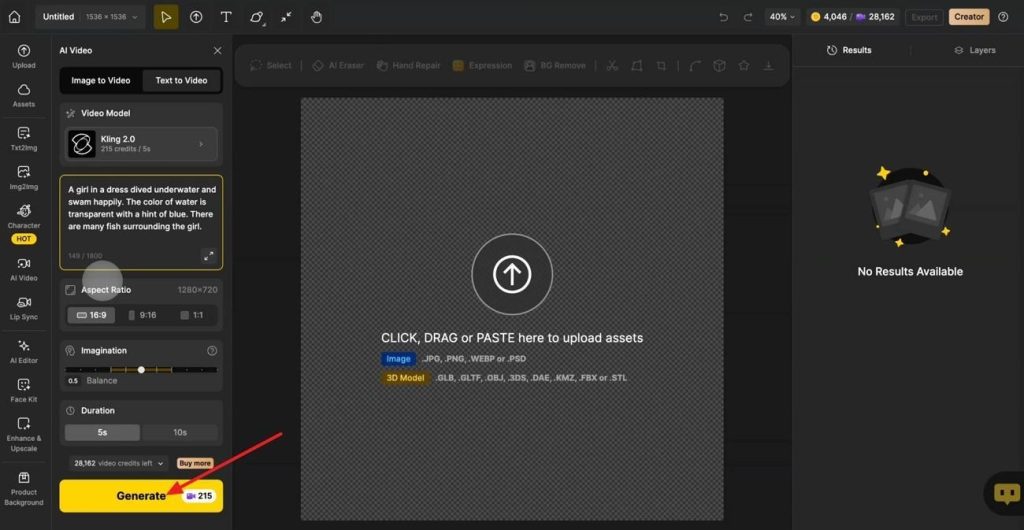
Step 1. Once you enter the main interface, choose from Text to Video or Image to Video. If you chose Text to Video, enter the prompt in the text box, choose an AI model, and an aspect ratio. Once done, press the Generate button.
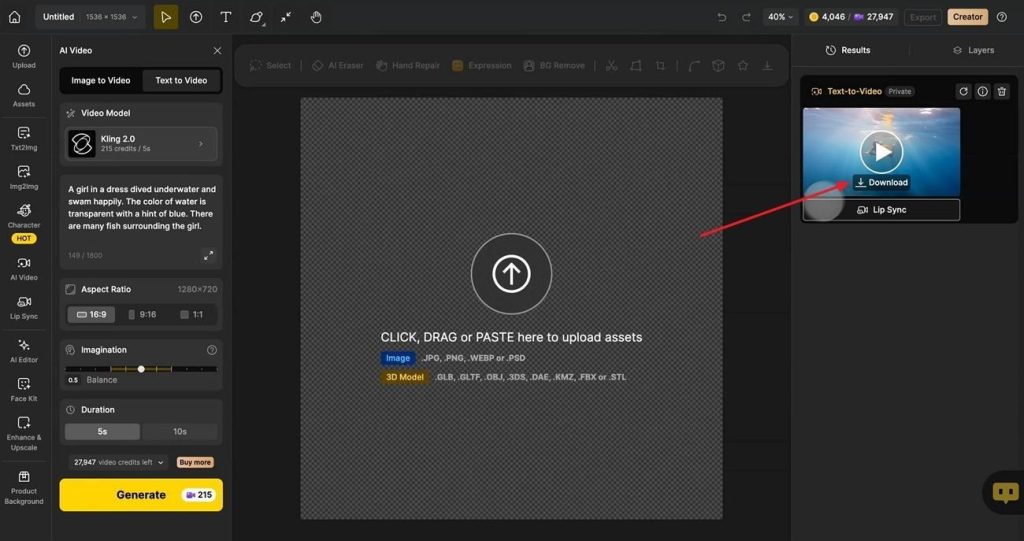
Step 2. After the video is generated, preview the video and press Download to save it.
Part 3. Best Dzine AI Alternatives for AI Video Creation
Longer video projects often need better storytelling, scene control, and consistent character development throughout production workflows. MagicLight AI focuses on creating complete stories instead of producing only short, animated video clips consistently. It keeps characters, backgrounds, and visual styles consistent across every scene for smoother storytelling experiences.
Simple prompts control scenes, actions, and camera movements without requiring advanced editing or production skills beforehand. Its Story to Video feature accepts 12,000-character scripts and creates videos lasting up to 50 minutes. These capabilities make MagicLight AI a practical Dzine AI alternative for creators producing longer narrative videos.
Key Features of MagicLight AI
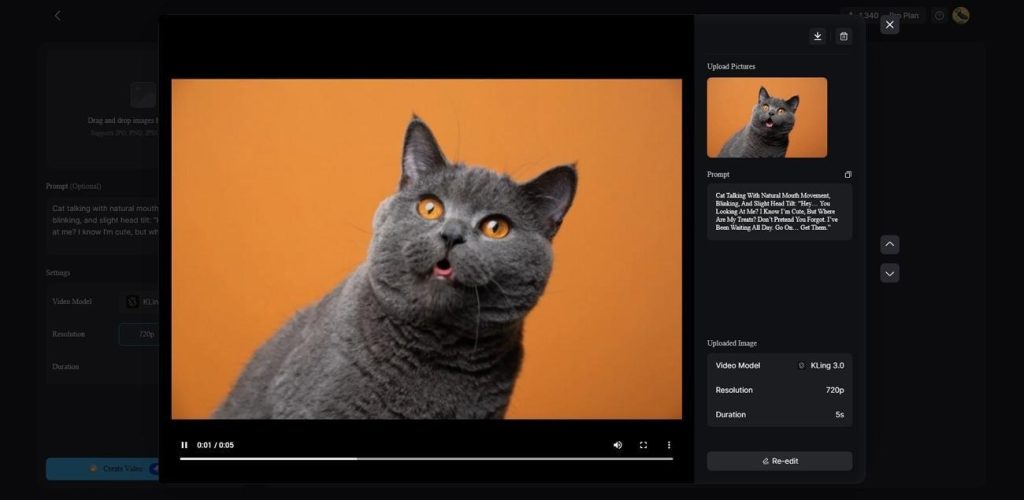
1.Image to Video: A single uploaded image animates from a prompt of up to 1,500 characters, drawing on 19 AI video models. Clips export at 720p or 1080p in 10-15 second lengths.
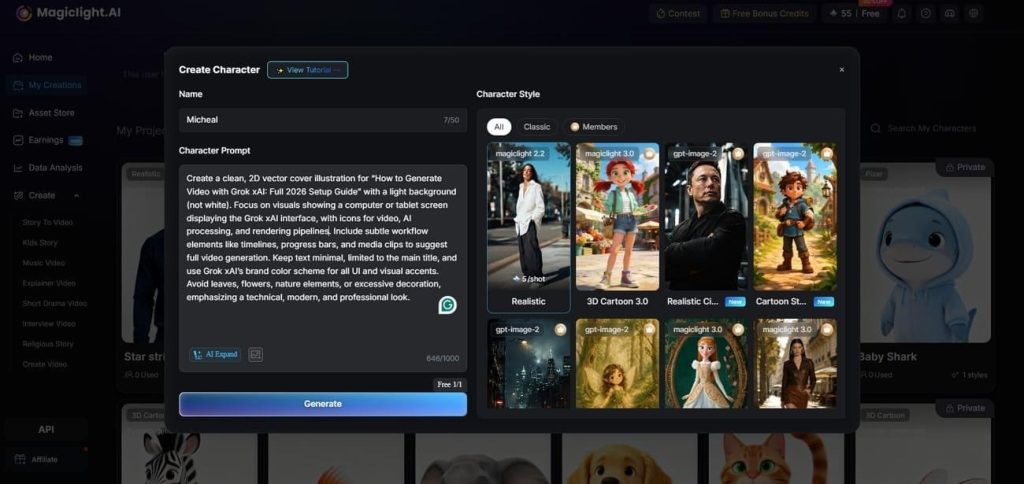
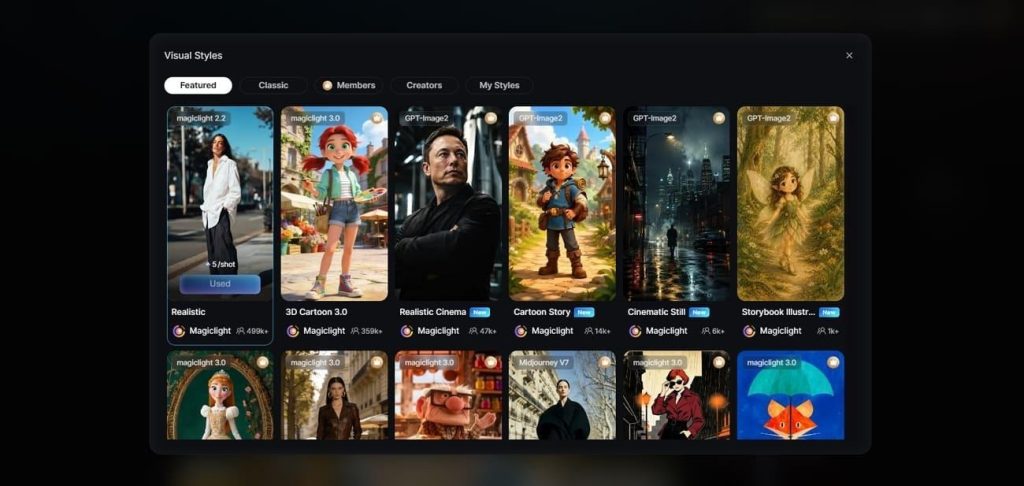
2.AI Character Creation: You can create characters using prompts up to 1,000 characters or reference images, then reuse them with 52 style presets across MagicLight 2.0, 2.2, 3.0, and Midjourney V7.
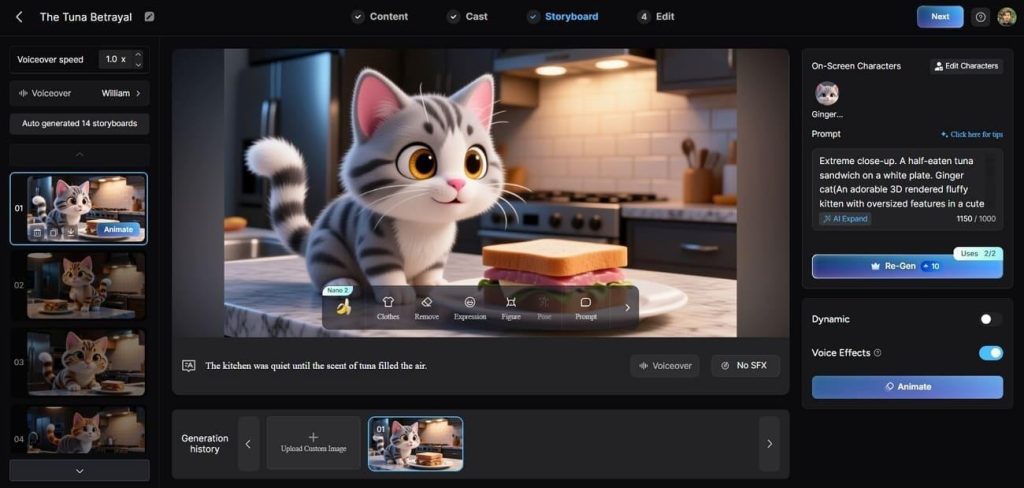
3.Nano Storyboard: The storyboard generates automatically, and every scene prompt stays editable or regenerable. Nano Storyboard then adjusts clothing, expressions, body type, and 50 pose options on any character.
4.Voiceover and Voice Cloning: The library holds 37 voices filterable by accent, gender, age, and scenario. Cloning keeps a recurring narrator identical across a whole series of videos.
5.Subtitle and Export Settings: Subtitle presets include 16 styles alongside 40 background music tracks for every project. Projects export at 720p or 1080p with automatic covers from 21 templates.
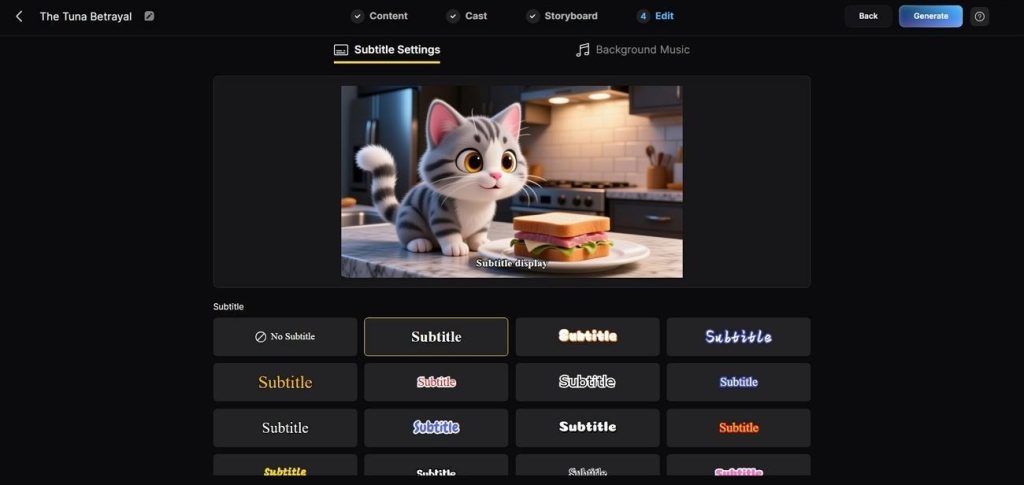
Part 4. Comparison Table Between Dzine AI and MagicLight AI
Comparing features beyond Dzine AI free plans reveals important differences. The table below compares both platforms across key features and pricing:
| Feature | Dzine AI | MagicLight AI |
| Video Creation Method | Text-to-video and image-to-video generation | Story-to-video, script-to-video, and idea-to-video generation |
| Supported AI Models | Kling, Google Veo, PixVerse, Hailuo, and more | Kling 3.0, Veo 3.1 Fast, Seedance 2.0 Fast, and 17 more options |
| Maximum Video Length | Short video clips | Up to 50-minute videos |
| Script Support | Prompt-based generation only | Supports scripts up to 12,000 characters |
| Storyboard Editing | No built-in storyboard workflow | Automatically creates and edits storyboards |
| Voice Features | Lip sync applied to supplied audio | 37 voiceovers with cloning across 11 languages |
| Subtitle Options | No built-in subtitle presets | 16 subtitle styles with customization |
| Export Quality | High-resolution exports on paid plans | 720p and 1080p video exports with cover templates |
| Best For | AI artwork, image editing, and short animated clips | YouTube videos, explainers, educational, and story-driven content |
Conclusion
To summarize, Dzine AI offers useful creative tools for image editing and short video generation. Its features work well for beginners and creators producing quick visual content without complex workflows. However, longer storytelling projects need stronger script support, consistent characters, and better scene management capabilities. If you create long-form AI videos, we recommend MagicLight AI for more complete storytelling features.
FAQs on Dzine AI
1. Can I use my generated content for commercial purposes?
Commercial use is available only with paid plans, while free projects remain personal use only. Before deciding Dzine AI is safe, review the public community feed for shared generated content. MagicLight AI also requires paid plans for commercial use while supporting longer video creation workflows.
2. Can I use Dzine for free?
Yes, Dzine AI free includes useful features but comes with several important usage limitations. New accounts receive 100 yearly credits, and 32 image credits refreshed every day automatically. Free outputs include watermarks and remain public because private generation requires a paid subscription
3. Do I need skills for using AI-assisted image generation tools?
No design experience is required because built-in tools help beginners create content easily. Predefined styles and prompt assistance make starting simple, even with basic creative descriptions alone. MagicLight AI also uses scripts and style models to simplify the complete video creation process.

![How to Write a Script for a Video 2026 [Full Guide]](https://blog-new.magiclight.ai/wp-2/wp-content/uploads/video-script-writing-setup-300x199.jpg)