

Professional studio headshots can be costly, making AI tools an affordable choice for users. These tools create headshots from several selfies and often deliver results within a short time. Choosing the best AI headshot generator requires checking image quality, selfie needs, refunds, and flexibility.
Some platforms focus only on portraits, while others provide more creative options after generating them. This guide compares 7 popular tools and explains what makes each option useful for professionals.
Part 1. How to Choose the Best AI Headshot Generator
Choosing the best headshot AI generator means checking quality, pricing, selfie needs, refunds, and flexibility. Below are the main factors to review before choosing any AI headshot tool for professional results:
- Likeness Accuracy: Look for realistic facial features, skin tones, and proportions that still resemble you across different headshot styles.
- Selfie Requirements: Check how many source photos are required and whether the tool specifies angles, lighting, expressions, or image quality.
- Output Quality: Consider resolution, realism, facial consistency, and how many generated headshots are polished enough for professional use.
- Editing Control: Check whether you can adjust clothing, backgrounds, hairstyles, framing, or other details without generating a completely new set.
- Usage Rights and Refunds: Review commercial usage rights and refund conditions, especially restrictions that apply after generating or downloading your headshots.
Part 2. 7 Best AI Headshot Generators to Try
The best professional headshot AI depends on your goals, budget, and preferred output style. A solo professional may need different features than a company creating headshots for teams.
1. MagicLight AI
Best For: Professionals wanting headshots for polished video content.
Unlike typical headshot tools, MagicLight AI treats each generated portrait as a creative starting point. Users can upload their own photo as a reference to guide the generated headshot style. The platform helps create polished portraits suited for professional profiles, resumes, and business use.
Users can adjust the visual direction to match different professional needs and personal preferences. Generated headshots can also support branding, social profiles, presentations, and other professional materials. This makes MagicLight AI useful for creating headshots with broader creative and professional applications.
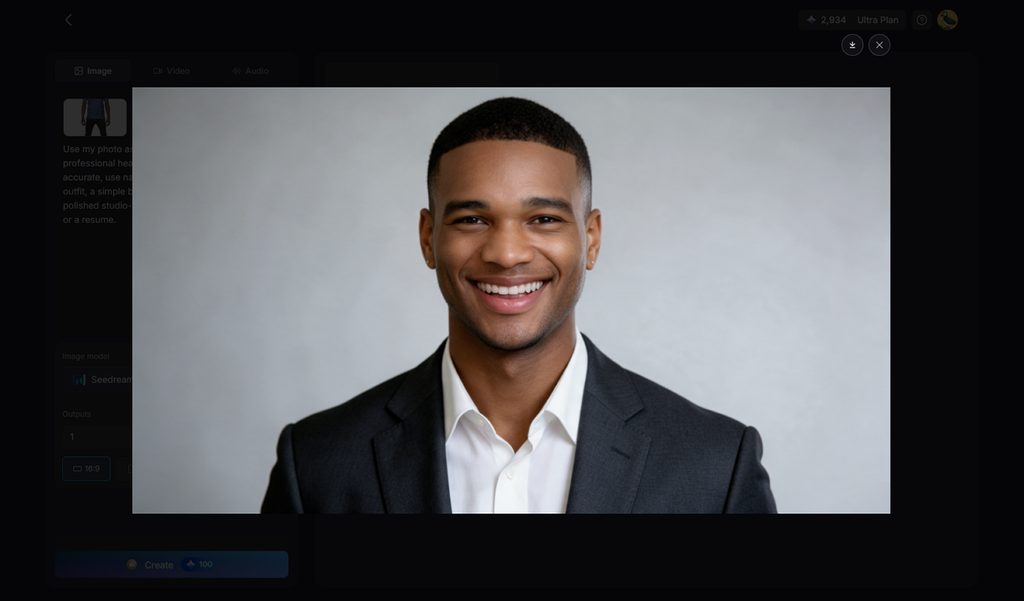
Key Features
- Reference Image and Prompt Control: Upload up to 10 images and use prompts up to 500 characters. Adjust facial details and professional appearance.
- Aspect Ratios: Square 1:1 and 4:3 formats work well for profile photos and professional bios. These ratios make headshots easier to use across common business platforms.
- Multiple Image Outputs: The outputs stepper creates several image versions from one prompt. Users can compare different results and select the strongest professional headshot.
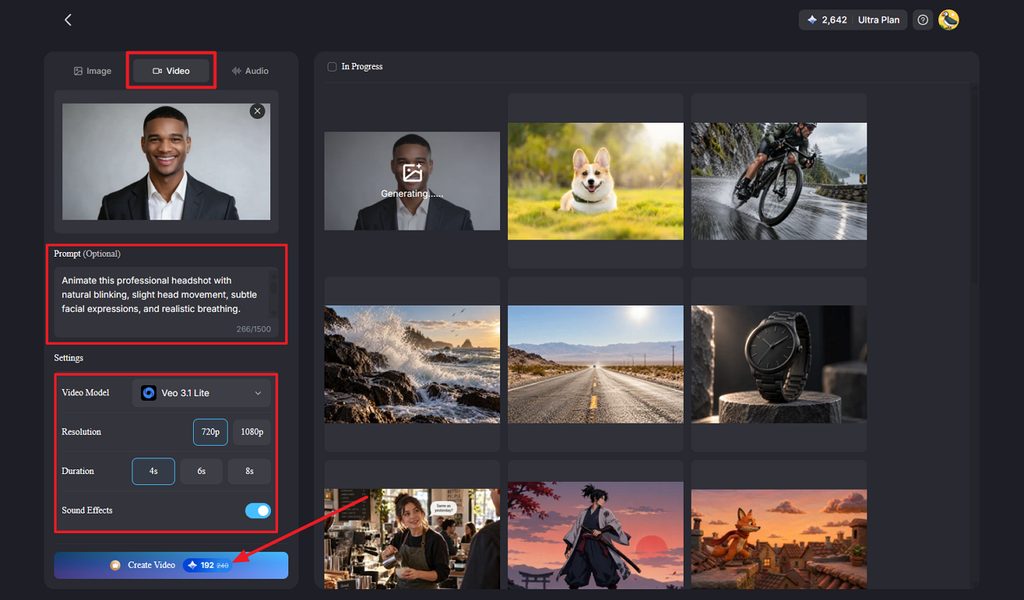
- Image to Video: Upload 5 images and use 1,500 character prompts to control scenes, motion, and camera direction. Access 20 AI video models, including Seedance 2.5 and Kling 3.0.
- Text-to-Video Creation: Enter scripts or prompts up to 12,000 characters for longer videos. Generated projects can reach up to 50 minutes for presentations, courses, and professional content.
Pros
- Turns generated headshots into narrated videos within one platform.
- Users can compare 5 image models for professional portrait styles.
- Free plan allows headshot testing without payment details required.
Con
- Limits export by only offering resolution up to 1080p.
2. BetterPic
Best For: Professionals needing polished headshots for profiles and websites.
Designed for professionals, BetterPic creates polished portraits suitable for LinkedIn, resumes, and websites. The best AI professional headshot generator should preserve likeness while delivering professional results. BetterPic produces high-resolution headshots quickly from uploaded photos without requiring studio photography.
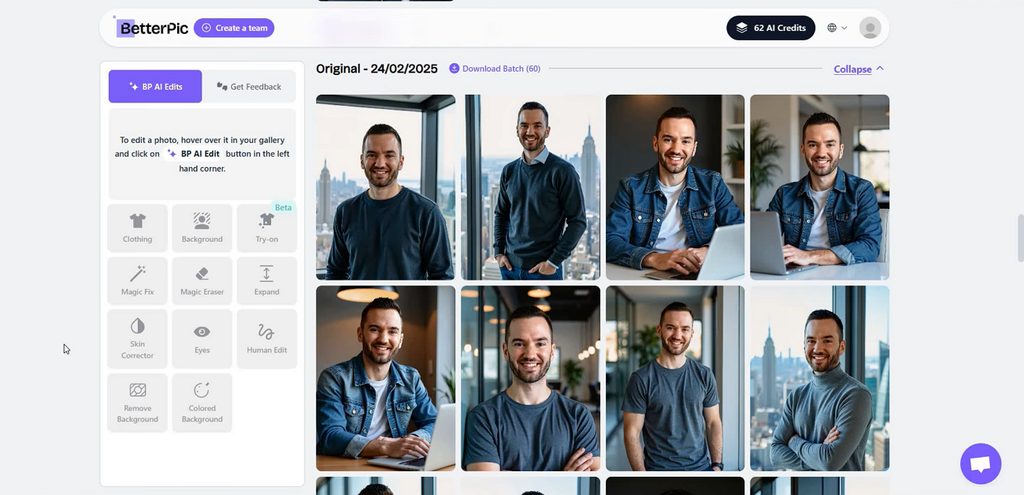
Image alt: editing business portraits in betterpic
Key Features
- Choose from over 150 outfit, background, and professional style combinations.
- Edit clothing, backgrounds, hairstyles, and facial details after generation.
- Security includes SOC 2 Type II and ISO 27001 compliance.
Pros
- Every paid order includes full ownership and commercial usage rights.
- BetterPic stores input photos for 7 days and the trained model for 30 days.
Cons
- Refunds become unavailable after generated images have been downloaded.
- Free headshot results may take up to 3 months because of high demand.
3. Aragon AI
Best For: Job seekers needing fast professional headshots for applications.
Aragon AI creates professional headshots quickly from recent solo photos with natural lighting. The best AI headshot app keeps facial likeness strong across polished profile images. Users can access finished portraits through both web and iOS for convenient use.
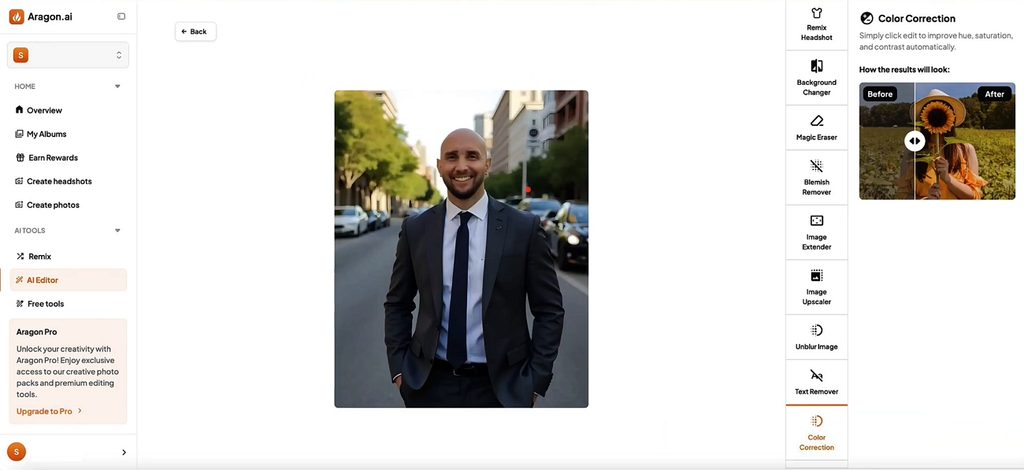
Key Features
- Remix changes clothing, backgrounds, hair, and poses after generation.
- Lighting Editor relights portraits and corrects unwanted facial shadows.
- Facial Hair Editor adds, removes, or restyles facial hair.
Pros
- Only 6 selfies are required to begin headshot generation.
- Multiple turnaround options let users prioritize faster headshot delivery.
Cons
- Refund eligibility ends after users download their generated headshots.
- Package sizes and promotional offers may change between purchases.
4. HeadshotPro
Best For: HR teams standardizing headshots across distributed company workforces.
Built for teams, this platform creates consistent professional portraits without scheduling traditional photography. The best AI headshot generator for LinkedIn should deliver polished results across profiles. HeadshotPro supports individual professionals and large companies managing employee photos across locations globally.
Key Features
- Profile editor crops headshots precisely for LinkedIn and Slack.
- Admins can set shared styles before employees upload selfies.
- Input photos automatically delete 30 days after generation completes.
Pros
- Professional packages include free retries when results need improvement.
- Optional 4K upscaling prepares selected portraits for larger displays.
Cons
- Results depend heavily on the quality and suitability of uploaded selfies.
- Free retries are limited to Professional, Executive, and Team packages.
5. Secta AI
Best For: Professionals wanting detailed control over final headshot styling.
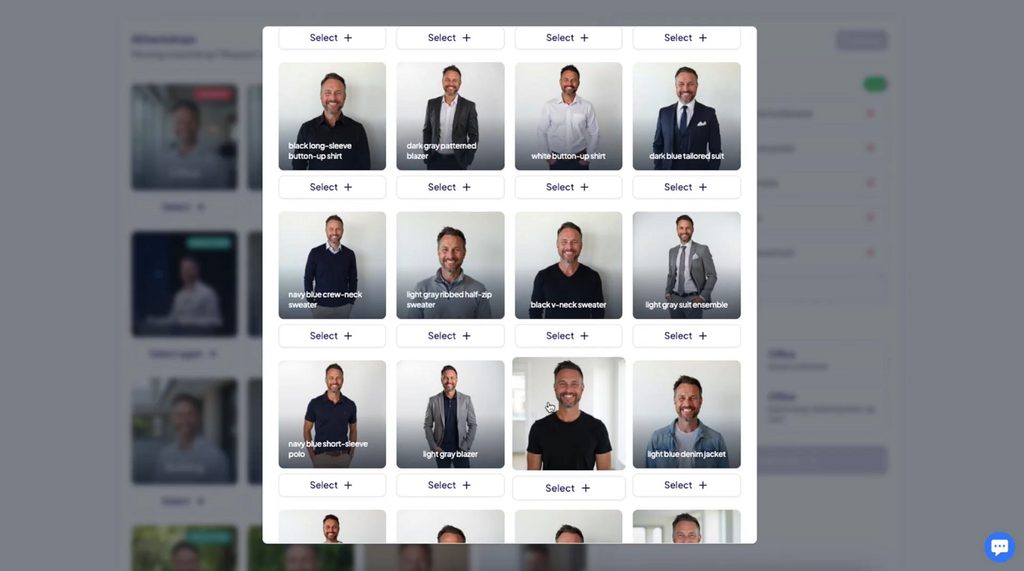
Secta AI creates professional portrait sets designed for varied business and personal uses. The best professional headshot AI should offer realistic results while supporting visual preferences. Users can explore many finished looks without scheduling photography sessions or studio visits.
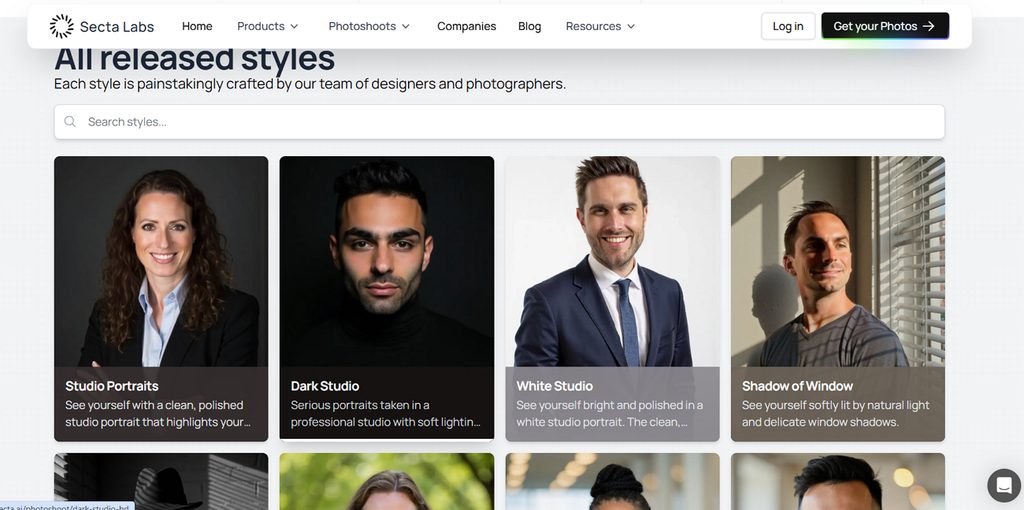
Image alt: browsing varied secta portrait looks
Key Features
- Change hairstyles while preserving pose, expression, clothing, and background.
- Adjust posture while keeping facial appearance and styling unchanged.
- Apply cinematic, vintage, modern, or artistic filters to portraits.
Pros
- Users retain full ownership of uploaded and generated images.
- Live chat support remains available for quick account assistance.
Cons
- Entry pricing starts around $49, making testing relatively expensive.
- Preparing around 20 source photos requires extra setup time.
6. Remini
Best For: Casual professionals needing quick portraits for social profiles.
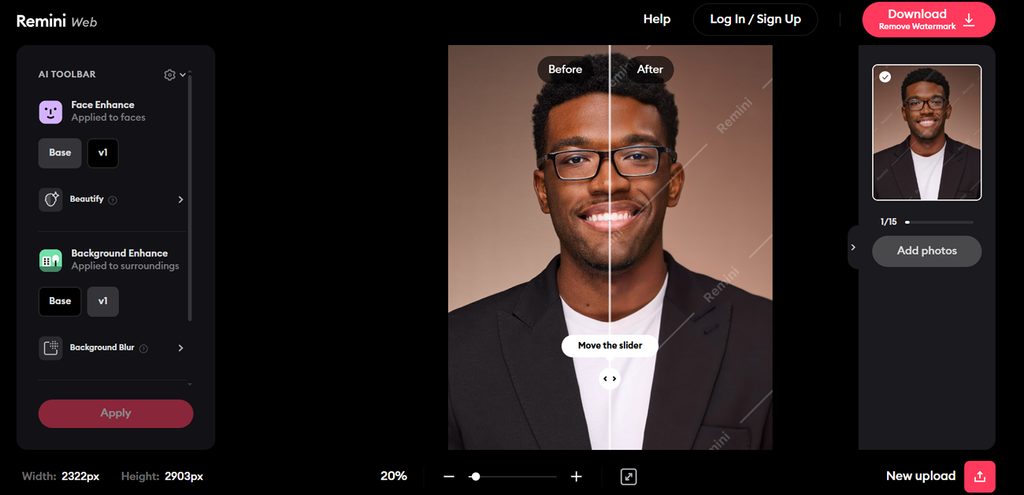
Built for quick portrait creation, Remini turns ordinary selfies into polished professional headshots. Among the best AI apps for professional headshots, Remini stands out for portrait enhancement. Its main strength is improving existing photos while also creating new professional-looking portraits.
Key Features
- Face Enhance sharpens facial details and smooths uneven skin.
- Background Enhance improves clothing textures and surrounding image details.
- Image Enlarger boosts resolution up to 4096 by 4096.
Pros
- Users can choose model images to guide pose variations.
- AI Photos supports CV, profile, and creative portrait uses.
Cons
- AI Photos availability and features can differ between Remini platforms.
- Training requires 8 to 12 suitable photos before generation.
7. The Multiverse AI
Best For: Budget-conscious professionals needing varied headshots from selfies.
The Multiverse AI creates professional headshots from selfies for individuals and workplace teams. Professionals seeking the best AI professional headshot generator can prioritize realistic facial likeness. Finished portraits arrive, making profile updates easier without scheduling traditional photography sessions.
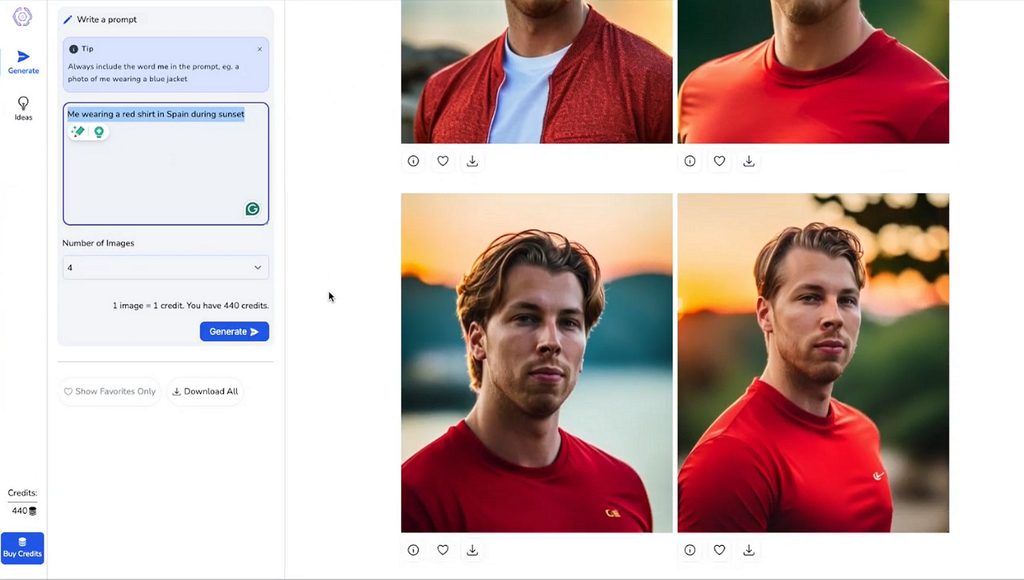
Image alt: creating varied professional portrait options
Key Features
- Magic Edit changes outfits, backgrounds, and hairstyles using written prompts.
- Smart Framing adjusts crops or reveals additional background space.
- Custom photos support square, portrait, and landscape aspect ratios.
Pros
- Users receive 100+ professional headshots plus 20 custom edits/photos.
- Every generated image includes full rights for unrestricted use.
Cons
- Setup requires uploading 12 to 15 suitable source photos.
- A $29.99 purchase is required before generating professional headshots.
Compare All AI Headshot Generators
Choosing the best AI professional headshot generator depends on selfie needs, output quality, and refunds. The table below compares key differences across all 7 tools for easier selection:
| Tool | Entry Price | Selfies Needed | Refund Terms | Best At |
| MagicLight AI | Free to try | 1+ reference image | Free test available | Turning headshots into video |
| BetterPic | $35 | 8 | 7-day window; full refund before training, partial after training, none after download. | 4K professional headshots |
| Aragon AI | Around $35 | 6 | Refund available before downloading | Fast professional headshots |
| HeadshotPro | $29 | Handful of selfies | Money-back guarantee with no expiry | Company and team headshots |
| Secta AI | $49 promotional price | 20 minimum | 30-day money-back guarantee | Detailed headshot customization |
| Remini | Free app with paid plans | Varies by AI Photos setup | Depends on platform and plan | Enhancing existing portraits |
| The Multiverse AI | $29.99 | 12 to 15 | Check current purchase terms | Large headshot batches |
Promotions change prices and package sizes often in this category, so confirm the live offer at checkout before buying.
Part 3. Why Take AI Headshots Further with MagicLight
The best AI headshot generator can offer more value when portraits support additional creative uses. Let’s explore 4 reasons MagicLight AI extends headshots beyond simple downloads into richer content creation:
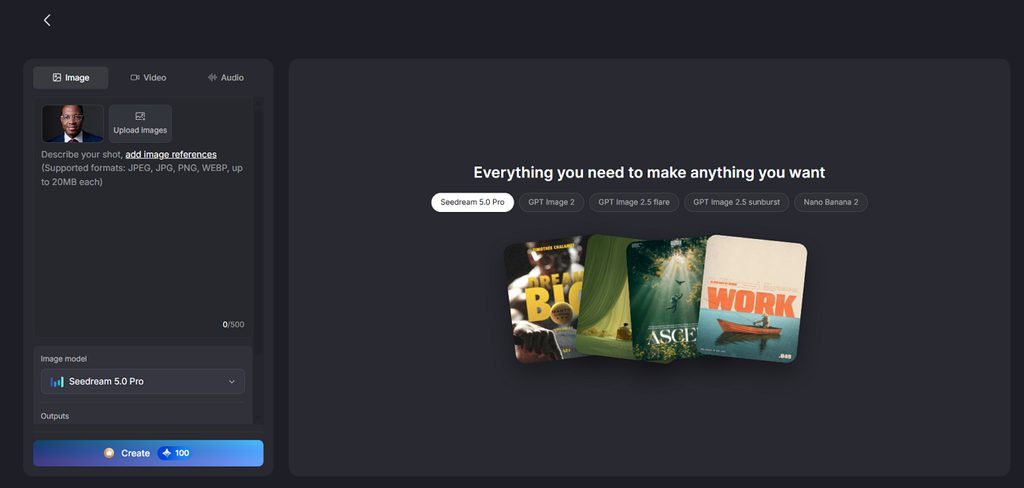
- Multiple Image Models: MagicLight AI includes 5 image models, including Nano Banana 2, Seedream 5.0 Pro, and GPT Image variants. Comparing different models helps you find the most suitable face without switching between separate platforms.
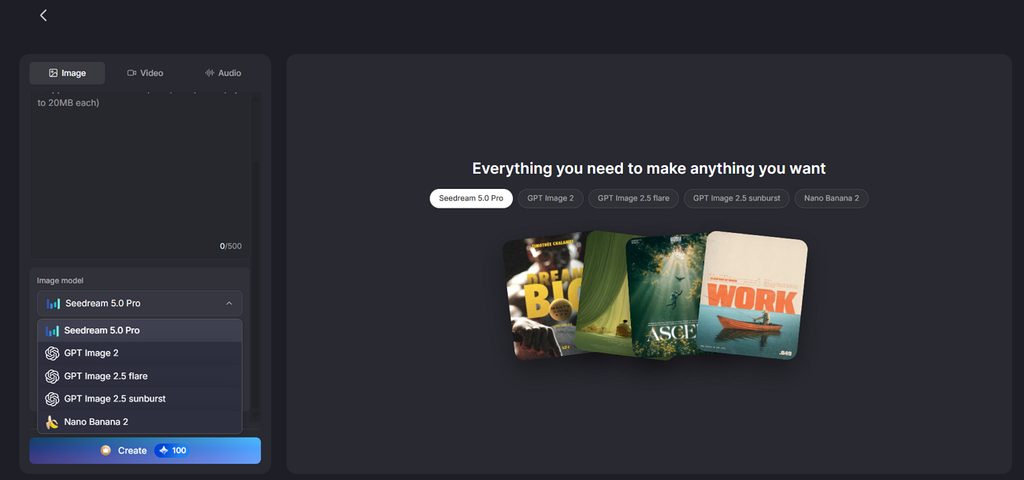
- Reference Photo Support: Uploaded JPEG, PNG, or WEBP photos up to 20MB can guide character appearance closely.
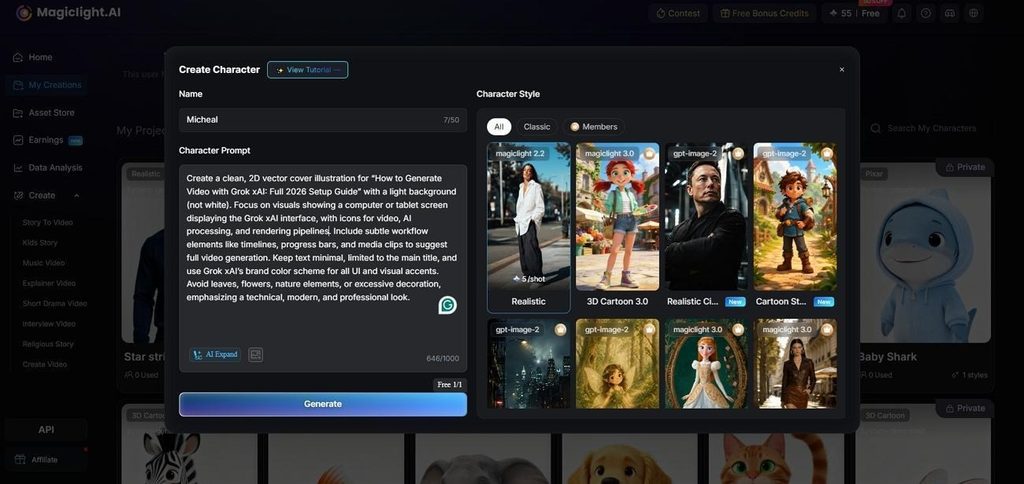
- Detailed Character Prompts: Create a character using descriptions up to 1,000 characters for appearance, clothing, expressions, and other details.
- Headshot Video Creation: A single headshot can become an AI video lasting up to 30 seconds.
Guide: From AI Headshot to Video
The best AI professional headshot generator can become more useful when portraits move into video. Follow the steps below to turn your AI headshot into a polished professional video:
Step 1. Access The AI Image Generator
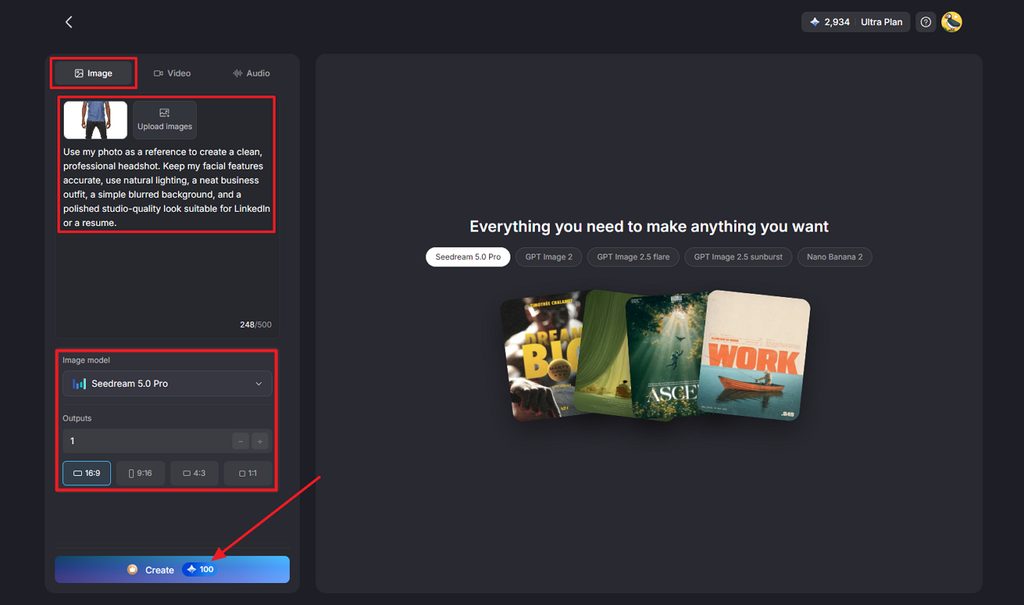
First, access the Toolbox feature from the main interface and choose the Image tab. Next, upload the reference image and enter the description of the headshot you need. After that, choose the Image Model, Outputs, and Aspect Ratios. Then, press Create to start the image creation process.
Step 2. Download the Generated Image
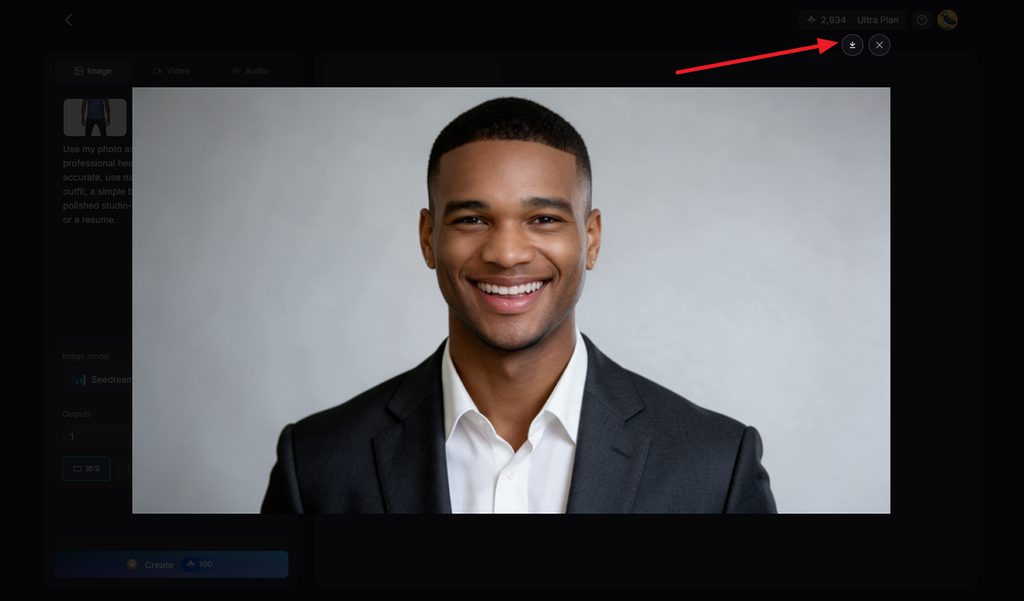
Once the image is generated, press the Download icon to save the image or regenerate the image if needed.
Step 3. Access the Image to Video Tool
After that, press the Video tab and upload the generated image as a reference image for video. Then, enter a description to define poses or motion you aim for in the Prompt section. Next, choose the Video Model, Resolution, and Duration. Then, turn on Sound Effects if needed and press the Create Video button to start the video process.
Step 4. Save The Generated Headshot Video
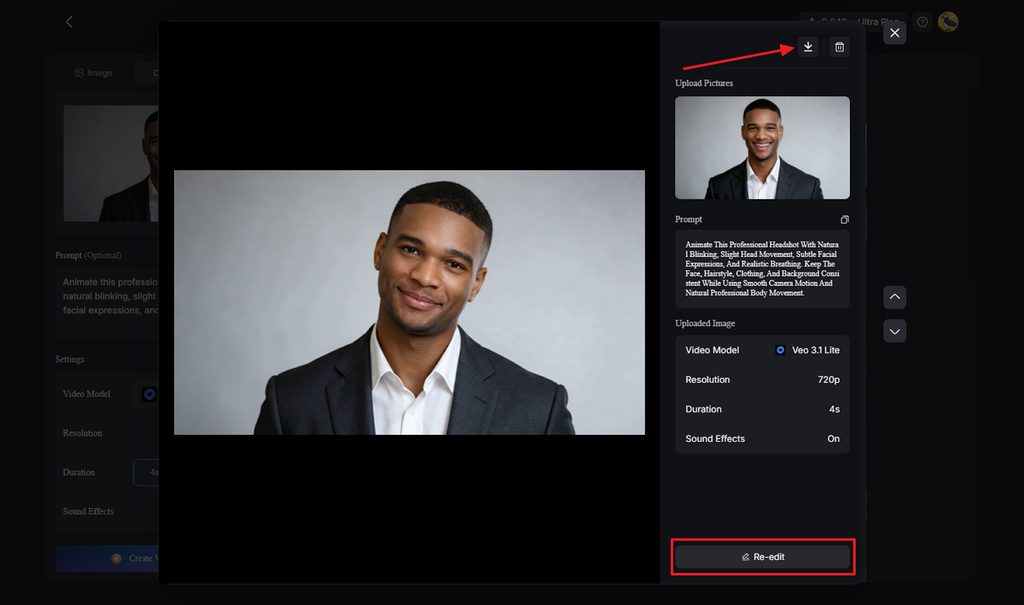
Press the Download icon to save the video or if any amendments are needed, simply click the Re-edit button.
Conclusion
To conclude, the best AI headshot generator should match your professional goals, budget, and workflow. BetterPic suits print needs, while Aragon AI focuses on faster headshot creation for busy professionals. Secta AI offers editing control, while HeadshotPro and The Multiverse AI support broader team needs. MagicLight AI goes further by turning finished headshots into narrated videos for professional content creation.
FAQs on Best AI Headshot Generator
1. What makes a good AI headshot generator?
A good tool should preserve facial likeness, provide usable results, and offer clear refund terms. Resolution also matters when you need professional images for printing or business profiles.
2. Can AI create a professional headshot from a selfie?
Yes, AI tools can create professional headshots using selfies or reference photos. MagicLight AI lets you upload your photo and create polished portraits for different professional uses.
3. Can I use an AI headshot for LinkedIn or a resume?
Yes, as long as the generated portrait still looks natural and accurately represents you. The best AI headshot generator for LinkedIn should create realistic results suitable for professional profiles.
4. Can I turn an AI headshot into a video?
Yes, MagicLight AI can take a finished headshot beyond a static professional portrait. You can use the image to create video content with motion, narration, and different scenes.
5. What can I do with an AI-generated portrait after creating it?
AI portraits work well for LinkedIn profiles, resumes, speaker pages, websites, and team directories. MagicLight AI also lets you use them for course introductions, explainers, and social videos.