


Creators spend a lot of time perfecting their content so that viewers get hooked right away. One way to grab the audience’s attention is to turn images into professional-looking videos. However, this process requires time, effort, and technical expertise.
Thankfully, modern technology has created many free image-to-video generator tools. With this tool, anyone can create a dynamic video from a static image with just a few clicks. In this guide, we’ll cover the top tools that allow you to convert images into dynamic videos in seconds, helping you create high-quality content with minimal effort.
Part 1. 8 Free AI Image to Video Generators: Turn Images Into Videos Fast
In this section, let’s discover some of the best free image-to-video AI generator options available in 2026 that will immediately turn any static picture into a visually appealing video:
1. Magiclight.AI
Producing quality videos based on pictures can involve advanced editing and a number of tools that may slow down creators. Magiclight.AI makes it easy by providing an all-inclusive platform intended to facilitate long-form and professional video making.
Being a powerful AI image-to-video converter, it offers users 37 voice-cloning options. Moreover, it supports about 14 models for its one-click video feature. Magiclight.AI stands out because you can choose from 21 cover templates and 16 subtitle settings as well. Lastly, for social media creators, output resolution is fixed at 720p/1080p so you can quickly upload to various platforms.
Key Features
- Converts a short prompt into a multi‑scene narrative video up to 50 minutes long, keeping pacing and story arc consistent.
- Uses advanced character consistency technology so the cast have the same look and identity across every shot.
- Generates natural voices in 30+ languages that sync directly with the character's lip movements.
- Offers 15+ AI video tools so you can generate multiple types of videos all on one platform.
Con
- Due to higher-resolution and longer-duration videos, credits are quickly depleted.
2. Google Veo 3.1 / 3.2
This tool is a powerful AI model from Google DeepMind that turns text prompts or images into cinematic, story‑driven videos. The generated videos have realistic motion, making it an ideal AI image-to-video generator free online for creators who want studio‑quality visuals directly in the browser. So, whether you are just experimenting or creating polished visuals, this software offers creative freedom and precise control.
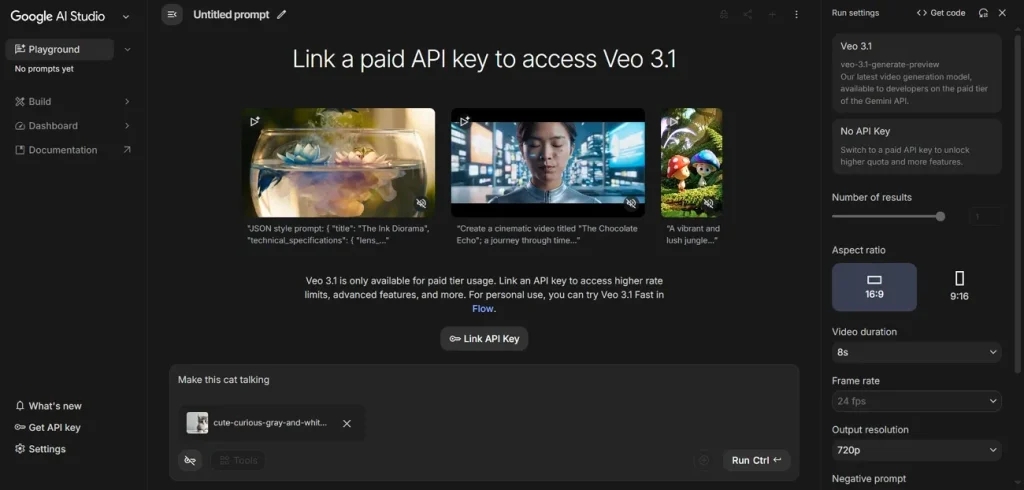
Key Features
- Generates synchronized dialogue and sound effects, so users get complete audiovisual clips from a prompt.
- Understands “timelapse,” “aerial shot,” “dolly zoom,” and detailed instructions about camera angle, pacing, and lighting.
- Offers both text-to-video and image-to-video options so creators get a consistent look across shots.
Cons
- Some complex scenes may need many prompt iterations and tweaks.
- Users need a lot of credits, and costs can add up quickly.
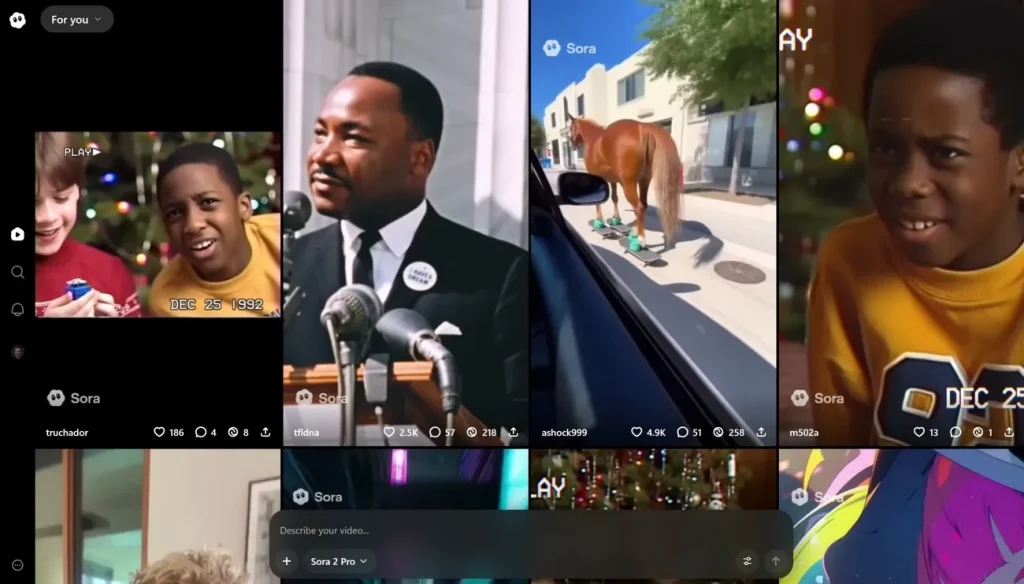
3. Open AI Sora 2
It is a cinema‑quality text‑to‑video and image‑to‑video app that lets creators generate 1080p clips with commercial rights. OpenAI Sora 2 is showcased as an image-to-video AI generator free trial alternative that is much cheaper than other tools. This tool also offers watermark‑free, ad‑free outputs on paid plans.
Key Features
- Since credits never expire, users can buy them in bulk and use them whenever needed.
- It offers character and scene consistency throughout the full duration of the video.
- Generates high-quality and watermark-free videos so professionals can use it for their clients.
Cons
- Due to limited session lengths (10–25 seconds), storytelling remains a bit constrained.
- Advanced features are not free and require a paid plan.
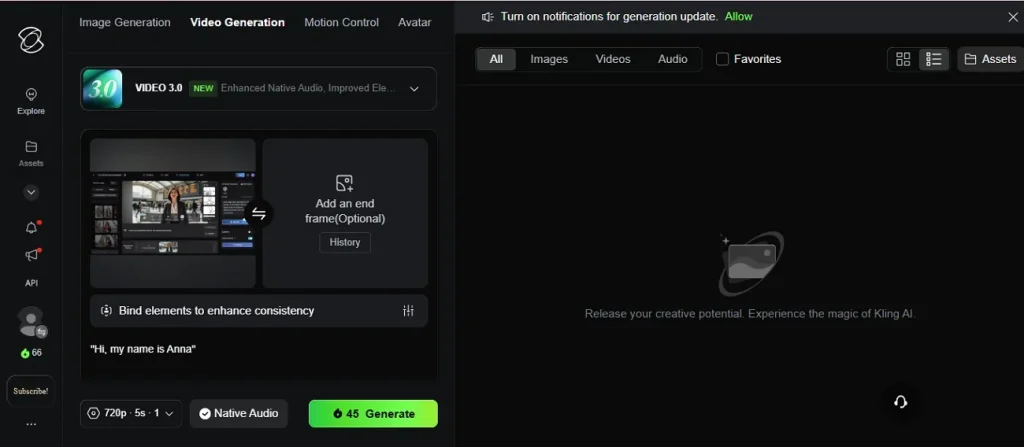
4. Kling AI 2.6/3.0
For desktop and mobile users, Kling AI is a next‑generation creative studio for generating and editing both videos and images. It supports text‑to‑video, image‑to‑video, and image creation, giving creators an integrated workspace for everything from social clips to full cinematic sequences. This is famous for producing stunning videos with high motion accuracy, ideal for creators looking for dynamic outputs.
Key Features
- Turns text prompts, still images, and clips into new videos, allowing flexible content creation.
- Creates high-quality (1080p) videos that follow realistic physics, motion, and lighting, suitable for professional use.
- Offers free daily credits so users can experiment, iterate, and publish from phone or desktop.
Cons
- Interface and documentation are mostly in Chinese on the native platform.
- Advanced modes are not always available in every third‑party frontend.
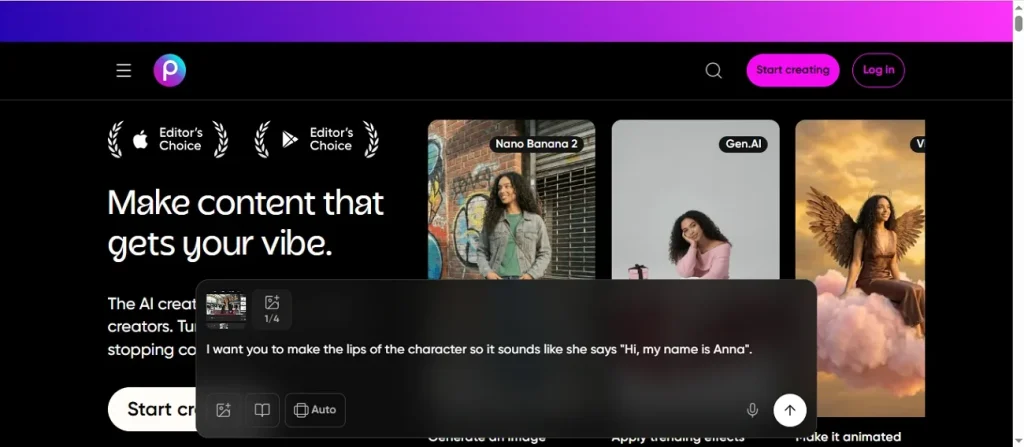
5. Picsart
Another all‑in‑one AI creative platform used by many content creators to design scroll‑stopping visuals, videos, and social content is Picsart. It is available on both web and mobile, with no professional experience required. This tool combines AI editing, templates, and automation to support everyone from casual users to pro studios.
Key Features
- The built‑in AI Assistant can create full designs and refine layouts, text, and effects.
- This software supports mixing photos, assets, and drafts with multiple ready‑made templates.
- With this tool, one input can generate multiple, reusable outputs across formats and campaigns.
Cons
- It has a cluttered interface that overwhelms and confuses first-time users.
- The best collaborative and pro-automation capabilities are hidden behind paid plans.
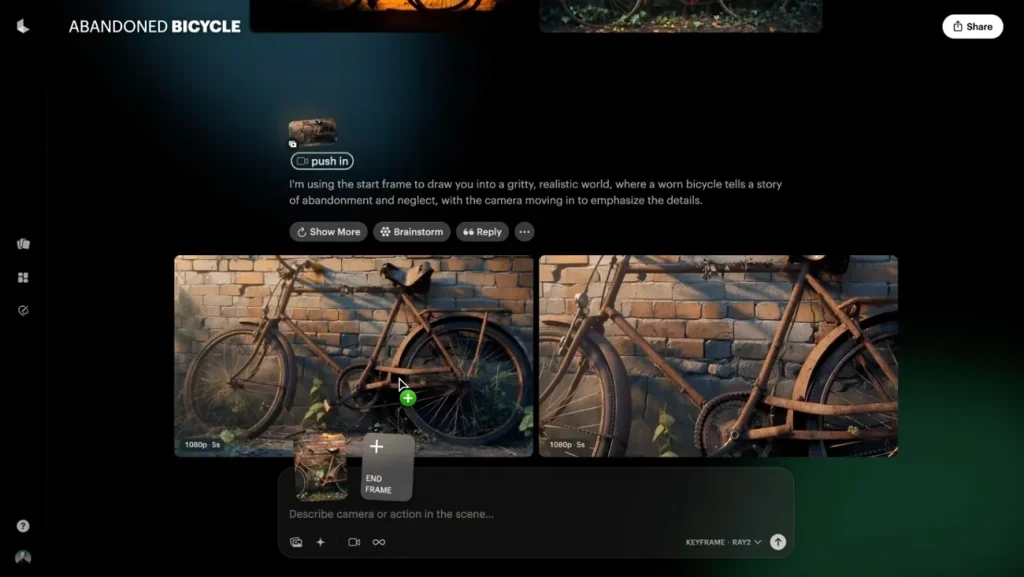
6. Luma AI Dream Machine
This image‑to‑video tool turns static photos into smooth, cinematic clips with AI‑driven motion, depth, and transitions. Due to these qualities, it is a strong contender for the best image to video AI generator for creators who want professional‑grade results without complex editing. Furthermore, it offers high-resolution outputs so you can share across social media as well.
Key Features
- Adds 3D‑like depth, perspective shifts, and motion, making it useful for gaming and product showcases.
- Provides an API that lets businesses and apps convert large volumes of images into videos.
- Videos are generated quickly in under 120 seconds, freeing up time for users.
Cons
- Only short clips can be generated, so long-form videos are not available.
- Advanced control requires using separate Dream Machine advanced tutorials and settings.
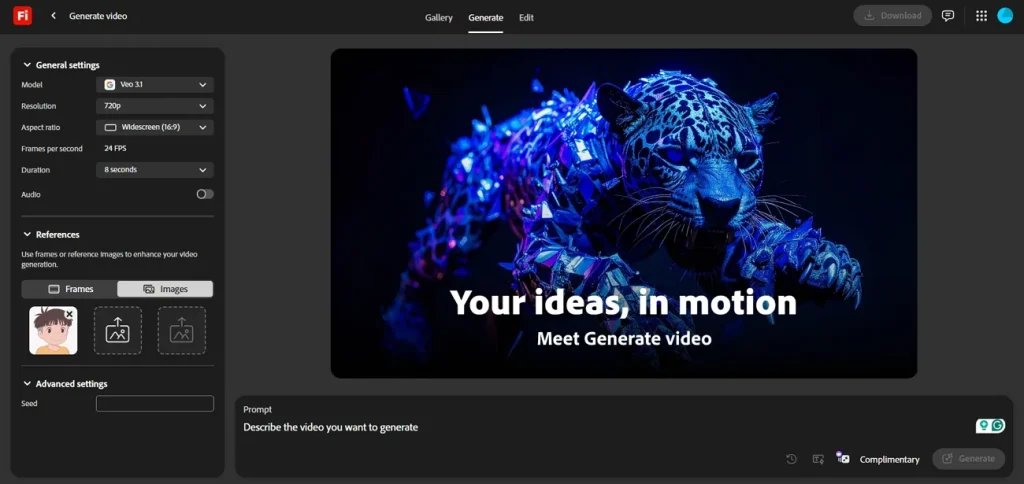
7. Adobe Firefly Video
Another tool on our list is Adobe Firefly Video, which has an image-to-video feature that turns static photos, graphics, or AI art into smooth, cinematic MP4 clips. The whole process is completed in just a few guided steps, directly in the browser. It’s designed for marketers, editors, and creators who want fast, commercially safe b‑roll, cutaways, and animated inserts.
Key Features
- Generates videos on licensed and public‑domain content, so outputs are safe for commercial work.
- Allows integration with Premiere Pro, After Effects, and other Creative Cloud apps, allowing collaboration workflows.
- It allows users to set pans, zooms, shot types, and aspect ratios, and also preview.
Cons
- Clip duration is short, so users have to stitch multiple generations together.
- Heavy production work requires a paid Adobe plan for higher credit limits.
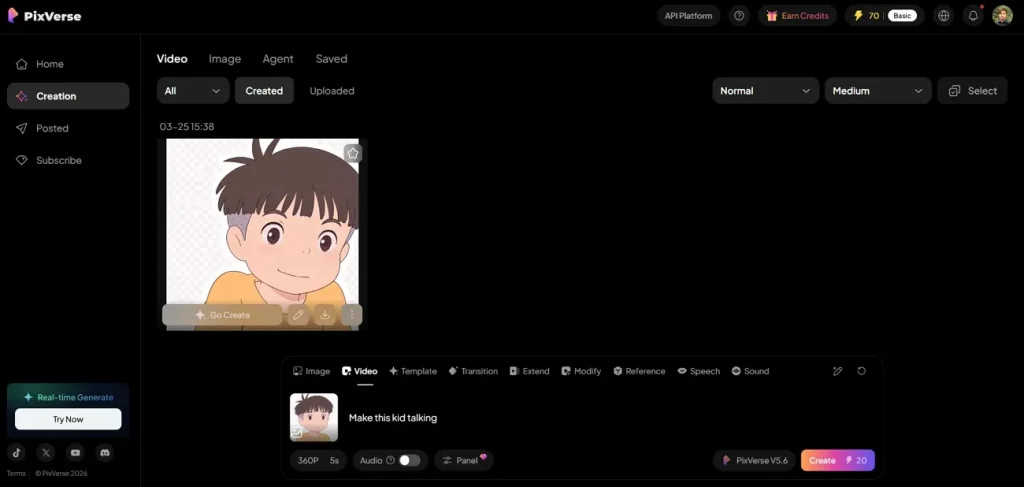
8. PixVerse
A social-media-first AI video studio like PixVerse is considered by various users and creators to be the best free AI image-to-video generator. With this tool, anyone can create viral content by turning text prompts and photos into dynamic, share‑ready videos using its latest v4.5 model. For those who want quick results without compromising on quality, this software is one of the best options.
Key Features
- Offers templates like AI Hug, AI Muscle, AI Fighting, etc. that automatically animate photos.
- Delivers higher video quality, smoother animations, and more realistic image‑to‑video transformations.
- A beginner-friendly workflow is provided so that even beginners can easily grasp this tool.
Cons
- The tool has limited suitability for formal and corporate brand content.
- Internet connectivity and server processing means generation speed varies at different times.
Part 2. Side-by-Side Comparison of All Free AI Image-to-Video Generators
Earlier, we discussed in detail various tools anyone can use to create impressive, dynamic videos from static pictures. Here, we have compiled a comparison table for all the tools so users can check out features easily:
| Tool | Ideal For | Main Content Type/Format | Available On | Output Quality | Best Feature |
| Magiclight.AI | Quick and easy video clips (10seconds-50 minutes) | Dynamic videos; marketing/ social media content | Web (online) Mobile app (Android and iPhone) | 720p or 1080p visuals | Easy workflow; 18 AI models; 1500-word prompt limit |
| Google Veo 3.1/ 3.2 | Professionals, cinematic creators | Realistic cinematic clips (both short and long) | Web/ Cloud | 4K options are available | Advanced camera and motion control |
| Open AI Sora 2 | Advanced users | Typically, a 5-20 second-long video | Some features are only for beta users; available online | High (output is quite realistic) | Real-world physics simulation |
| Kling AI 2.6/ 3.0 | Realistic content, VFX creators | Cinematic clips (up to 2 minutes long) | Browser + Android and iPhone | High (1080p) | Strong motion + character consistency |
| Picsart | Beginners, social media influencers | Short form videos; reels | Mobile plus Web | Medium | All-in-one editing + templates |
| Luma AI Dream Machine | For social media users and creators | Short clips (5-10 seconds) | Web + iOS | High, but only for short videos | Fast generation + partial 3D motion understanding |
| Adobe Firefly Video | Professionals and Designers | Creative video assets, branded content | Web + Adobe apps | Professional- grade quality | Adobe ecosystem integration |
| PixVerse | Users who want quick AI video creation: social media users | Short cinematic clips | Web+ mobile applications | Medium (as focus is on social media content) | User-friendly interface; easy-to-use image animation feature |
Why Magiclight.AI Stands Out as the Best AI Image-to-Video Tool
Our suggestion as the most ideal option for an AI image-to-video generator is Magiclight.AI, and here is why:
- Upload Images to Start Creation: Simply upload any image and turn it into a dynamic video within seconds. This makes it easy for creators to reuse visuals without starting from scratch.
- Detailed Prompt Input: Magiclight.AI supports up to 1500 words, so you guide exactly how you want your video to look. The higher word limit allows for better storytelling and more precise creative control.
- 19 AI Video Background Models: Select from a wide range of AI video models to customize the background and overall style of your video. This allows users to match different themes and aesthetics.
- Nano Scene Control: Unlike basic tools that generate random motion, this software uses a Nano storyboard system. This allows micro-level control over scenes like camera movement, expressions, timing, and actions.
- Flexible Video Duration Options: You can choose between 10-second or 15-second video outputs, making it perfect for short-form content like reels, TikTok, and quick promotional clips.
- Edit and Refine During Generation: Adjust while your video is being created so you can tweak scenes, prompts, or visuals without restarting the whole process.
- Designed Specifically for Content Creators: Everything from aspect ratios (9:16, 16:9) to export options (1080p) is optimized for platforms like YouTube, TikTok, and Instagram.
Part 3. How to Create High-Quality AI Image to Video Content With Magiclight.AI
Here, let us now look at the steps required to use the image-to-video tool by Magiclight.AI:
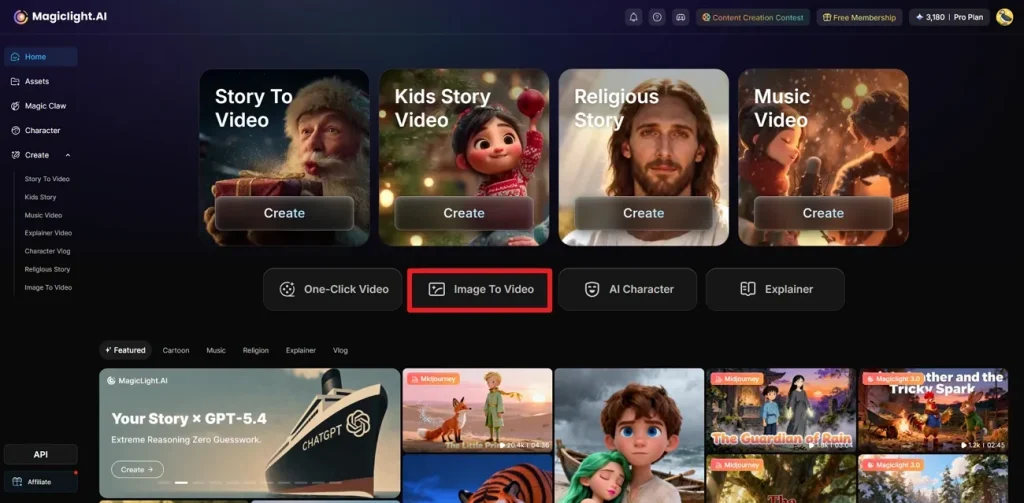
Step 1. Select Image to Video After Sign In
First, sign in, then on the main interface, click the Image to Video button to initiate a new project.
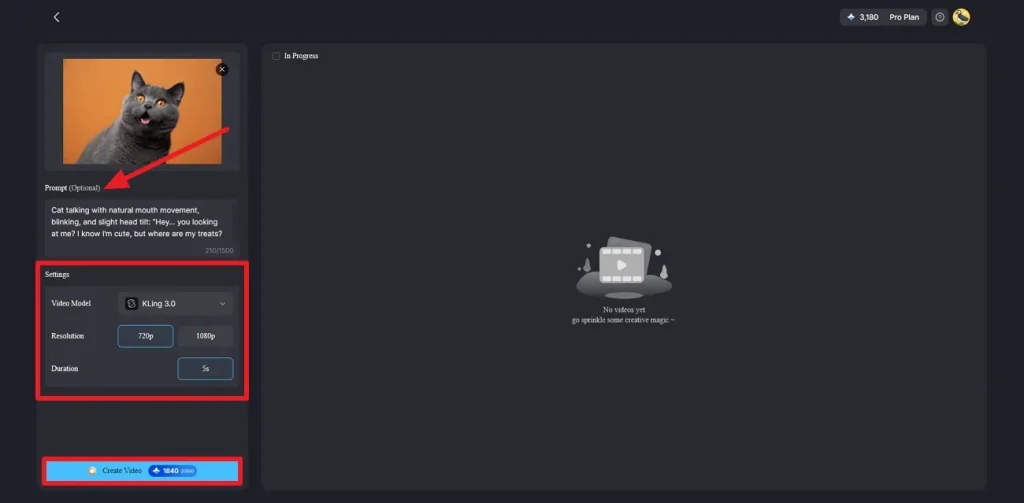
Step 2. Upload Image and Type Prompt
Next, upload any image from your device or drag and drop it onto the interface. Afterwards, type an optional prompt and choose your preferred settings such as Video Model, Resolution, and Duration. Finally, click on the Create Video Option.
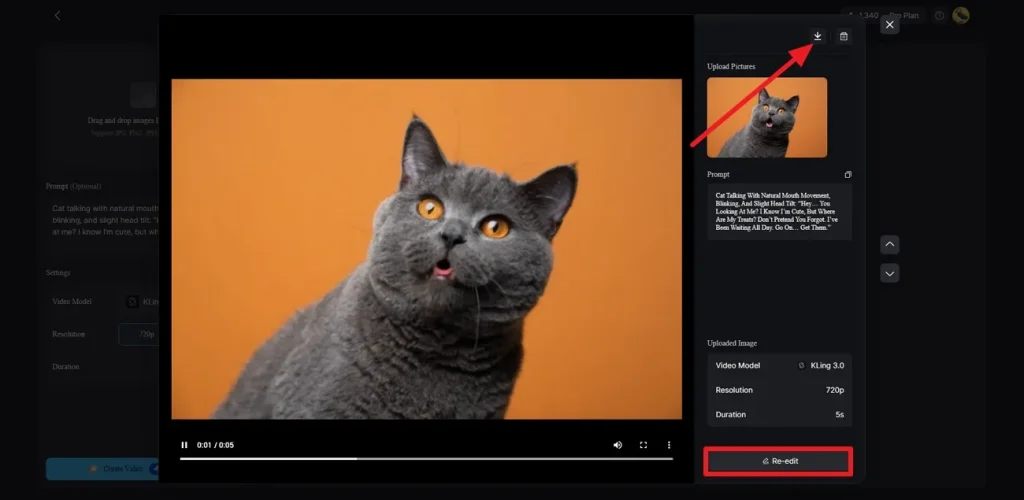
Step 3. Preview and Download
In the end, the AI tool generates a short clip from your image and a prompt that you can preview. Users can download the generated clip by clicking on the Download icon. If you are not happy with the output, you can change it by clicking on the Re-edit button.
Conclusion
In conclusion, AI video generation tools are rapidly evolving, giving creators faster and smarter ways to transform ideas into visual representations. In this guide, we have discussed the various free AI image-to-video generator tools so that you can find the best fit. Those who want to quickly convert their images into a video should try Magiclight, as its all-inclusive studio creates the perfect social media content.
Frequently Asked Questions on Free AI Image to Video Generator
Q1. What is a free AI image-to-video generator?
This tool converts static images into dynamic, visually appealing videos using AI. An image-to-video AI generator adds motion, transitions, and audio to help creators make engaging videos without any advanced editing knowledge.
Q2. Which AI image-to-video generators are free?
Several tools offer free plans or trials, including Magiclight.AI, Picsart, Luma AI Dream Machine, and PixVerse. While they have credit limits, these tools still offer powerful features for quickly and easily turning images into videos.
Q3. How do free AI image-to-video generators work?
It works by analyzing your uploaded image and prompt, then using AI models to generate motion, transitions, and scenes. Some tools, like Magiclight.AI, go further by creating storyboards, adding voiceovers, and generating complete videos with minimal input.
Q4. Can I create professional-quality videos using free AI tools?
Yes, many free AI tools can produce high-quality content, especially for social media, marketing, and storytelling. Magiclight.AI stands out by offering advanced features like character consistency, voiceovers, and an easy workflow so you can achieve professional results fast.
Q5. How long does it take to generate a video from images?
The time depends on the duration of the videos and the features used. Simple clips can be generated in seconds, while longer or more detailed videos may take more time. Tools like Magiclight.AI and Luma AI Dream Machine are known for relatively fast generation speeds.





![How to Write a Script for a Video 2026 [Full Guide]](https://blog-new.magiclight.ai/wp-2/wp-content/uploads/video-script-writing-setup-300x199.jpg)