


Videos are becoming an important way to share ideas and stories online. Today, many people struggle to make high-quality videos without spending too much time. In such cases, AI video generation models come in handy for beginners and experts alike. However, choosing the right AI video model can save effort and money. In this article, we explore the top 9 models available in 2026.
Part 1. Top 9 Video Generation AI Models
The rise of AI video models is growing rapidly, allowing videos to be made effortlessly. In this part, you will explore which models suit different needs best:
1. Magiclight.AI
Best For: Generates multilingual AI voiceovers with accurate lip‑sync, facial expression, and character dialogue.
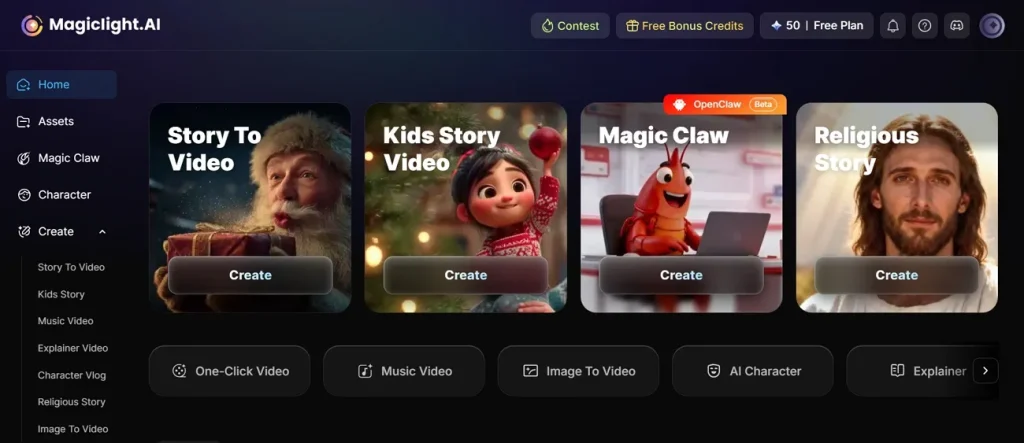
Magiclight is a new AI video model that supports the generation of AI videos in 11 languages. For a kids' story video, you can use its 2 style moods, such as Magiclight 2.0 and Magiclight 2.2. The tool also offers 9 AI models, including GPT-series and Gemini models, that generate cinematic-looking videos.
Pros
- Automatic multi-scene breakdown simplifies storyboarding and reduces manual video assembly work.
- Generates long-form videos up to 50 minutes with automatic scene pacing structure.
- Offers multiple animation styles suitable for diverse creative projects and story types.
Cons
- Regenerating scenes is often required due to misinterpreted prompts.
- Quality can be inconsistent for complex multi-character or professional videos.
2. Seedance 2.0
Best For: Produces audio and video with stereo sound and highly accurate lip‑sync in multiple languages.
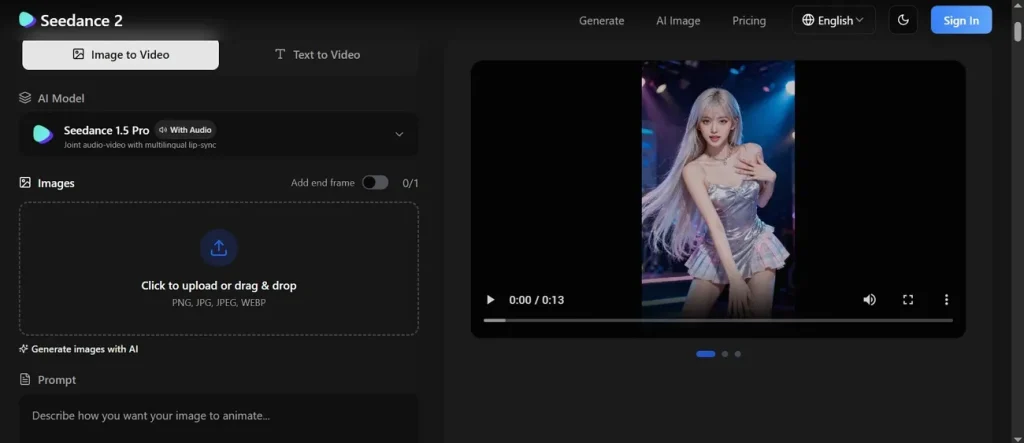
This AI model video allows you to generate multiple videos at once using the same script. Moreover, it supports 10 languages to make videos for every type of person globally. Magiclight.AI has also been integrated into Seedance 2.0, making it even easier to create professional-quality videos quickly.
Pros
- Native audio generation maintains sync with reference music and motion cues.
- Handles image-to-video transformations well, keeping character composition consistent across shots.
- Fast rendering allows iterative testing without long wait times for previews.
Cons
- Strict 15-second limit per clip; longer videos need manual stitching to continue.
- Manual trimming of audio or references is required for synchronization.
3. OpenAI Sora 2
Best For: Creating short, realistic videos with natural motion, synced audio, and strong prompt accuracy.
In this AI video model, creators can select various aspect ratios such as Cinema 16:9 and Square 1:1. The tool even has an Auto Prompt Enhance feature that customizes text prompt automatically desirably. Plus, you can create realistic videos from text prompts or reference images, 10–25 seconds long.
Pros
- Strong physics and motion realism outperform in short video generation.
- Generates native audio with synchronized dialogue and background music.
- Smooth motion reduces jitter and improves overall visual flow across frames.
Cons
- Requires retries for accurate motion, lip-sync, or complex action sequences.
- Limited user control for fine-tuning camera angles or scene direction.
4. Kling 3.0
Best For: Cinematic storytelling with multiple shots, realistic movement, and consistent characters in short videos.
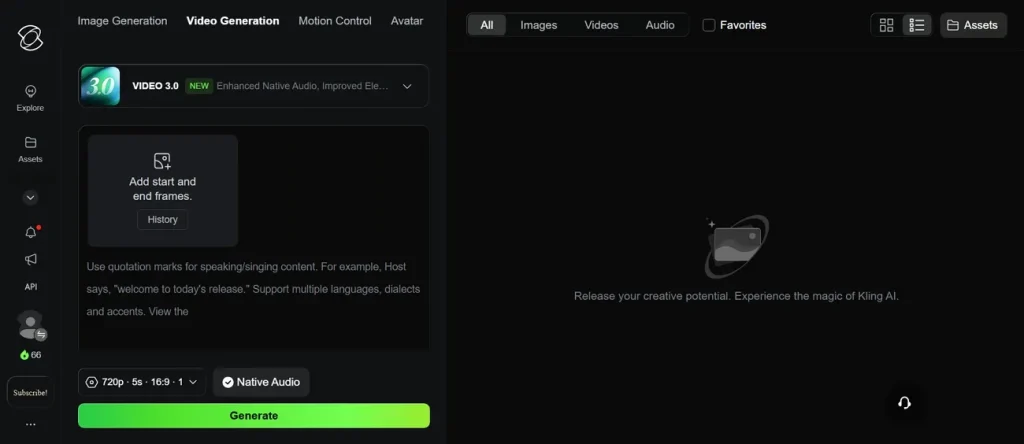
You can also use this AI video generation model to create short multi-shot clips with realistic motion and native audio output. Among AI models for video generation tools, this maintains spatial continuity and pacing between shots for realistic storytelling. During video generation, creators even set video length up to 15 seconds and aspect ratio 16:9.
Pros
- Handles camera movements and multi-shot sequences with cinematic framing and angles.
- Multi-shot storytelling allows for generating several connected cuts in clips.
- Produces realistic physics-driven motion with natural weight and camera movement.
Cons
- Limited control over text overlay typography within the video.
- High-end features overwhelm casual users or those seeking quick generation.
5. Runway Gen-4.5
Best For: Product videos and ads needing realistic motion, control, and consistent visual quality.
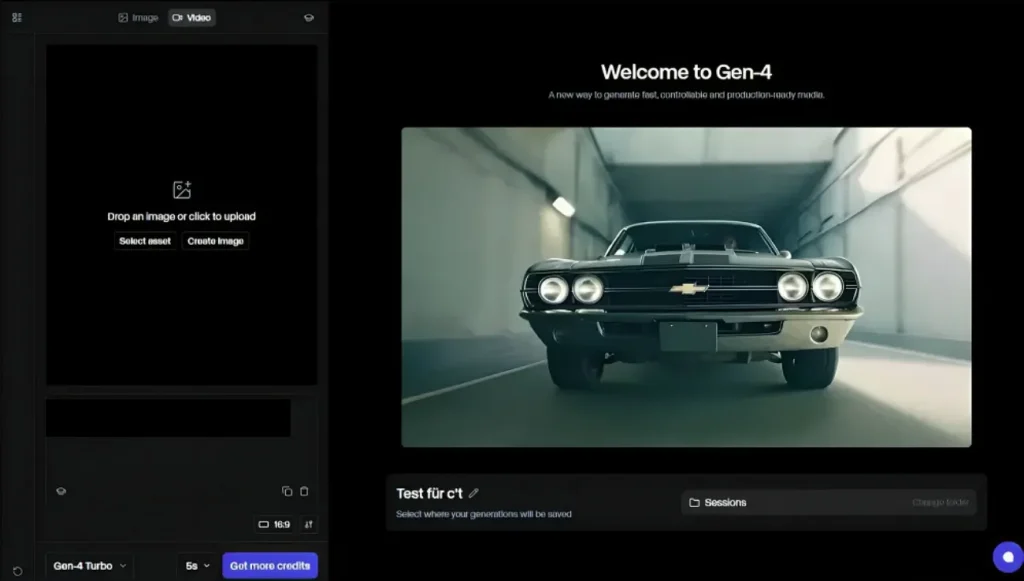
Another best AI video model is Runway Gen-4.5, which generates video from a reference image with 1 click. During video generation, it allows using keyframes to guide movement and scene transitions precisely. The tool allows you to change camera motion in 6 directions, such as Move Up and Move Down.
Pros
- Handles camera motion, character movement, and cloth physics accurately.
- Strong prompt control allows detailed choreography and scene atmosphere adjustments.
- Explore and Turbo modes support fast iterations for multiple short clips.
Cons
- Occasional inconsistencies in physics for complex athletic motions.
- Advanced control features require a learning curve for precise cinematic direction.
6. Hailuo 2.3
Best For: Stylized short videos with smooth character motion, expressive facial details, and stable visual styles.
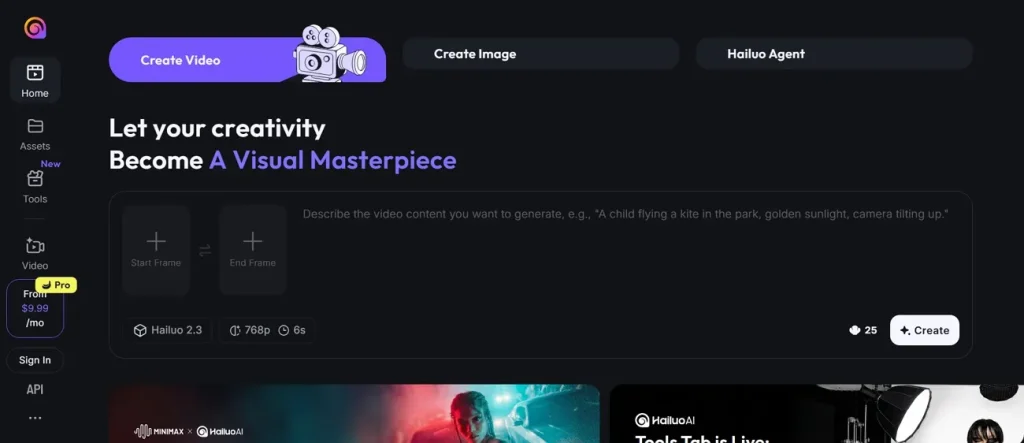
Hailuo 2.3 AI video generation model allows multiple videos to be generated simultaneously for testing with the same script. It is up to 2.5x faster than many AI video models and keeps visual styles steady across all frames without distortions or glitches. After generating videos, you can preview, download, and even upscale the video for clarity.
Pros
- Detailed facial micro-expressions create expressive characters and lifelike short clips.
- Handles complex choreography and full-body dynamics better than earlier versions.
- Excellent camera control and supports dolly, pan, and Vertigo-style movements.
Cons
- No first-and-last frame control, limiting perfect loops and precise end states.
- Stylized clips don’t match realism for live-action or photoreal content.
7. Wan 2.6
Best For: Narrative clips with multi-shot scenes, stable characters, and perfectly synced audio output.
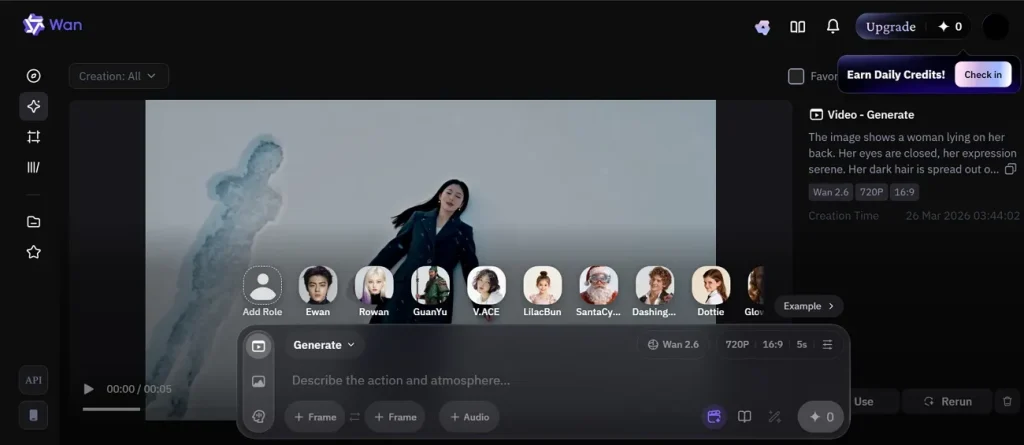
This is another video generation tool that maintains stable character appearance and movement across all generated shots. While typing a text prompt for video creation, you can enhance it using a smart algorithm with 8000 characters. It is built on a 14B-parameter Mixture-of-Experts text-to-video AI model for high-quality video generation.
Pros
- Maintains strong character consistency across shots, preserving identity and style.
- Cinematic understanding enables professional framing and scene composition.
- Generates true multi-shot sequences with smooth transitions and camera changes.
Cons
- Longer content requires manual stitching, risking continuity loss between segments.
- Slight delays in rendering and retrieval can affect rapid content iteration speed.
8. Google Veo 3
Best For: Marketing campaigns needing realistic visuals, synced audio, and multiple scalable video variations.
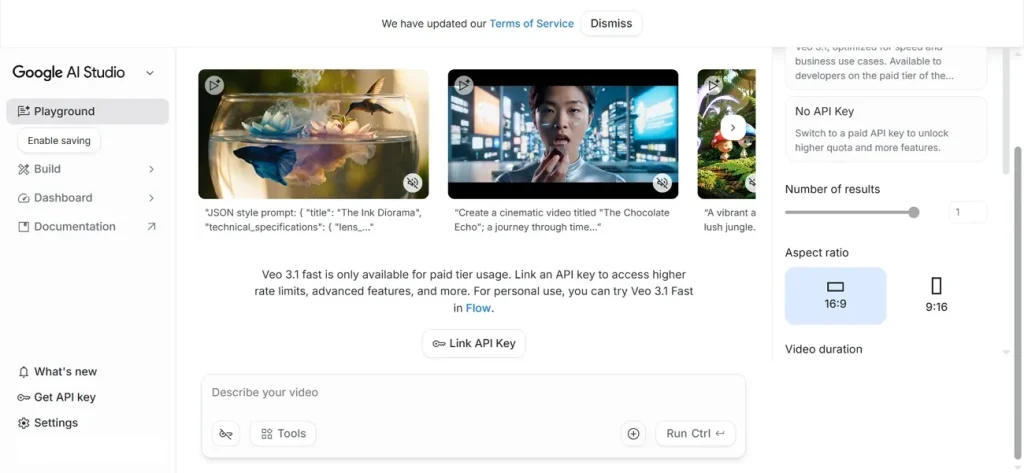
Google VEO 3 AI video model is also an advanced AI video generation model by Google DeepMind. Before generating videos, it allows enabling Google Drive in order to save generated videos. This AI model converts images into full motion 1080p videos with guided animation and realistic motion.
Pros
- Enables fast A/B testing with multiple clip variations from single prompts.
- Generates cinematic visuals with realistic motion and professional camera movements.
- Supports up to 4K resolution and vertical 1080p 9:16 formats.
Cons
- Errors in lip-sync or voice alignment can appear in rapid-motion sequences.
- Multi-shot continuity breaks when stitching multiple clips manually for longer videos.
9. MiniMax
Best For: Mass-producing social media videos with consistent subjects, stylized motion, and fast iteration.
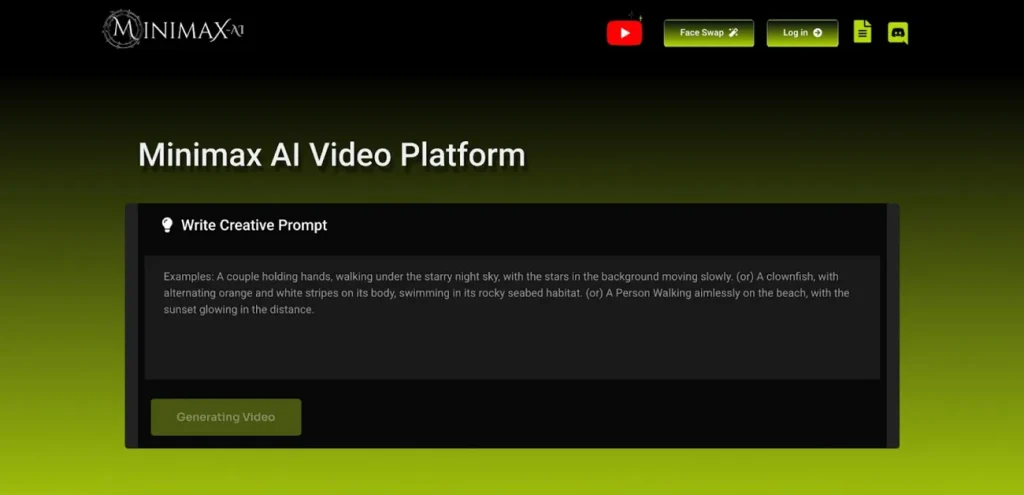
While exploring video generation AI models, creators can also use MiniMax, which creates videos from text prompts with realistic motion and scene flow. Moreover, it supports multiple input modes for generating videos using text, images, or references. MiniMax generates 6 to 10-second clips and produces videos in up to 1080p resolution for clear and professional visuals.
Pros
- Supports subject-reference videos for character-driven or branded content reliably.
- Flexible aesthetic options give creators broad style and character consistency.
- Very strong motion physics for dancing and dynamic camera movements.
Cons
- Audio-video synchronization must be handled in post-production.
- No last-frame control; creating perfect loops requires extra editing steps.
Part 2. All-in-one Video Creation Platform With All AI Video Generation Models
After exploring the top generative AI video models, Magiclight.AI stands out as the best choice. It supports long-form video creation up to 50 minutes directly from a single script or idea. After creating AI videos, you can export high-quality 1080p videos without effort. The tool enables mixing realistic, 3D, and stylized animation while preserving character and background consistency.
Key Features of Magiclight.AI
In this part, you will explore the key features of Magiclight.AI that generate AI videos:
Story to Video Feature
This feature provides two script modes: Basic and Smart, with Smart Script enhancing prompts using AI up to 12,000 characters. You can select a preferred AI model, such as GLM-5, to create an AI cinematic video. While generating videos, it even lets you set a custom video duration according to project needs.
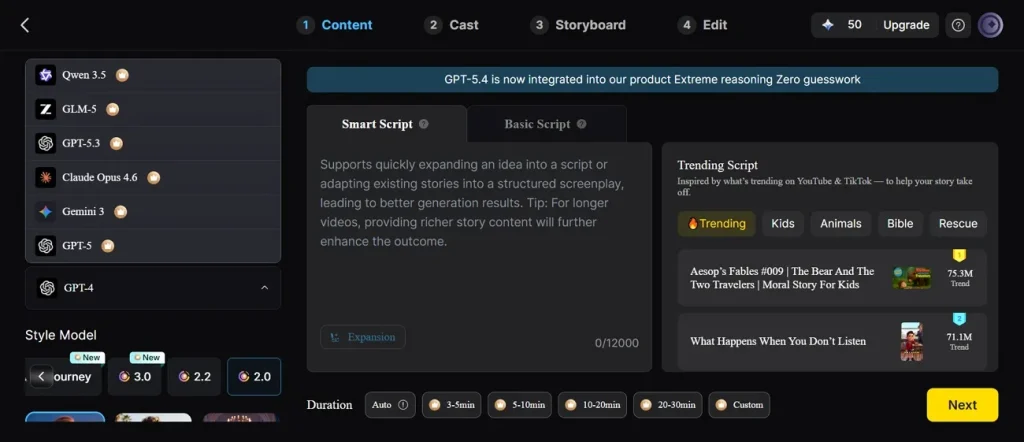
Image to Video Tool
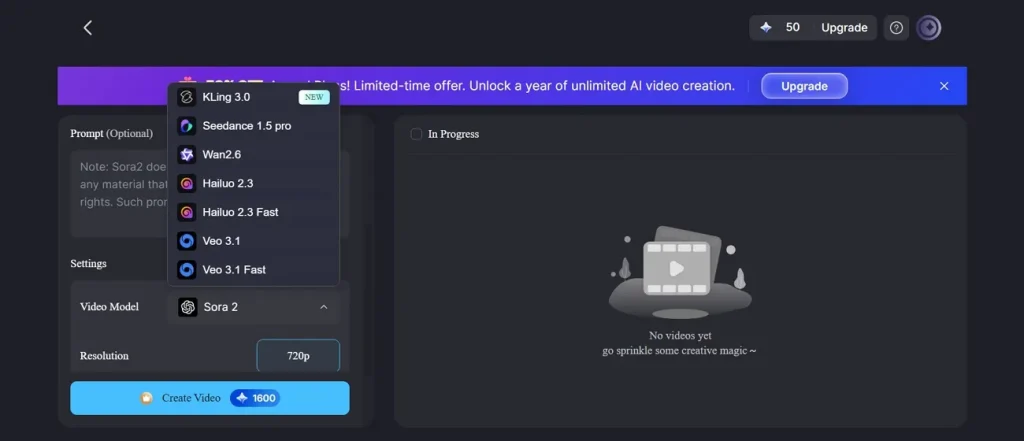
In this feature, creators can add their own image and type a prompt of up to 1500 words to guide AI video generation. Before creating videos, you can select the desired AI model, as it offers 18 AI models. Also, you can select video length options of 15 seconds per clip generated.
One-Click Video Feature
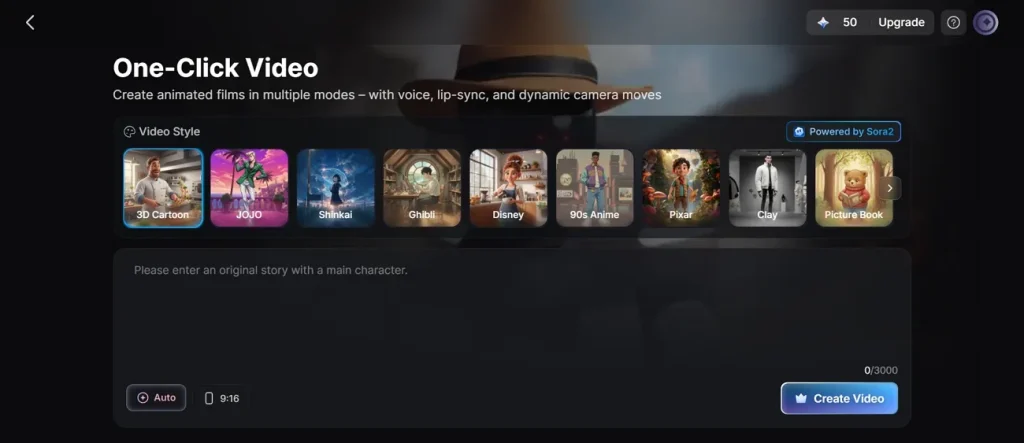
Its one-click video function supports 10 distinct video styles, allowing creators to choose varied cinematic or stylized looks. In this, Sora2 provides high-quality short clips optimized for realistic physics, motion, and social content. The feature accepts video content or scripts up to 3,000 words for flexible project creation.
Conclusion
In conclusion, AI video generation models are making it easier and faster to create professional videos. Yet, it is sometimes hard to find a good tool that can handle long and multi-scene outputs and produce them. Thus, Magiclight.AI is recommended for creators and companies for efficiency and quality. It provides flexibility on a single platform, easily converting scripts into final videos.
FAQs on AI Video Generation Models
1. What is the best AI video model for business marketing?
There are many AI video models for making business videos, but Magiclight is the ideal one. It handles complex video scenes with minimal effort using smart algorithms. This tool helps your brand look great and grab more new customers.
2. How fast can generative AI video models produce content?
Most smart tools can finish a short video in just a few minutes. They work much faster than a human trying to draw every single frame. You can save a lot of time by using these quick digital programs.
3. Can text-to-video AI models replace human editors?
These tools help a lot, but they still need people to lead them. Humans are better at showing real feelings and making very smart choices. Yet, AI does the boring work so people can focus on being creative.
4. Are outputs from the Google Veo 3 AI video model of professional quality?
Yes, videos from this model can achieve near-professional quality with realistic motion and lighting. The lighting and motion are smooth and look very good to viewers. Businesses use it to make high-quality content without any big mistakes.
5. How to choose the best AI video model for a specific project?
Selecting the ideal AI video model requires evaluating project length and budget. Check required features like multi-scene handling, audio support, and language options. Also, test short clips from multiple models to compare performance and workflow efficiency.





![How to Write a Script for a Video 2026 [Full Guide]](https://blog-new.magiclight.ai/wp-2/wp-content/uploads/video-script-writing-setup-300x199.jpg)