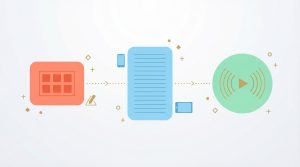
In the early days of generative media, high-quality video was locked behind expensive enterprise subscriptions and massive computing costs. By 2026, the market has shifted. While professional-grade "Master Assets" for YouTube still benefit from premium suites, it is now entirely possible to learn how to create free AI videos for social media using a combination of trials, open-source models, and strategic "freemium" tiers.
If you are a new creator or a freelancer working with a limited budget, you don't need a massive upfront investment to start building your portfolio. You just need to know where the gates are open.
Leveraging "First Video Free" Onboarding Deals
Most professional-grade AI generators in 2026 offer a "freemium" entry point to attract new users. This is the most direct way to access studio-level quality without a credit card.
- Credit-Based Trials: Many platforms provide a set amount of monthly credits that allow you to generate 30 to 60 seconds of high-fidelity video.
- The "One-Video" Pass: Some tools offer a single, watermark-free export for your first project. This is perfect for testing a "one-click" feature on an AI reel before committing to a plan.
- Feature Restrictions: Be aware that free tiers often limit your access to advanced tools like ai consistency profiles or 4K upscaling.
The Strategy of "Trial-Stacking"
Strategic creators use a method called "Trial-Stacking" to produce multi-platform content on a $0 budget. Instead of trying to build an entire ecosystem on one tool, you use different platforms for different parts of the production pipeline.
- Scripting: Use the free tier of an LLM like ChatGPT to generate your scene-by-scene storyboard and SEO metadata.
- Visual Asset Generation: Use your monthly free credits on an AI generator specifically for your high-impact 3-second hook.
- Mobile Assembly: Import your free clips into a mobile editing suite like the YouTube Create app, which is a completely free tool for all creators.
The Open-Source Alternative
While "freemium" tools are the easiest entry point, creators who are comfortable with a more technical setup often look toward open-source models in 2026. These models allow for the highest level of creative control without a recurring subscription fee.
- Local Processing: If you have a powerful enough computer, you can run open-source video models locally. This eliminates the need for cloud credits and allows for unlimited generations.
- The "Community" Workflow: Open-source communities often release "LoRAs" (Low-Rank Adaptations) that help you maintain ai consistency for specific character styles or environments for free.
- Transparency and Security: Because these models are open, you can often verify the training data more easily, helping you avoid the "Dirty Data" trap that plagues some secretive, paid generators.
Knowing When to Scale from "Free" to "Paid"
At a certain point, the "Free" workflow becomes a bottleneck. To build a sustainable, professional brand, you must eventually transition into paid tiers. Understanding the triggers for this move will save you from hitting a growth ceiling.
- Watermark Removal: Professionalism is a competitive advantage. If your content still carries a "Made with [Tool Name]" watermark, it signals a lack of investment to your audience and potential advertisers.
- Copyright Requirements: As established by the U.S. Copyright Office, you only own the creative arrangement of your work. Most free tiers do not grant you full commercial rights to the output, meaning you cannot legally monetize your videos until you upgrade to a pro plan.
- High-Fidelity Demands: If you are aiming for YouTube SEO dominance, you eventually need 4K resolution and advanced upscaling features that are almost exclusively reserved for paid users.
Managing the Zero-Budget Startup
Starting a faceless social media account with $0 is not about having the best tools; it's about having the best system. By trial-stacking, leveraging free mobile editing suites, and using open-source models when your hardware allows, you can build a massive digital footprint without an initial investment.
Once your channel begins to generate its own revenue through fan funding or lower-tier monetization, you can reinvest those profits into the professional tools required to take your content from "good" to "great".
Sources and Tools to Create Free AI Videos
- MagicLight Story-to-Video: A specialized suite for transforming text storyboards into high-fidelity video clips.
- MagicLight Lip-Sync Suite: An essential tool for synchronizing character mouth physics with generated audio to remove the "uncanny valley" effect.
- ChatGPT Plus: The primary interface for converting high-level ideas into scene-by-scene AI storyboards and narrative scripts.