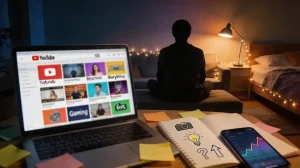
Starting a YouTube channel is one of the most exciting creative ventures you can undertake in 2026. However, the technical side of the process—specifically learning how to edit your first YouTube video—is often where many new creators feel overwhelmed. By combining the powerful mobile capabilities of the YouTube Create app with the AI generation tools and your own footage, you can produce professional-quality content without a steep learning curve.
Below, we break down the essentials from our comprehensive Youtube editing series to help you navigate your first edit from start to finish.
A streamlined workflow for your first video project
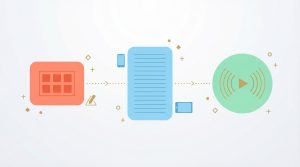
The first step in your journey is establishing a reliable workflow. Success isn't just about the tools you use; it is about how you organize your ideas before you even hit the record button. Many modern creators use Magiclight’s story-to-video tools to storyboard their concepts or generate AI-driven B-roll that supplements their filmed footage.
Once your media is ready, the YouTube Create app allows you to start or manage a project directly on your phone. You can import your clips and begin the "rough cut" phase, where you trim away mistakes to ensure your first video remains tight and engaging.
Mastering the essential tools in the editing suite
To edit a video that holds a viewer's attention, you need to understand the technical features at your disposal. The YouTube Create app offers a professional-grade customization suite designed for mobile efficiency.
Key features to master for your first edit include:
- Visual Enhancements: Apply filters and color correction to give your video a cinematic look.
- Text and Animation: Add text overlays and animate elements like stickers or call-to-action buttons to keep the screen dynamic.
- Audio Engineering: Add and edit audio using royalty-free tracks or high-quality AI voiceovers from MagicLight.
Accessibility: Automatically enhance your videos with captions to reach a global audience.
Applying a "Pro" polish with AI and advanced techniques
The final phase of editing your first YouTube video is the "Pro" polish. In 2026, this means leveraging AI features to fix common beginner mistakes. If you find yourself missing specific shots, Magiclight’s generative media can fill those gaps instantly.
Professional results come from small, intentional choices:
- Template Usage: Create videos with templates to ensure your timing matches the pacing of trending content.
- Clean Transitions: Avoid jarring cuts by using the app's transition tools to bridge your scenes.
- Final Quality Check: Always preview your video before you publish to catch any rendering or upload errors.
Read the full guide: 3 Professional editing tips to polish your first YouTube video in 2026
What Have We Learned?
Learning how to edit your first YouTube video is a significant milestone for any creator. By following this roadmap—organizing your workflow, mastering the toolset, and applying an AI-driven polish—you set a high standard for your channel from day one. Whether you are using the YouTube Create app for its mobile flexibility or Magiclight.AI for its cutting-edge AI power, the most important step is simply to finish that first edit and hit "Publish."