想自己做兒童故事動畫,卻不想寫完整劇本、設計角色、錄配音,也不想一鏡一鏡自己剪?
這則教學裡,我們會示範怎麼用 Magiclight 的 Kids Story,把一則簡短的伊索寓言做成完整的三分鐘動畫影片——全程都在同一條工作流程裡完成。
先看完整影片學步驟,再複製下面的故事提示詞,自己去 Magiclight 試一版。
你會做出什麼
教學跟的是誠實樵夫的故事:他不肯認領不屬於自己的金斧、銀斧。誠實得到了獎賞,而貪婪的鄰居想騙人,最後連自己的斧頭也沒了。
故事很簡單,道理也很清楚:誠實會得到回報,貪婪和欺騙只會讓你失去更多。
工作流程走完,Magiclight 已經幫你寫好劇本、設計角色、生成分鏡圖、做出動畫片段、配好旁白和字幕、加上背景音樂,並剪出成片。
1. 先寫一句短故事提示詞
打開 Magiclight.ai,選擇 Kids Story,輸入你的故事想法。
你不用準備完整劇本。一段把人物、情節和結局說清楚的摘要,就夠 Magiclight 擴寫成完整腳本。
提示詞
請把下面的英文提示詞原樣貼上。
A woodcutter accidentally dropped his axe into a river. Having lost the tool he depended on to make a living, he burst into tears. The River God took pity on him and brought out a golden axe.
“Is this the axe you dropped?” the River God asked.
“No,” the woodcutter replied.
The River God then brought out a silver axe and asked the same question. Again, the woodcutter honestly answered, “No.”
Finally, the River God brought out the woodcutter’s own axe. The woodcutter immediately said that it was his. Impressed by his honesty, the River God rewarded him by giving him all three axes.
When the woodcutter’s neighbor heard what had happened, he became jealous. He deliberately threw his own axe into the river and pretended to cry. When the River God appeared and showed him a golden axe, asking whether it was the one he had lost, the neighbor quickly answered, “Yes.”
The River God returned to the river and never appeared again. In the end, the greedy neighbor did not even get his own axe back.
2. 選好故事設定
教學裡這一版,用下面這些設定:
- Visual Style: 3D Cartoon 3.0
- Aspect Ratio: 16:9
- Video Length: 3 minutes
- Story Model: A Gemini Flash model
- Voiceover: 選一個貼合故事語氣的聲音
教學推薦 3D Cartoon 3.0,顏色活潑,更適合兒童內容。故事擴寫用的是 Gemini Flash 模型,這是創作者自己實測後的選擇。
設定好之後,點擊 Next。
3. 檢查劇本和角色
Magiclight 會把短提示詞擴成完整劇本,識別角色,並為每個角色生成造型。
往下走之前先看一遍角色。某個角色不對味,就從 Magiclight 的角色庫裡換一個,或者重新生成,直到樣子對了。
4. 生成並修正分鏡圖
下一步,Magiclight 會給劇本裡的每個鏡頭生成一張圖。
進動畫之前,認真看每一張。物件、角色或動作不對,就單獨改那張圖再生成。教學裡有一鏡,樵夫手裡只有木柄,其實應該握著斧頭。這一鏡可以直接修,不用整條專案推倒重來。
圖都過關後,點擊 Next。
5. 給每一鏡做動畫
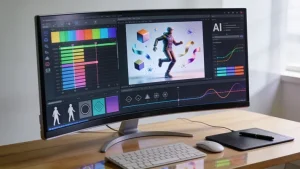
Magiclight 接著會把你確認過的圖,變成動畫影片片段。
平台裡有 Seedance 2.5 這類影片模型,但這則 Kids Story 教學更建議試試 MiniMax H3:幾分鐘長的片子,畫質和成本更平衡。
生成後預覽每一段。某一條不行,可以單獨重新生成,或只改這段影片內容,已經滿意的鏡頭不用動。
片段都就緒後,再點一次 Next。
6. 加字幕、配樂,完成成片
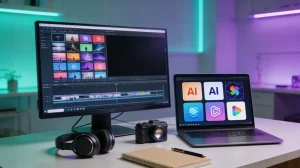
給故事選字幕樣式和背景音樂。Magiclight 再把生成的片段剪成一條完整影片,旁白、畫面、字幕和音樂都就位。
發布前預覽成片,確認旁白、動畫和配樂是搭在一起的。
Magiclight 還能給成片生成 YouTube 標題、簡介和標籤。如果你已經綁定 YouTube 帳號,核對生成內容後,可以直接從 Magiclight 發布。
自己去 Magiclight 試一版
這就是教學裡用到的完整工作流程。
從上面的樵夫提示詞開始,或者換成你自己的短故事。Magiclight 可以幫你擴劇本、設計角色、搭分鏡、做動畫,並在一個地方拼出成片。
打開 Magiclight.ai,進入 Kids Story,做你自己的動畫故事。