


Creating eye-catching videos usually requires costly tools or long practice. Hunyuan AI helps people generate videos from simple text prompts, saving time. The tool combines strong video quality with beginner-friendly controls and creative flexibility. This guide will explore its features, how to use it, and why it's a top choice for high-end production. You’ll also explore MagicLight AI as an excellent and more accessible alternative for creators seeking a streamlined workflow.
Part 1. What Is Hunyuan AI?
Hunyuan Video AI is an advanced multimodal AI model developed by Tencent and launched in early December 2024. The model’s main strengths are making high-quality videos like movies with smooth motion and stable visuals throughout. It supports 6 AI models, including Seedance 2.0 and Wan 2.2 for advanced video generation.
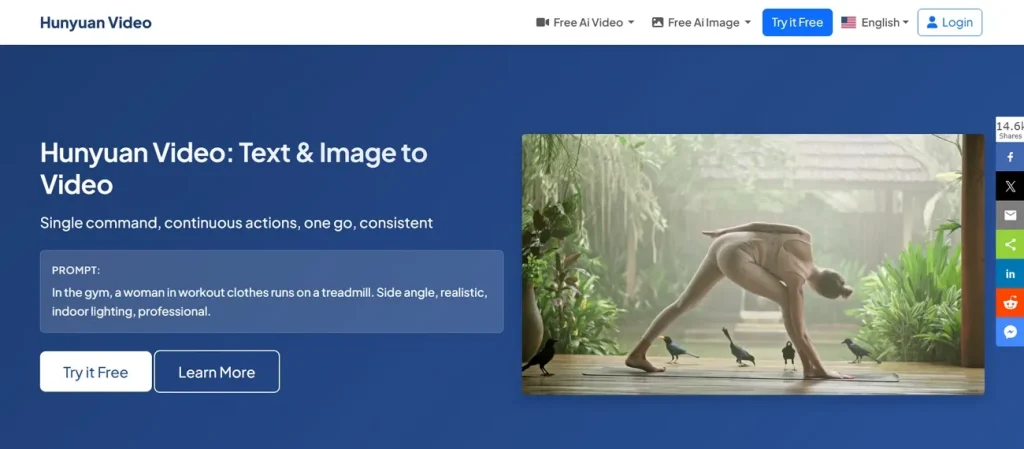
A random seed ensures repeatable results by controlling randomness in the video generation process settings. The main Hunyuan Video model uses a 13-billion-parameter diffusion transformer system that can handle both image and text inputs. Hunyuan AI Studio has a video control feature that helps adjust generation settings for better creative output and an easy tuning system.
Key Features of Hunyuan AI Video Generator
- Custom Prompt: Custom prompt allows users to write their own detailed video instructions for precise control.
- Guidance Scale: The guidance scale controls how strongly the model follows the prompt, with values up to 15.
- Identity Consistency: Keeps characters and objects consistent across all frames to ensure stable visual appearance output.
- Motion Physics: Creates smooth and long motion sequences following real-world physics for natural video realism.
- Camera Movement: Supports director-style camera movements to improve storytelling and cinematic video presentation quality output.
Part 2. How Hunyuan AI Video Works?
Hunyuan AI video generator uses filtered datasets containing high-quality images, videos, and detailed captions together. A 3D VAE compresses video data while preserving motion details and scene consistency. The system uses multimodal language models, improving prompt understanding and accurate video scene generation greatly. Thus, adhere to the given guide that shows simple methods for generating videos with this tool:
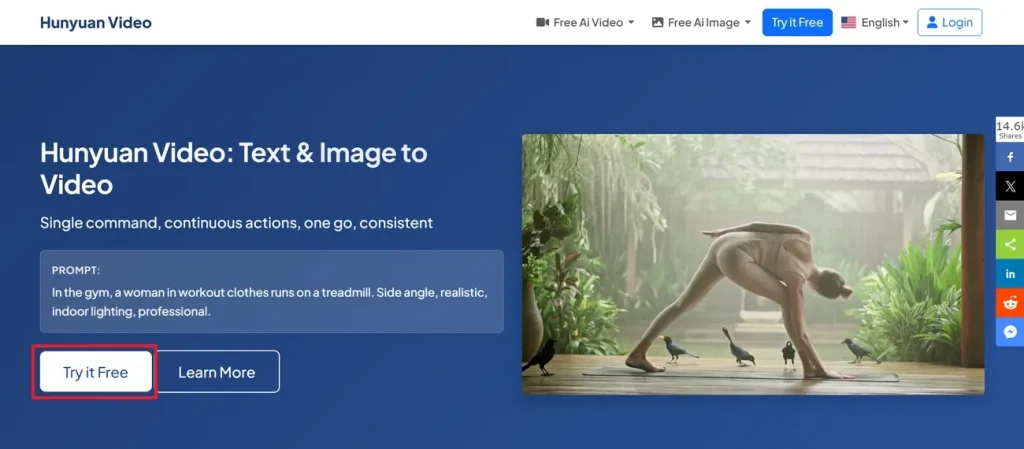
Step 1. To initiate, access the official webpage of Hunyuan AI and opt for the Try it Free.
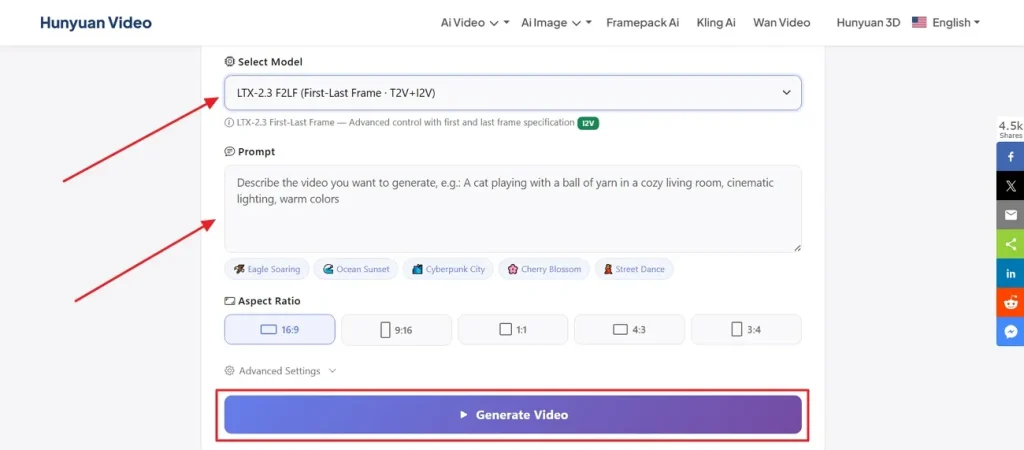
Step 2. After accessing it, select the preferred AI Model and describe your idea in the given Prompt Box. Next, adjust the Aspect Ratio according to the video demand and press the Generate Video button.
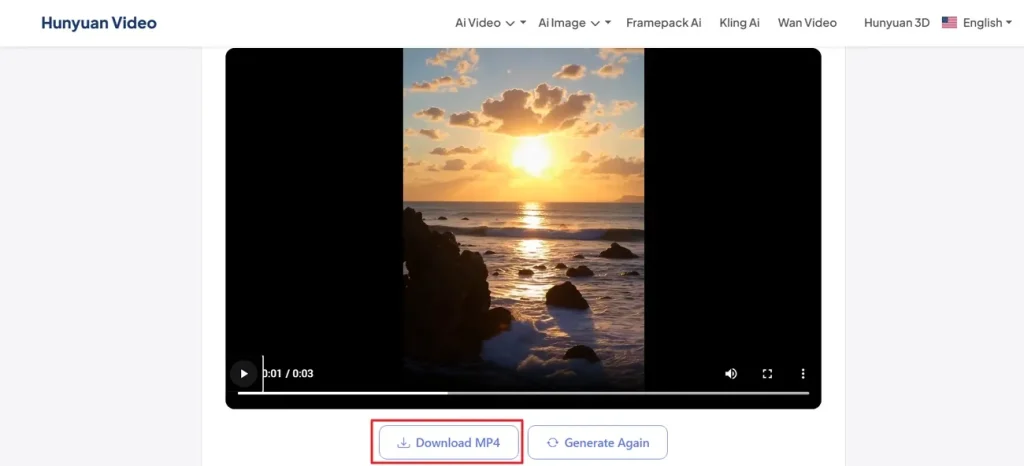
Step 3. Once your video is generated, watch it using the preview feature for clarity. If you are satisfied with the output, then opt for the Download MP4 button to save it.
Is Hunyuan AI Free To Use?
Yes, Hunyuan Video currently provides free access through its official online video studio. Tencent Hunyuan AI video released the model as open source, meaning creators and developers can download the software files from GitHub and Hugging Face platforms globally. It also supports completely free commercial use for creators and business video projects.
Part 3. Why Magiclight AI Is the Best Alternative to Hunyuan AI
After understanding the Hunyuan AI workflow, creators often explore another Hunyuan AI alternative online. Some users need features beyond what Hunyuan Tencent AI currently provides. For this, MagicLight AI provides advanced video creation tools with a smoother user experience. To create long storytelling and extended project videos, it supports video generation up to 50 minutes.
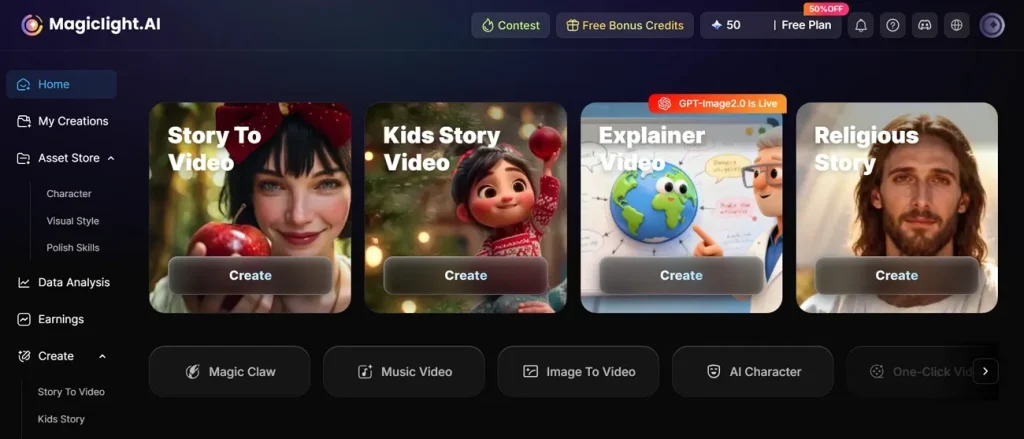
By using its Nano Storyboard features, you can control the timeline and micro steps for detailed scene creation. While generating AI videos, MagicLight AI maintains consistent characters across scenes for stronger visual continuity. The tool even supports script input up to 12,000 characters for complex story videos. Additionally, it provides 11 languages for wider video creation across global audiences.
Key Features
- Voice Options: Offers 37 voiceovers for diverse narration styles, character dialogues, and multilingual video storytelling needs.
- Character Builder: Supports character creation with customizable age, voice, personality, and detailed visual appearance settings.
- Style Selection: Provides 10 video styles for creating cinematic, animated, cartoon, and artistic visual content.
- Scene Preview: Automatically generates storyboard previews, allowing users to review and edit scenes before the final rendering process.
- Style Library: Offers multiple cinematic, realistic, Pixar, Disney, anime, and comic-inspired AI visual generation styles easily.
Which Platform Delivers Better Results for AI Video Creation? Complete Comparison
In this particular section, you will explore both tools by their various features to understand a better option and choose wisely:
| Feature | Hunyuan AI | MagicLight AI |
| Video Length | Standard cinematic video creation | Up to 50-minute videos |
| Language Support | Basic multilingual capabilities | Supports 11 global languages |
| Storyboard Control | Fewer generation controls | Detailed Nano storyboard control |
| Character Consistency | Stable visuals across frames | Consistent characters across scenes |
| Voice Features | No dedicated voice options | Includes 37 voiceover choices |
| Character Design | Basic identity consistency | Custom age voice personality |
| Visual Styles | Movie-style video output | 10 creative video styles |
| Scene Editing | Standard prompt workflow | Editable storyboard scene previews |
Conclusion
To conclude, video creation is becoming easier, but creators still need stronger creative controls. Hunyuan AI helps you generate stunning cinematic short scenes using custom prompts. However, many modern creators need longer runtime options for full storytelling. Also, maintaining the consistent character appearance across multiple scenes can be challenging. To solve this, MagicLight AI provides an excellent solution for advanced editing and complete video creation needs.
FAQs on Hunyuan AI
1. What is Hunyuan AI used for?
Hunyuan AI is used for creating videos from text and image prompts. It helps users generate cinematic visuals with smooth motion and stable scenes. Creators use it for storytelling projects, marketing videos, and creative content production.
2. Can Hunyuan AI create full videos from text?
Yes, this advanced system generates complete video clips directly from your written words. However, it usually creates short individual scenes rather than full, long-form stories. For long projects, MagicLight AI is better because it builds 50-minute-long storytelling videos.
3. Is Tencent Hunyuan AI available globally?
Yes, Tencent Hunyuan AI is open source and free for anyone worldwide. Some features' availability may differ depending on platform access and region. MagicLight AI supports 11 languages for broader worldwide video creation access.
4. Can Hunyuan AI be used for commercial videos?
Yes, Hunyuan AI supports commercial video creation for creators and businesses. Users can download and use the released code for business projects. Alternatively, MagicLight AI provides ready-made templates that help businesses make marketing clips fast.
5. Is Hunyuan AI better than other AI video tools?
Hunyuan AI offers strong cinematic visuals, smooth motion, and stable video quality. Its performance depends on user needs, creative goals, and project requirements. Still, some users prefer alternatives offering longer videos, broader styles, and richer controls.





![How to Write a Script for a Video 2026 [Full Guide]](https://blog-new.magiclight.ai/wp-2/wp-content/uploads/video-script-writing-setup-300x199.jpg)