
A meme only gets seconds to catch attention before someone scrolls to another post online. Choosing the best meme maker can make creating that quick joke faster. Some tools focus on familiar meme templates that only need an image and caption added.
Others give you more room to create GIFs, short videos, and animated meme scenes. This article compares 7 meme makers by their features, supported formats, and free plans. This guide will help you find a meme maker that matches your content needs.
Part 1. How to Choose the Best Meme Maker
Choosing the best meme-creating app starts with knowing what content format you need most. Below are the 6 key things to check before choosing any meme creation tool.
- Output Formats: Check if the tool supports images, GIFs, MP4 videos, and other formats you regularly post online.
- Template Library: Look for plenty of ready-made templates and custom uploads for creating memes around newer trends.
- Text and Caption Tools: Choose tools with flexible fonts, outlines, text placement, and timed captions for video memes.
- AI Assistance: See how much help the tool provides when turning your basic meme idea into content.
- Free Plan Limits: Check what you can actually create and download before paying for the tool.
- Platform: Pick mobile apps for making quick memes or browser editors when working on longer video projects.
Part 2. 7 Best Meme Maker Tools to Try
Finding the best app for making memes depends on the content you want to create. Each tool below offers a different way to create and share memes across social platforms.
1. MagicLight AI
Best For: Creators making character-based animated meme skits.
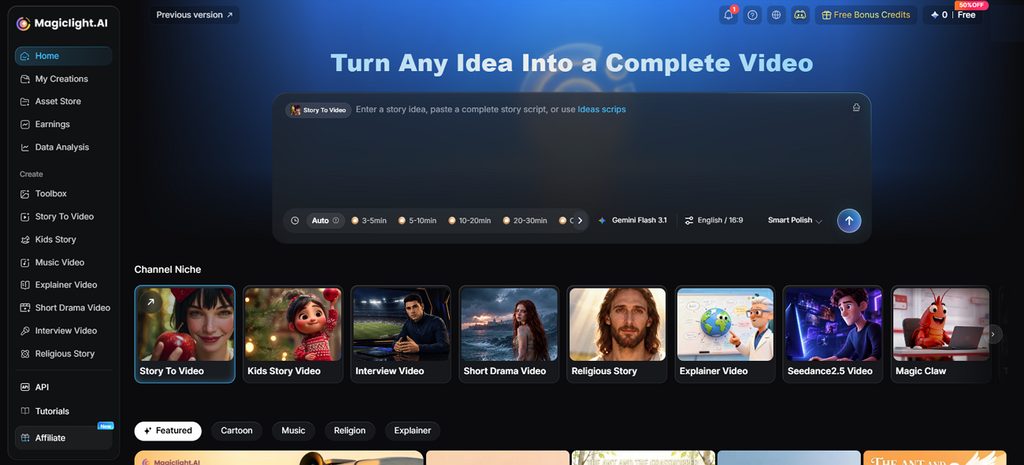
Some memes need a full scene to make the joke land properly with viewers. MagicLight AI takes a written joke or story and builds it into animated content. Write the joke or story, and the platform handles the video from there.
The prompt can hold 12,000 characters, enough space for a fairly detailed meme script. This AI meme video generator makes longer jokes and small storylines possible without squeezing everything into one caption. A finished meme can be a quick clip or a video up to 50 minutes.
Key Features
- MagicLight Agent: Give the AI video agent a meme idea and let it build the production plan. It prepares the script, storyboard, characters, and visual direction before the video is created.
- AI Character Creation: Build meme characters using written descriptions of up to 1,000 characters. You can also upload reference images and save characters for later meme projects.
- Reaction Faces on Demand: Nano Storyboard lets you set expressions and poses before creating each scene. Choose from 50 poses to make reactions fit the joke or punchline better.
- Voices for Meme Characters: Choose from 37 voices or clone one for your meme characters. Support for 11 languages also makes the same joke usable across different audiences.
- Background Music Options: Pick from 40 background music options to match your meme’s mood. The right track can make a funny scene feel more complete and engaging.
Pros
- Works through web browsers plus iOS and Android.
- New accounts receive free credits without card details.
- Paid plans provide 1080p exports without any watermarks.
Con
- Only provides export resolutions up to 1080p.
2. Canva
Best For: Social creators mixing memes with everyday visual content.
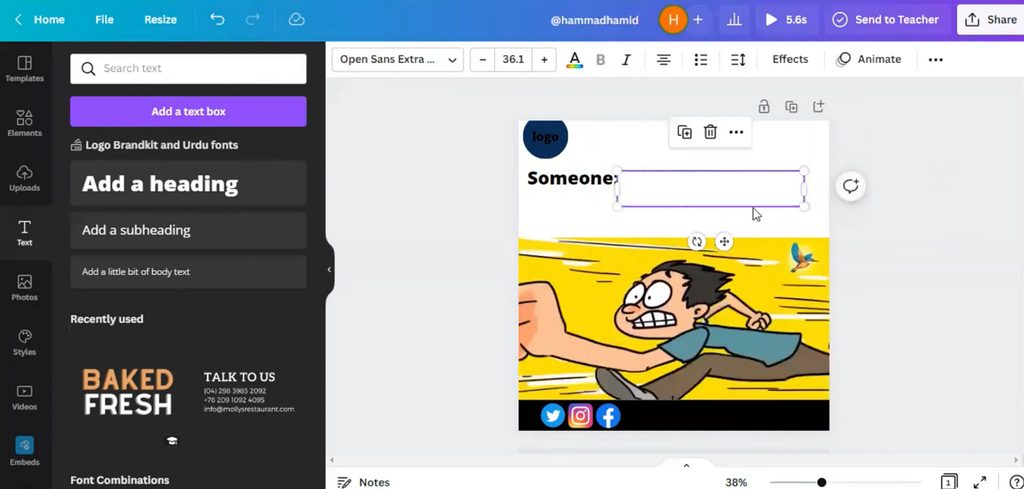
The best app for meme creation should handle more than basic captioned image memes. Canva combines meme templates with GIFs and video tools inside its familiar design editor. Its flexible canvas also suits reaction posts and moving memes for different social platforms.
Key Features
- Add unlimited text boxes anywhere to control meme captions and punchlines freely.
- Apply pop, fade, and rise animations to individual meme elements.
- Beat Sync matches uploaded video footage with a soundtrack automatically for timing.
Pros
- Provides millions of stock visuals for fresh meme ideas.
- Supports real-time collaboration when friends build memes together.
Cons
- Some stock assets require payment or Canva Pro subscription.
- Advanced video tools remain restricted to Pro accounts.
3. Adobe Express
Best For: Meme creators wanting Firefly tools and character animation.
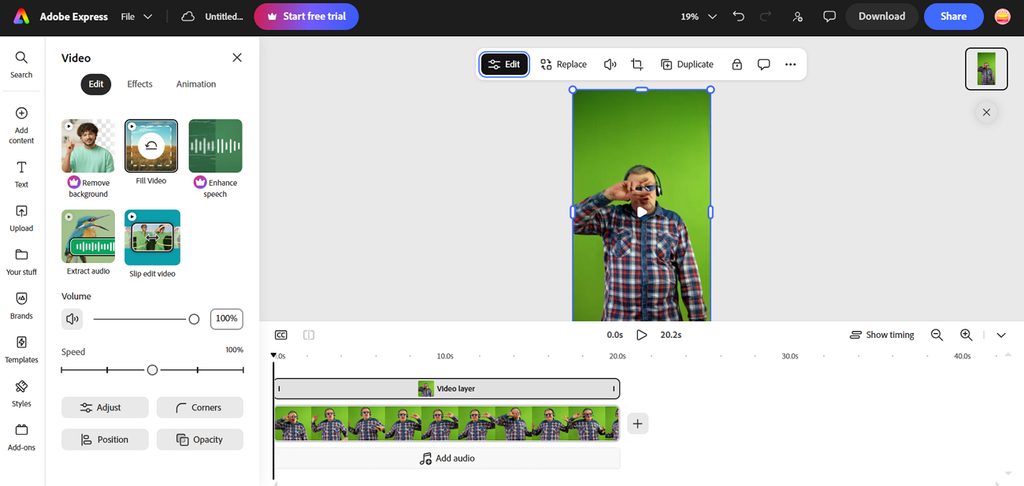
Among the best meme generators, Adobe Express brings Firefly tools into meme editing. Trending templates provide familiar starting points for jokes already circulating across social media. Its animation options also take ordinary caption memes beyond a completely static post.
Key Features
- Generate custom text effects to make meme punchlines stand out visually.
- Animate characters directly from recorded dialogue or uploaded audio for skits.
- Convert video clips into looping GIF reactions lasting up to 1 minute.
Pros
- Resizes finished memes quickly for different social media platforms.
- Turns existing projects into reusable meme templates for sharing.
Cons
- GIF conversion accepts videos only up to 60 seconds.
- Character audio recordings cannot exceed 2 minutes.
4. Kapwing
Best For: Creators turning reaction clips into timed video memes.
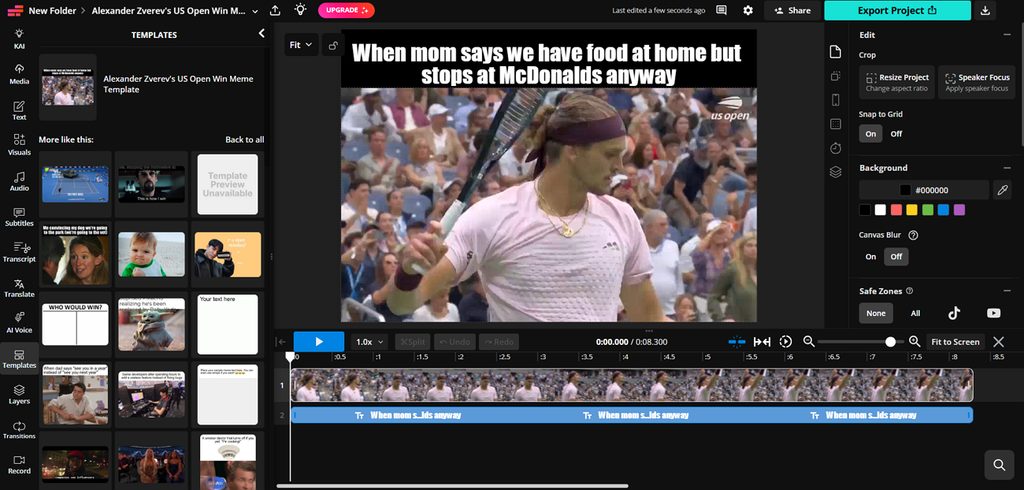
Kapwing works as a best online meme generator for editing clips directly inside browsers. Its editor handles image, GIF, and video memes without moving between separate creation tools. Creators can control caption timing closely when turning reaction clips into shareable social memes.
Key Features
- Choose from 2,000+ templates covering image, GIF, and video meme formats online.
- Adjust when individual captions appear and disappear directly through the editing timeline.
- Animate static meme images with custom movement prompts before exporting them online.
Pros
- Supports over 1,000 fonts for customized video meme captions.
- Imports many common images, video, and audio formats.
Cons
- Free meme exports include a small Kapwing watermark.
- Kapwing currently offers no downloadable iOS or Android apps.
5. Imgflip
Best For: People making classic memes from familiar internet templates.
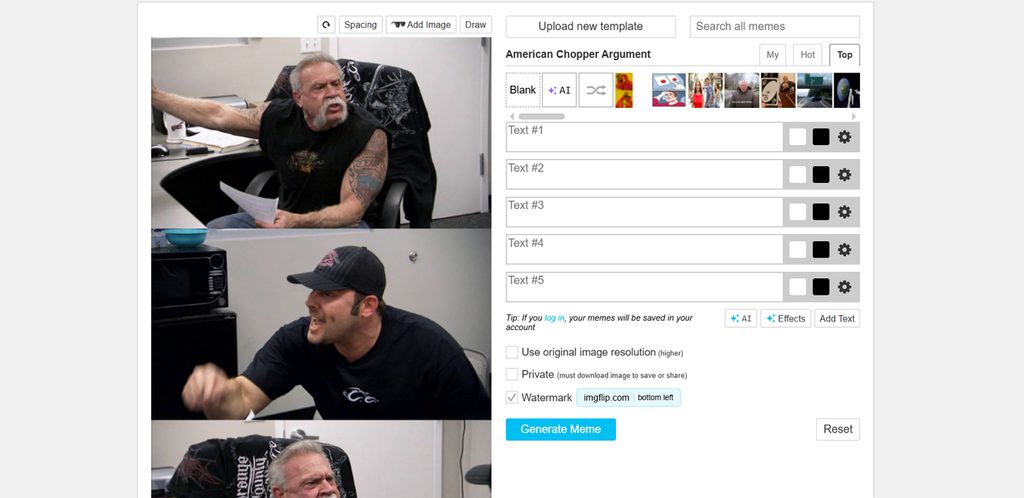
Among the best meme-making apps, Imgflip keeps classic meme creation quick and straightforward. Its huge template collection makes finding familiar reaction images and trending formats much easier. Custom uploads also let creators build memes when the right template is unavailable online.
Key Features
- Search over 1 million meme templates that are continuously updated with trends.
- Stack multiple pictures vertically to create longer meme chains within one project.
- Access over 1,300 free fonts or use fonts installed on your device.
Pros
- Drawing tools add outlines and scribbles directly onto memes.
- Uploaded templates can be rotated, flipped, and cropped.
Cons
- Interface feels dated beside newer visual meme editors.
- Template-heavy workflow offers less control for video memes.
6. VEED
Best For: Social teams turning existing footage into video memes.
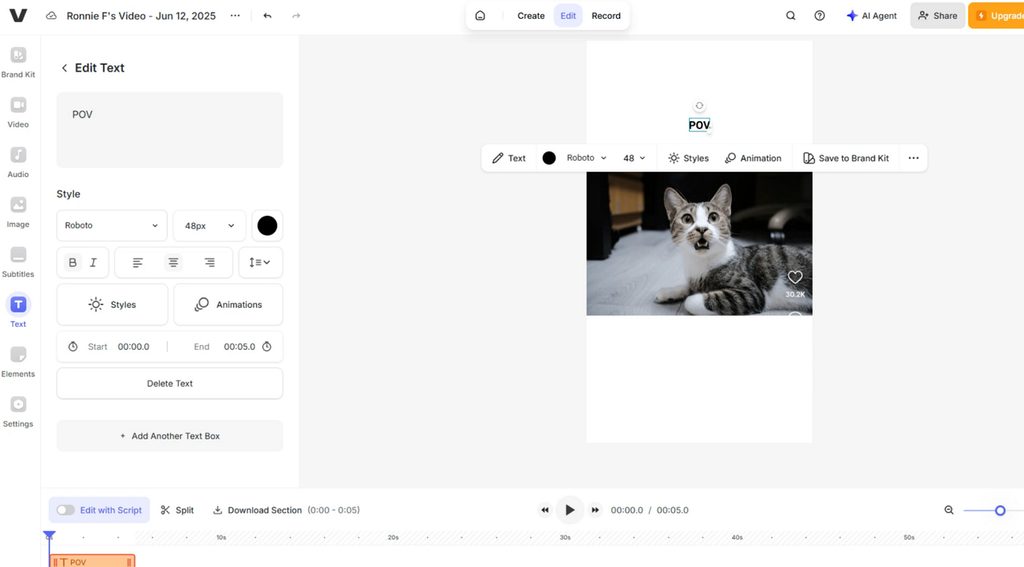
For video memes, the best meme creator needs more control than a basic template editor. VEED lets creators crop clips and place captions exactly where the joke needs them. Its browser editor also fits teams producing memes alongside regular social video content.
Key Features
- Dynamic subtitles can make selected words pop or scale during spoken punchlines.
- Turn existing video clips into GIF memes using built-in trimming tools directly.
- Resize video memes using saved dimensions for major social media platforms.
Pros
- Accepts GIF, MP4, MOV, and other video files.
- Translates meme subtitles into more than 125 languages.
Cons
- Free AI credits remain unavailable in some regions.
- Avatar generation requires credits whenever creating talking characters.
7. MemeBetter
Best For: Browser users making quick memes from classic templates.
MemeBetter keeps meme creation simple for anyone who prefers working directly inside their browser. It ranks among the best apps for meme creation for fast image-based posts. Users can pick popular templates or add personal images without uploading them to servers.
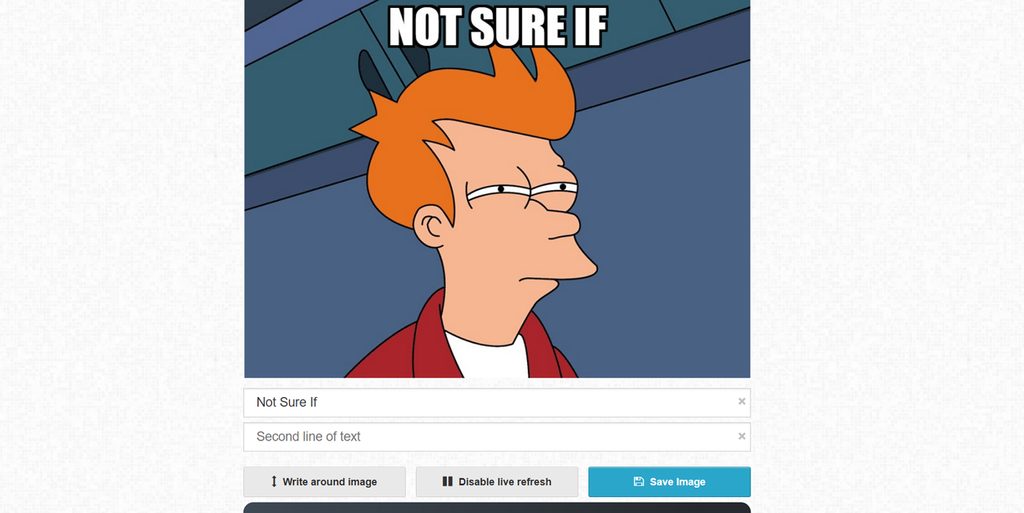
Image alt: create meme with memebetter
Key Features
- Choose popular meme templates and customize their existing text directly inside your browser.
- Add personal images through file selection or drag-and-drop without uploading them online.
- Generate meme images directly inside the browser without installing additional editing software.
Pros
- Requires no account before creating and saving memes.
- Adds no watermarks to finished meme images.
Cons
- Text font and placement controls are intentionally limited.
- Older browsers may lack features needed for editing.
Compare All Meme Makers by Format, AI, and Free Plan
Choosing the best meme creating app becomes easier when you compare important features. The table below compares all 7 tools across formats, features, and free access. Use these details to find the option that matches your meme creation needs:
| Tool | Meme Formats | AI Features | Platforms | Free Plan |
| MagicLight AI | Animated meme videos + images | Story/video generation, consistent characters, lip sync | Web, iOS, Android | Limited free credits; no card required |
| Canva | Image, GIF, video | AI image/content generation and design tools | Web, desktop, iOS, Android | Free plan; Pro elements show watermarks |
| Adobe Express | PNG, GIF, MP4 | Firefly generation, text effects, animated characters | Web, iOS, Android | Free plan available; generative AI usage is subject to plan limits. |
| Kapwing | Image, GIF, MP4 | AI meme animation and other AI editing tools | Web browser | 10 AI credits; 720p exports with watermark |
| Imgflip | Image, GIF | AI tools require Basic or Pro | Web browser | Unlimited image hosting; ads and Imgflip watermark |
| VEED | Video, GIF | AI-powered video editing tools | Web, iOS | Free browser use; account optional for basic meme creation |
| MemeBetter | Image memes | No major generative AI tools | Web browser | Free use; no account or watermark |
Part 3. Why Use MagicLight AI for AI Meme Videos?
MagicLight AI makes the best app for making memes useful beyond simple templates. Below are the main reasons it works well for animated meme videos:
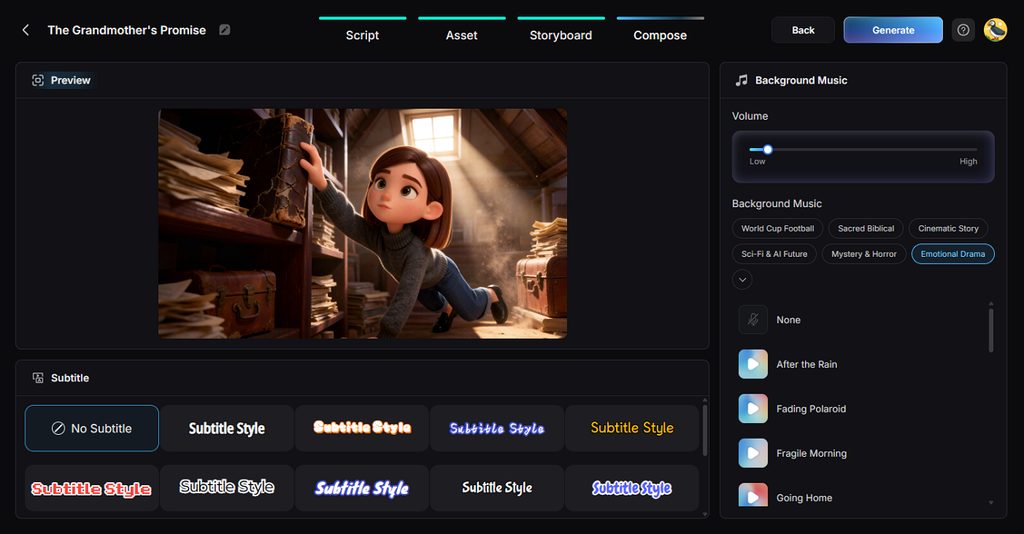
- Caption Styles: Pick among 16 caption styles made for different meme video looks. Captions keep spoken jokes readable even when viewers watch without sound.
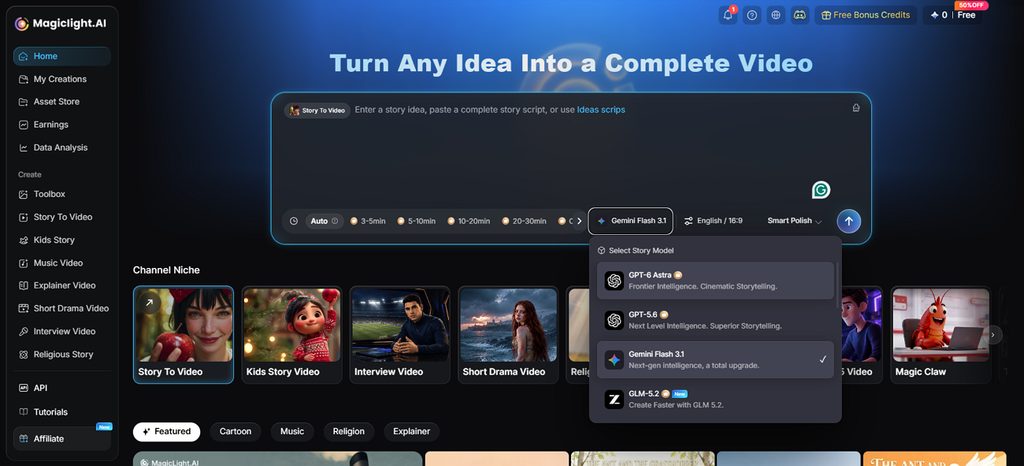
- Story Models: MagicLight AI includes 14 story models for writing scripts and meme dialogue. GPT-6 Astra gives creators another option for building longer meme stories.
- Vertical or Widescreen Output: A 9:16 ratio prepares meme videos for Reels, Shorts, and TikTok. Wider 16:9 framing gives YouTube videos more horizontal space for scenes.
Guide: Create a Meme Video With MagicLight AI
The best app for meme creation can turn simple ideas into complete meme videos. Follow the steps below to create and download your meme video with MagicLight AI.
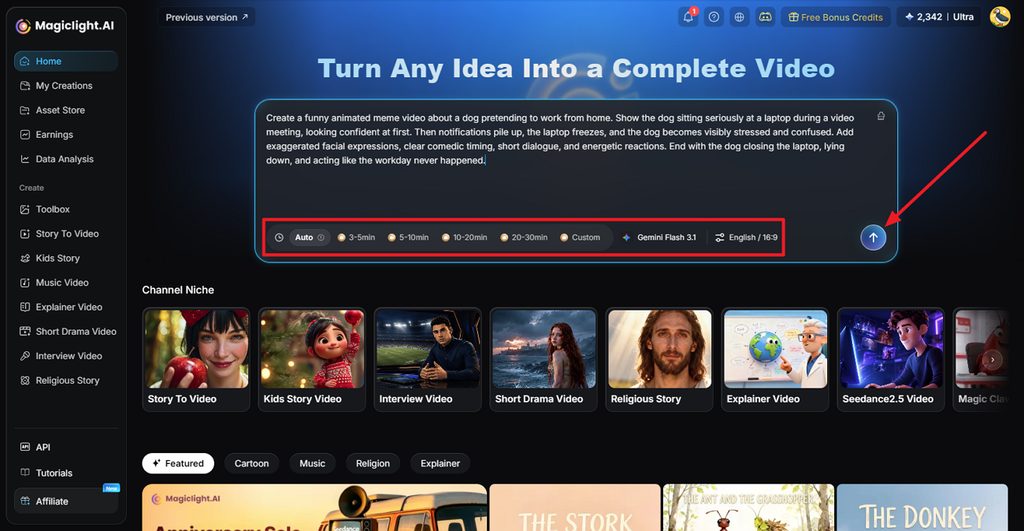
Step 1. Add Your Meme Idea
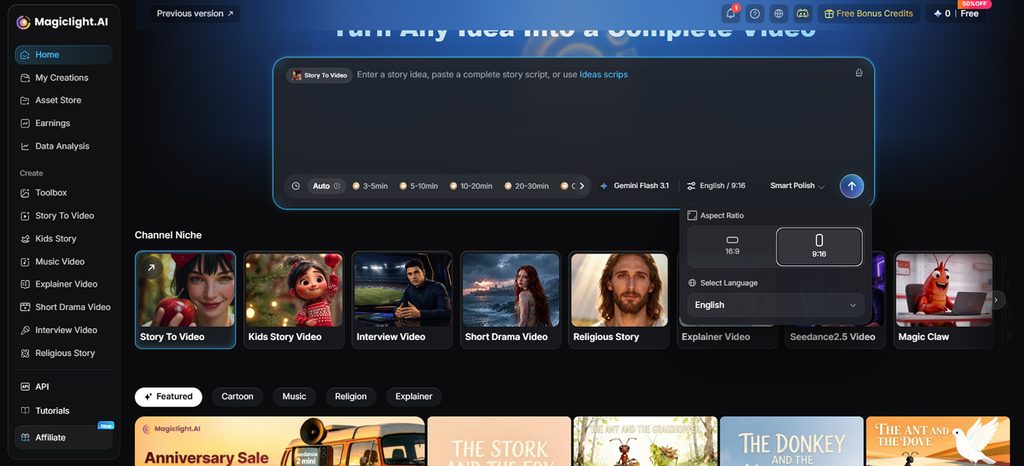
Open Story to Video and type the meme script or idea you want to create. Set the duration, model, language, and aspect ratio, then click Send.
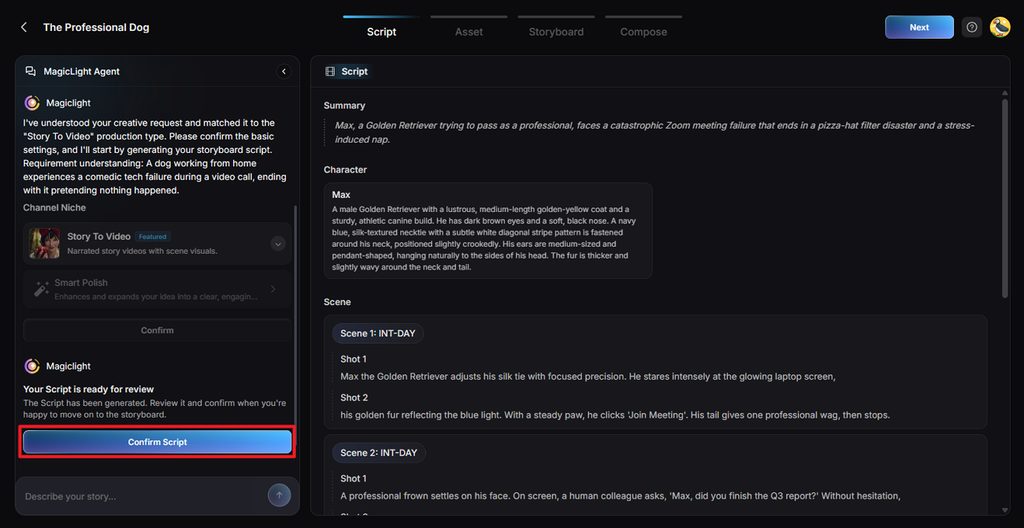
Step 2. Check the Generated Script
MagicLight AI prepares the Summary, Characters, Scenes, and Shots for your meme video. Read through each section, edit anything you want, and click Confirm Script.
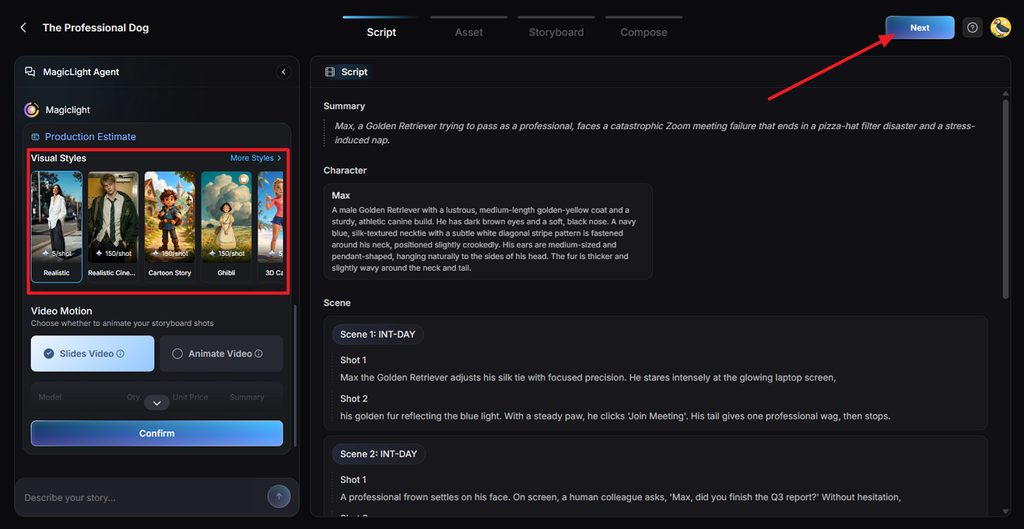
Step 3. Set the Video Style
Pick a Visual Style that fits the look you want for your meme. Select Slides Video, adjust the available options, and confirm your settings.
Step 4. Check Your Meme Characters
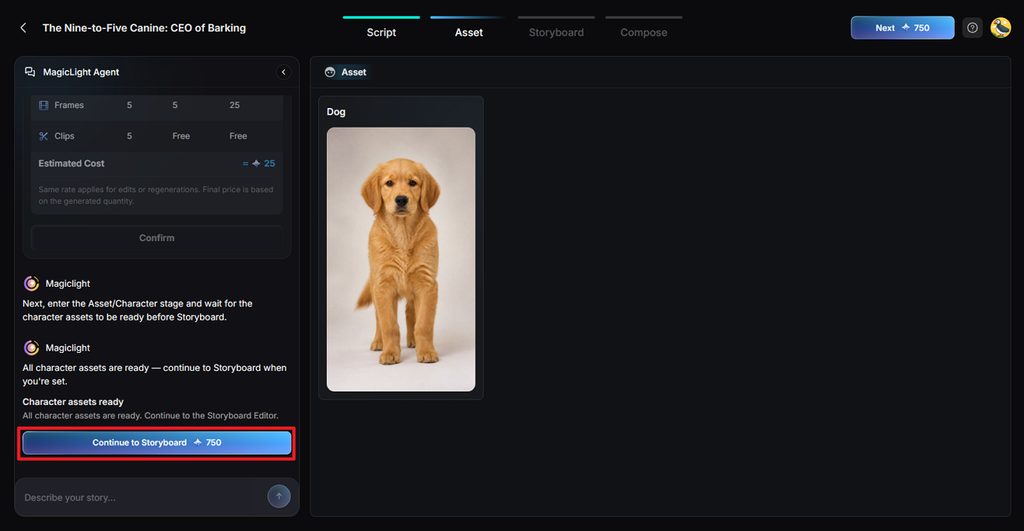
MagicLight AI creates character images based on the people described in your script. Review the generated characters, make any changes, and click Continue to Storyboard.
Step 5. Customize the Storyboard
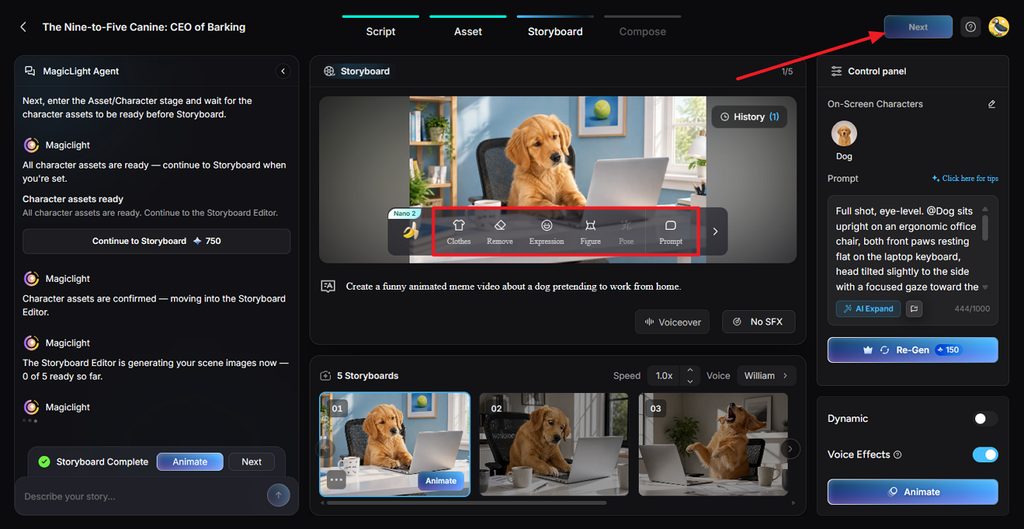
Go through each storyboard shot and change the Clothes, Expression, Figure, Pose, or Prompt where needed. Adjust voices or effects, then select Next.
Step 6. Add Captions and Music
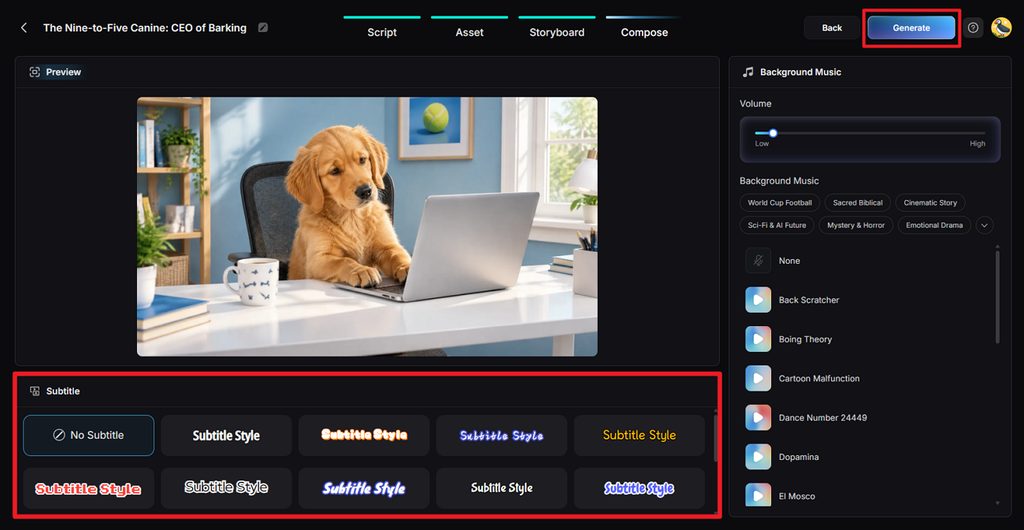
Preview the assembled meme and select a Subtitle Style or choose No Subtitle. Set the Background Music and volume, then click Generate to finish the video.
Step 7. Save Your Meme Video
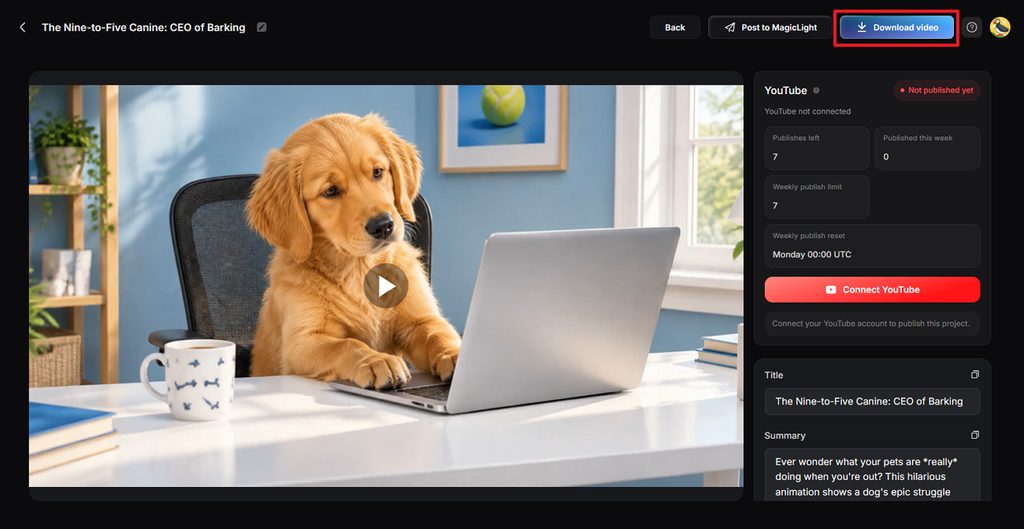
Watch the completed meme to check its scenes, sound, captions, and joke timing. When everything looks right, click Download video and save it for posting.
Conclusion
To conclude, the best meme maker depends on the style and format you want most. Imgflip suits quick template memes, while Canva and Adobe Express offer creative tools. Kapwing and VEED handle video editing, while MagicLight AI creates animated meme stories easily online. Try the available free plans to find which tool matches your meme creation needs best.
FAQs on Best Meme Maker
1. What makes a good meme maker?
A good meme maker offers useful templates, flexible captions, and multiple export formats. The best app to make a meme should also provide practical free features.
2. Can I make memes for free online?
Several online tools let users create simple memes without paying anything upfront today. Free plans may include watermarks, ads, lower resolution, or limited editing features instead.
3. Which meme makers support GIFs or video?
Canva, Adobe Express, Kapwing, and VEED support GIF or video meme creation online. MagicLight AI can generate animated meme videos with characters, voices, and captions automatically.
4. Can AI turn a meme idea into a video?
AI can develop a short meme idea into scenes, dialogue, captions, and animation. MagicLight AI uses its Agent and Story to Video workflow for this process.
5. What is a good AI tool for creating animated memes?
MagicLight AI creates animated memes with characters, expressions, voices, captions, and generated scenes. Its Image to Video tool can also animate an existing still meme image.